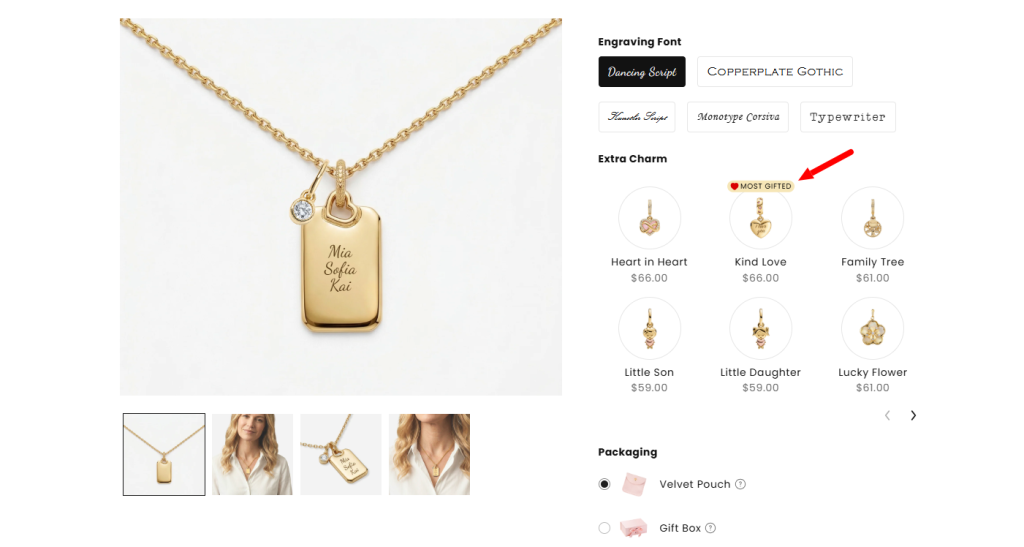
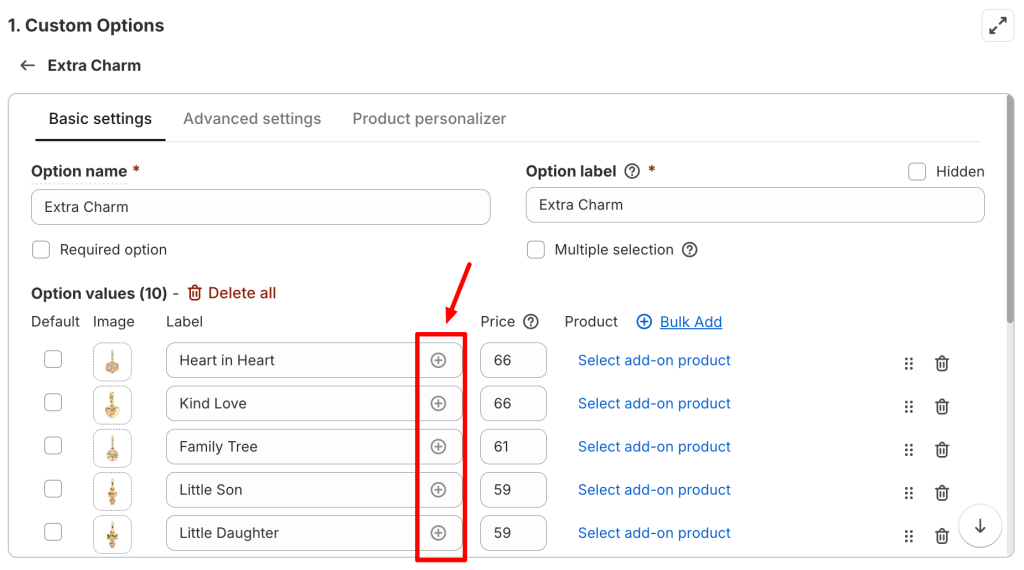
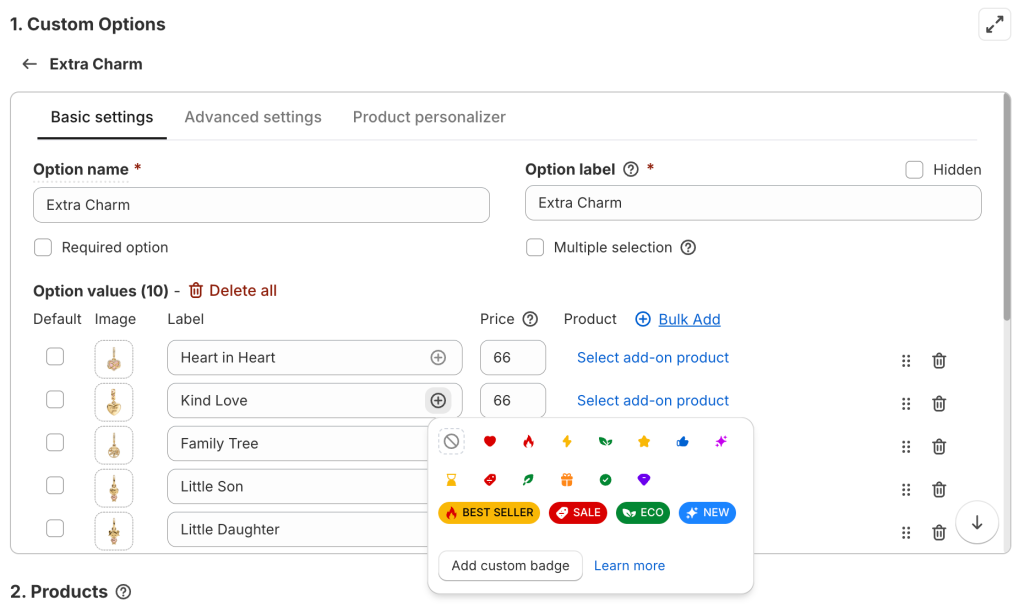
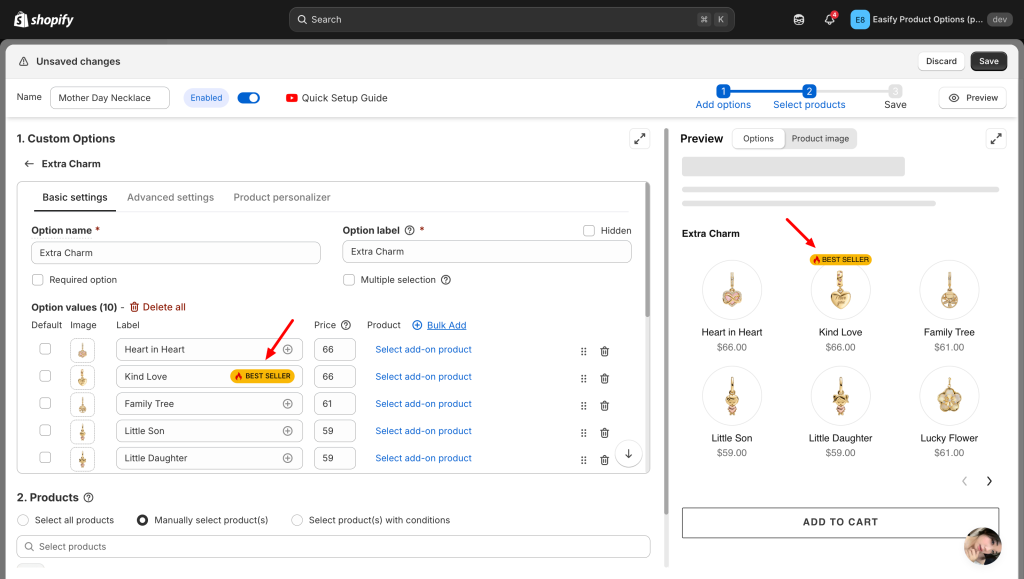
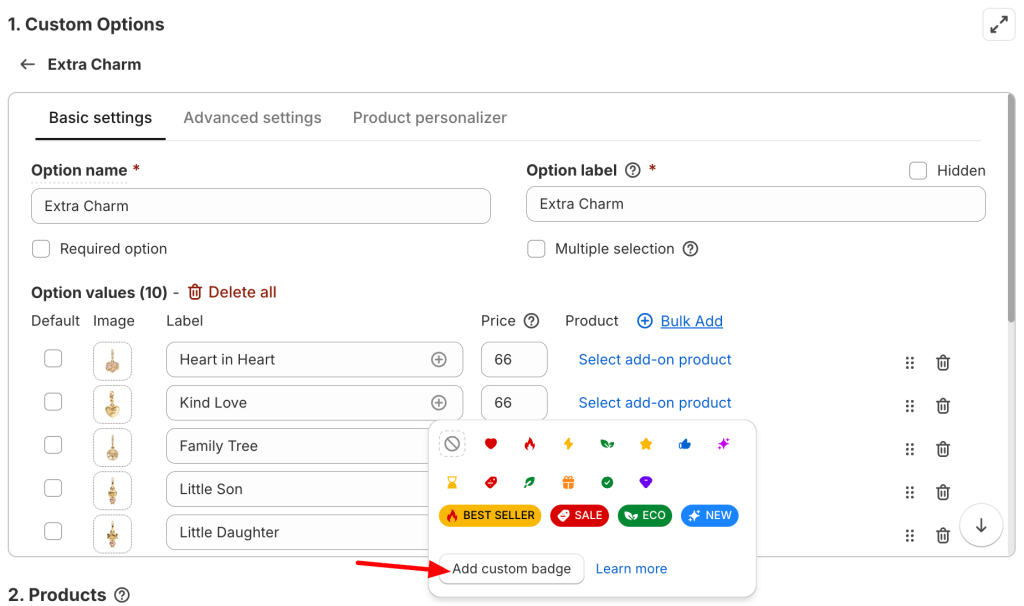
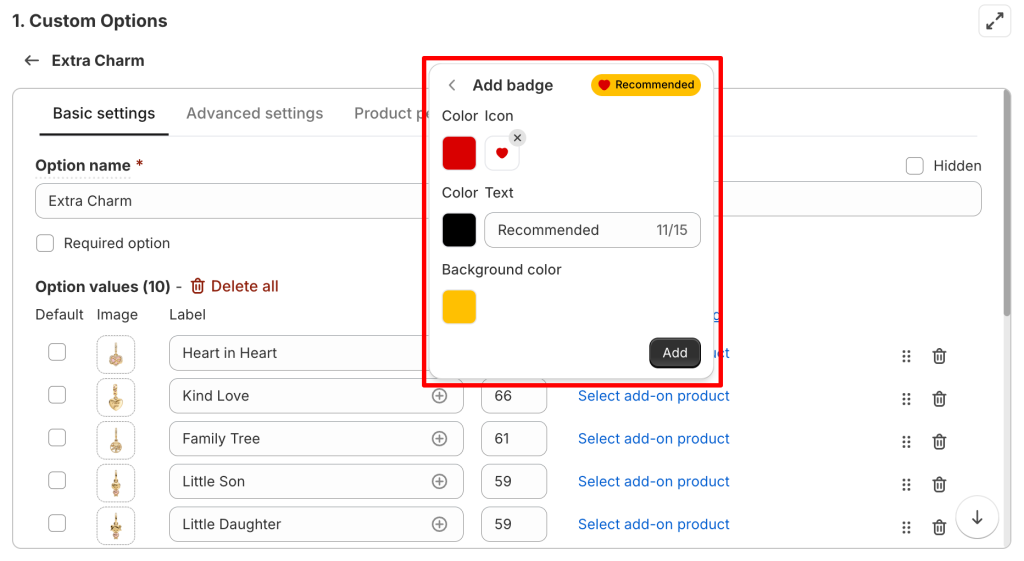
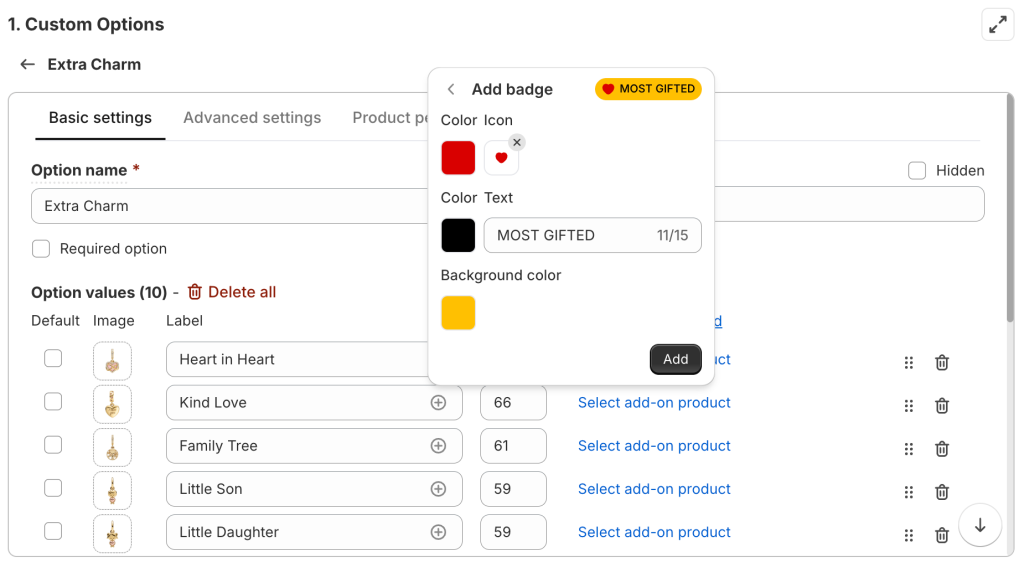
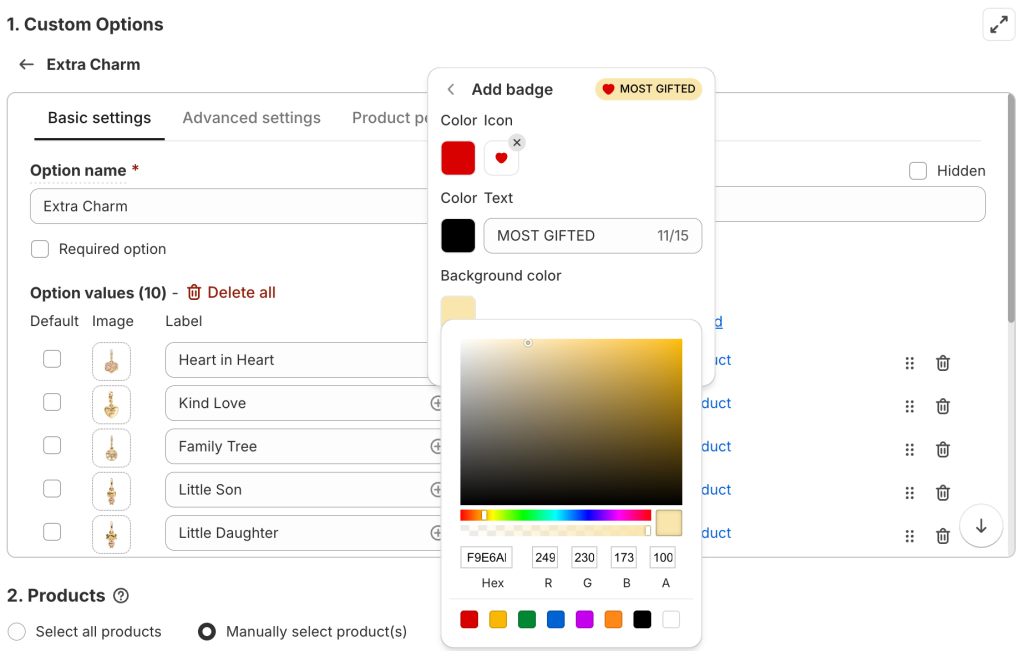
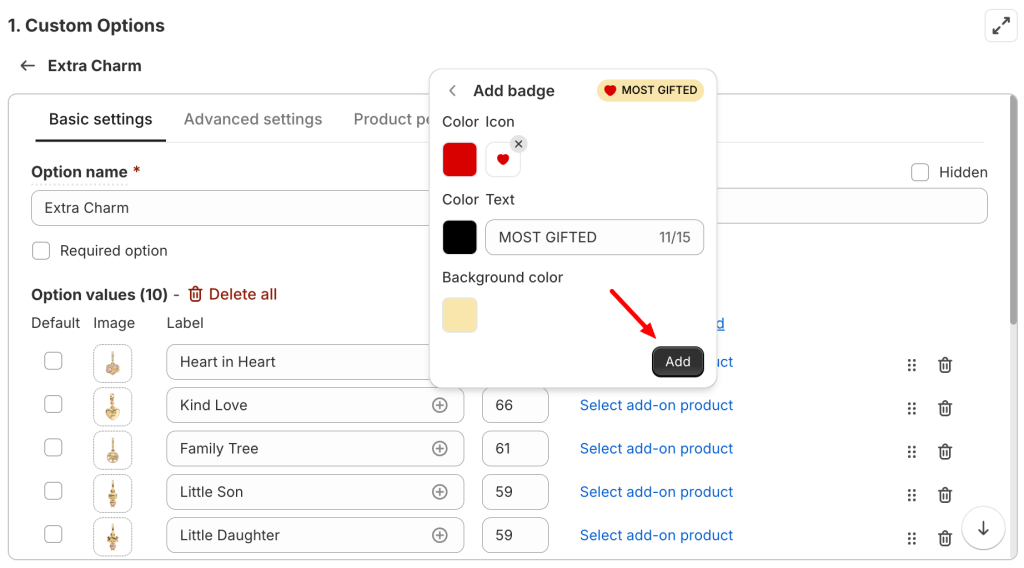
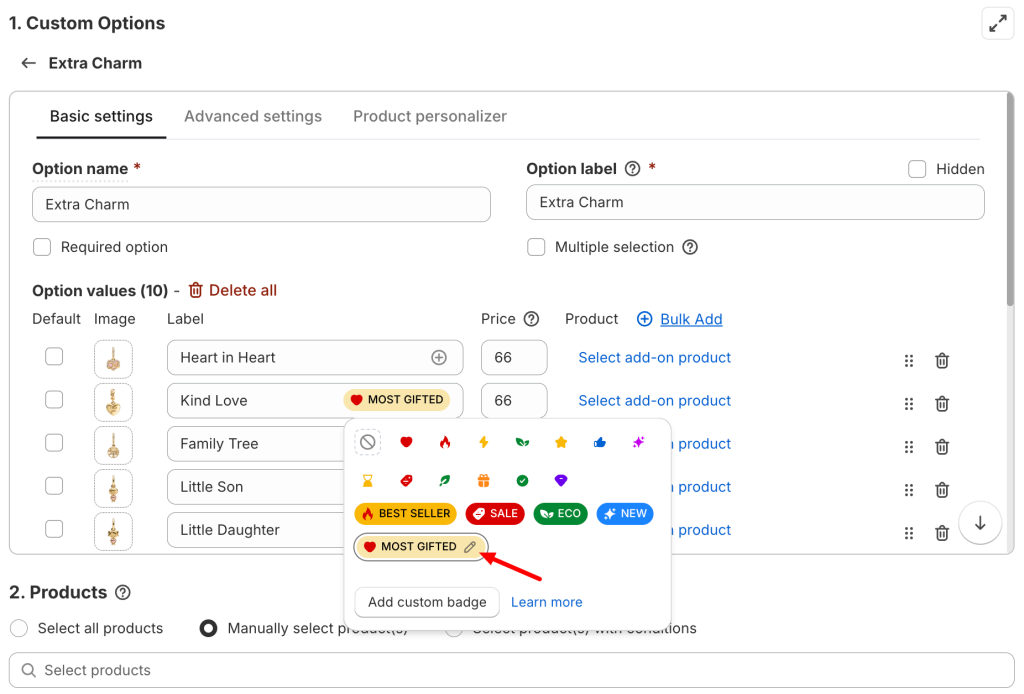
The Option Value Badge feature lets you highlight specific option values using small badges like “Best Seller”, “Hot”, “Limited” (or any message you prefer) so customers notice them instantly.
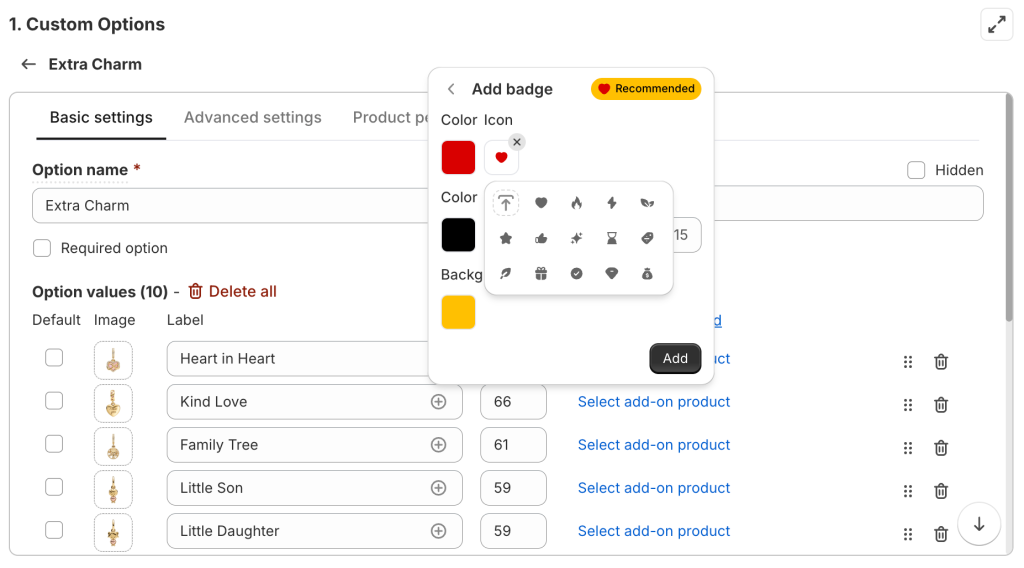
You can use badges to call attention to popular choices, special items, new arrivals, or anything you want customers to focus on. A badge can include an icon, text, or a combination of both, and appears right next to the option value on your product page.
This is a great way to guide customers visually without making your product page feel cluttered.
Available on Premium & Enterprise plans.
🎯 How this helps you get that first sale:
First-time buyers often feel overwhelmed by too many choices. They don’t know which charm stone is most popular, or which engraving style others usually pick. A small “Best Seller” or “Most Popular” badge does the decision-making for them — it’s like a gentle nudge saying: “Other people love this one. You will too.”
This removes hesitation, builds trust through social proof, and helps customers click “Add to Cart” faster — exactly what you need for that first order.
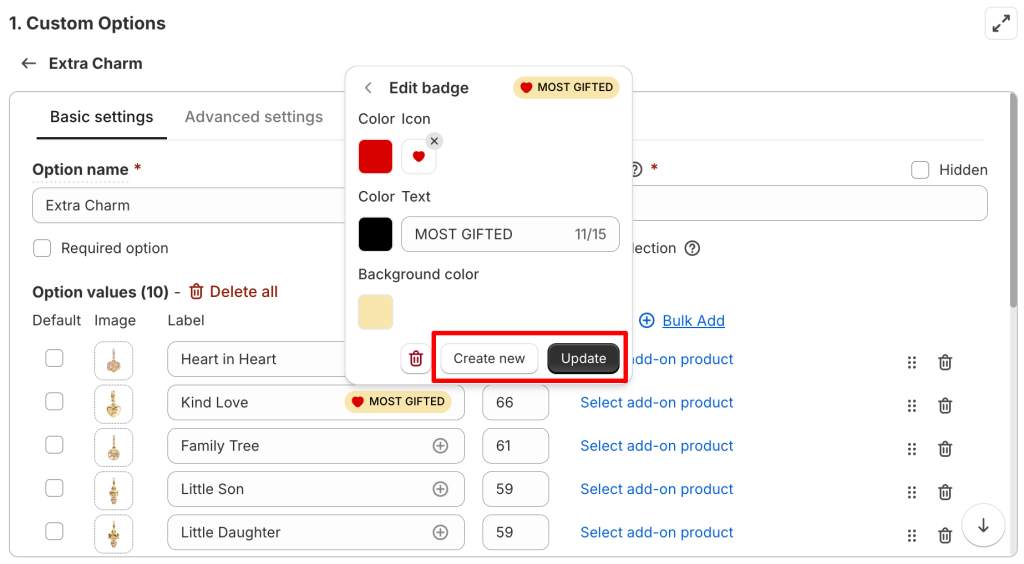
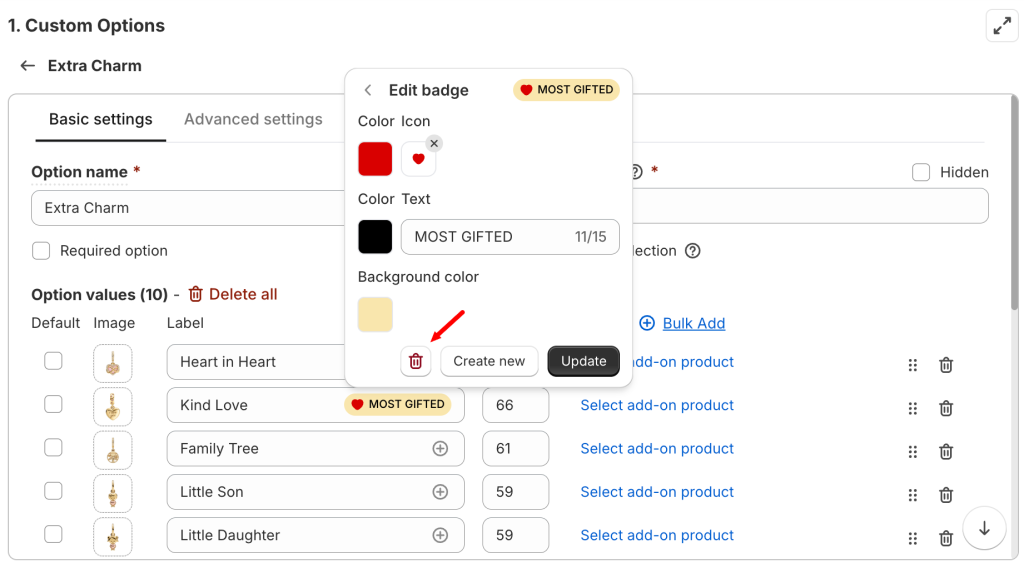
Delete = the badge is completely removed and disappears from all option values in the option set that use it.
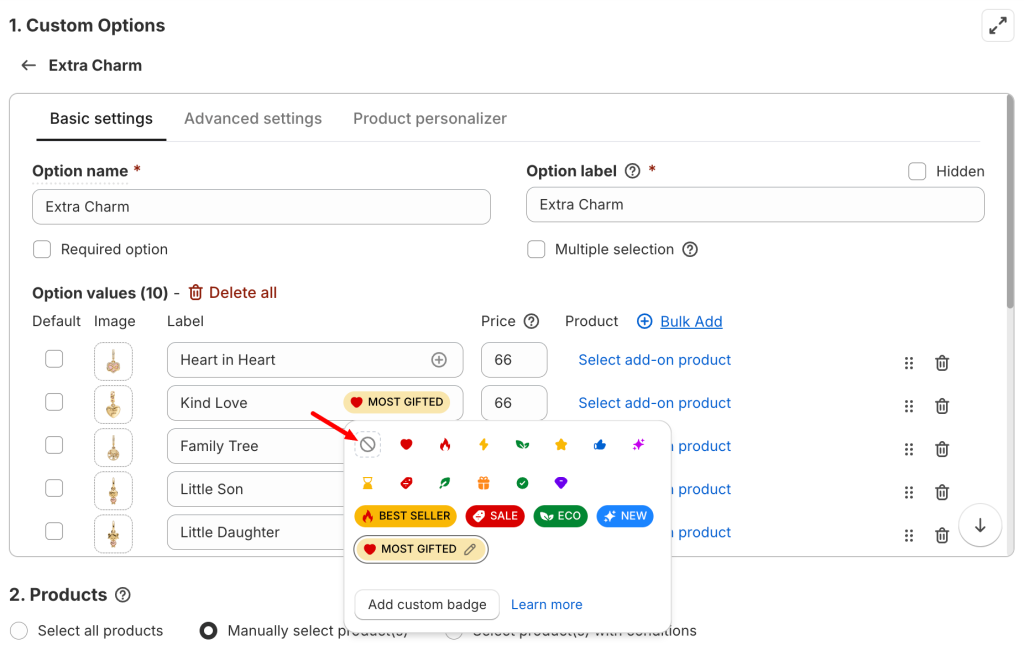
Remove = only this option value loses the badge.
When badges have done their job, the next step is to let customers see exactly what they’re choosing — which is exactly what we’ll cover in the next guide: “Enable Image/Color Swatches on Options”.
If you encounter any issues or need help setting up your badges, our support team is always ready to assist you through the in-app live chat. We’re here to make sure everything works smoothly for you!