Your Easify options won’t show up on your storefront until the app is activated. Follow our detailed guide below for the full walkthrough.
Activate the App Embed from Dashboard #
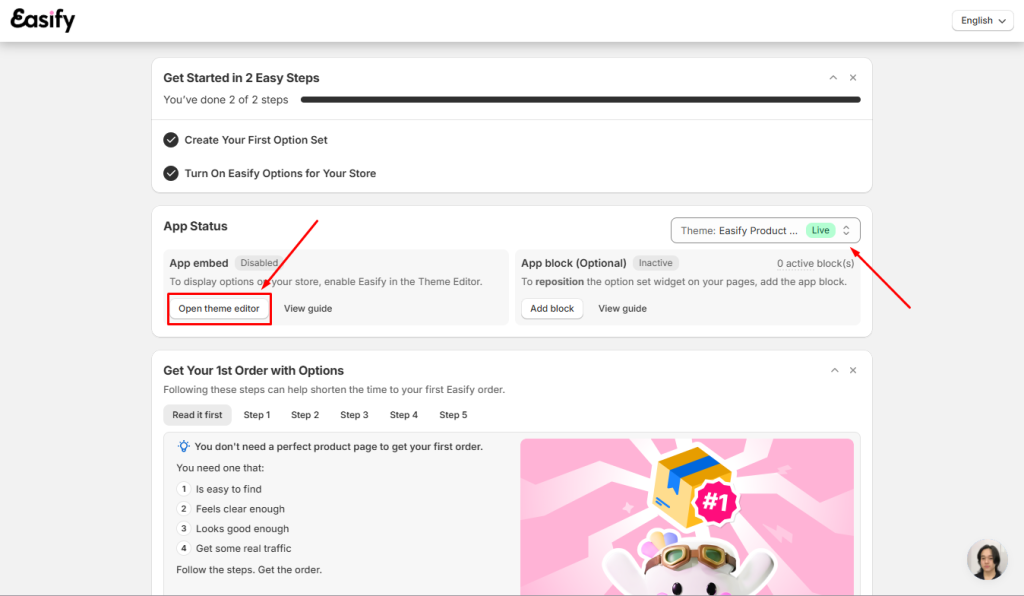
- Go to the Easify Product Options’s dashboard page.
- Since you haven’t activated the app, the app embed status will show as Disabled.
- You can choose the theme you want the app to work on, and click the Open theme editor button. This will direct you to the App embeds page for activation.
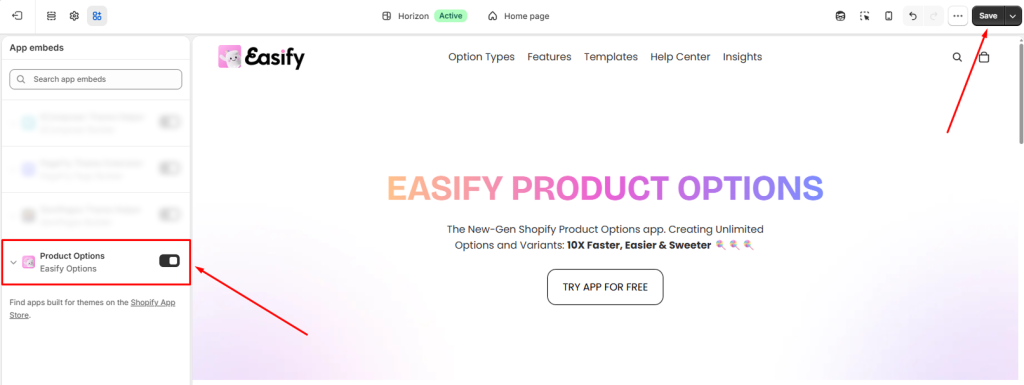
- Ensure the app is enabled and click the Save button to finalize the activation process.
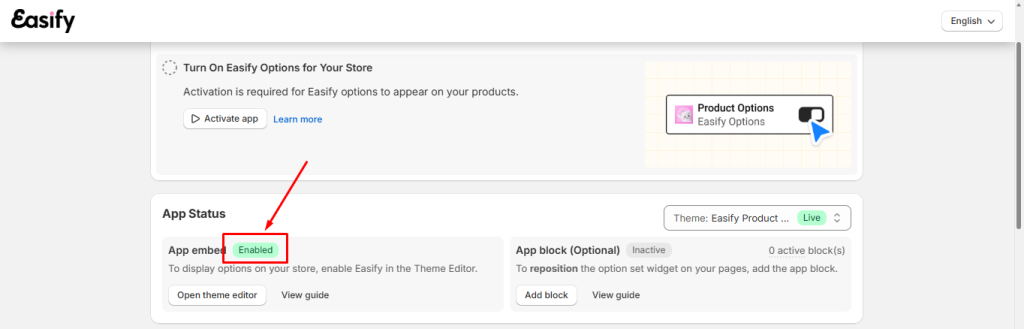
- Then you can close the tab and go back to the Easify Product Options app Dashboard. The status of the App Embed should be changed to Enabled now.
Activate the App Embed from Shopify Admin #
Notes: If you prefer not to navigate through the dashboard, you can activate the app directly from your theme editor in Shopify Admin
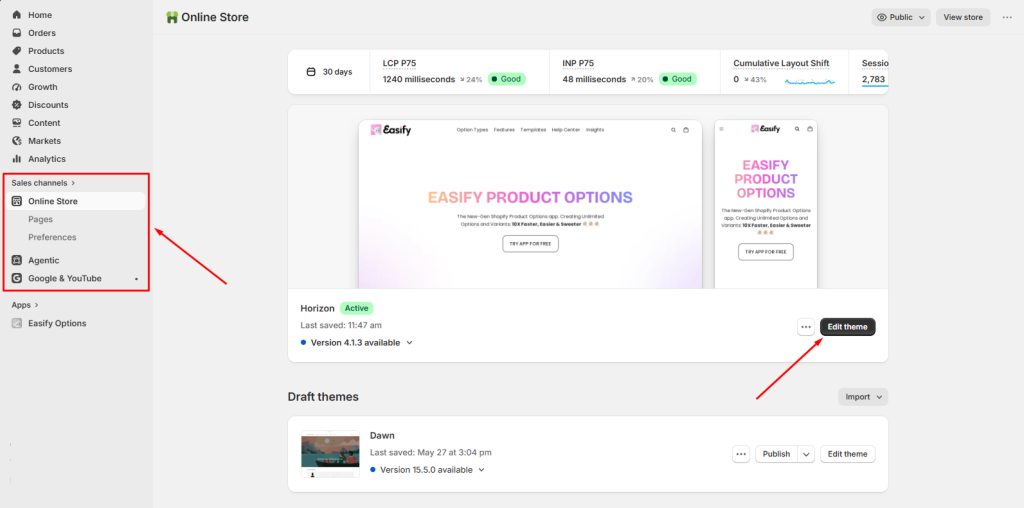
- Go to the Shopify Admin and select Sales Channels > Online Store
- Click on the Edit theme button to access your published theme.
- Navigate to the App embeds tab in the left navigation menu.
- Ensure the app is enabled and click the Save button to finalize the activation process.
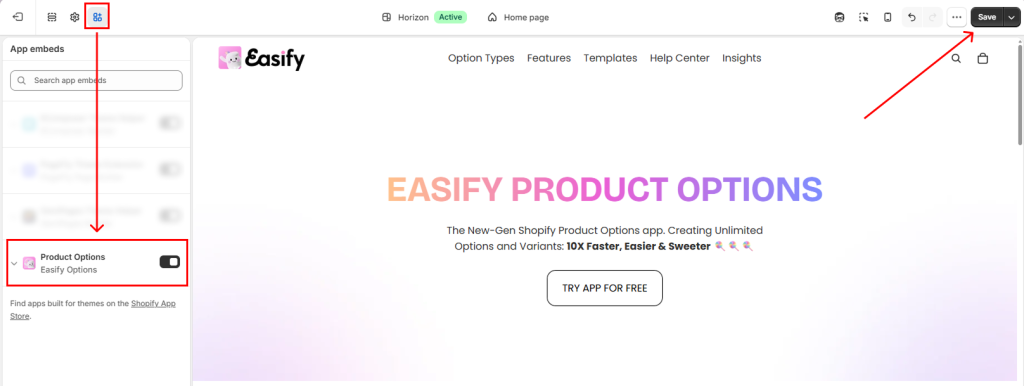
Notes:
In case you switch to a new theme in the future, remember to reactivate the app on the new theme using the same activation steps outlined above.
Failure to do so will result in the app being disabled on the new theme, and any previously created option sets will not be visible.
Deactivate the App Embed #
If you need to temporarily hide your options from the storefront, you can turn the app embed off.
- First, open the Theme editor in your Shopify Admin
- Go to the App Embeds tab
- Find the Easify Product Options app embed, and switch it off.
- Click Save
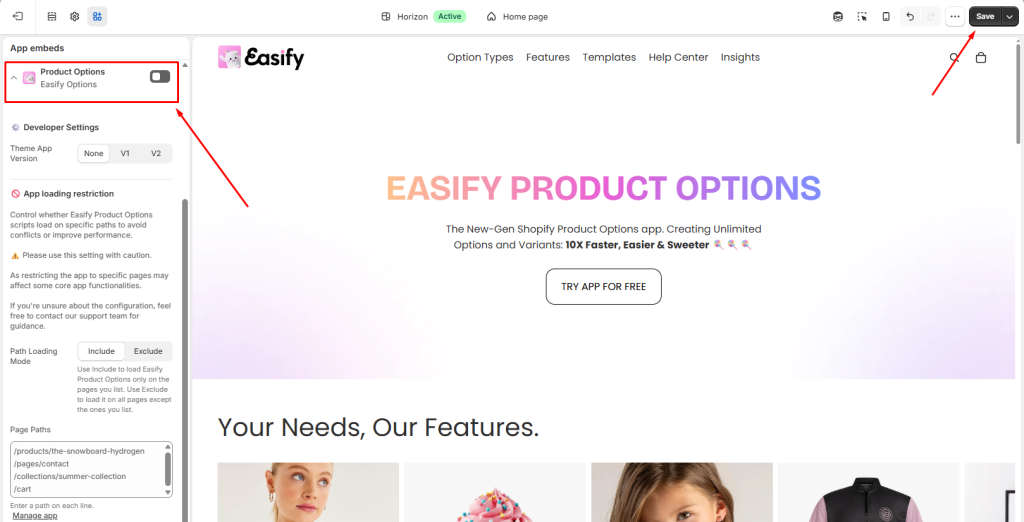
Your option sets will stop showing on the storefront right away. None of your other settings or configurations will be affected, so turning it back on later brings everything back exactly as it was.
More Settings for the App Embed #
When you open the App embed in the theme editor, you’ll see a few further settings:
- Developer settings: Theme App Version lets you control which version of the app runs on your store. We are removing this setting soon, so there’s nothing you need to do here — just leave it as is.
- App loading restriction controls whether Easify Product Options scripts load on specific page paths. Changing this can be destructive, so please use it with caution — we’d recommend contacting our support team first before making any changes.
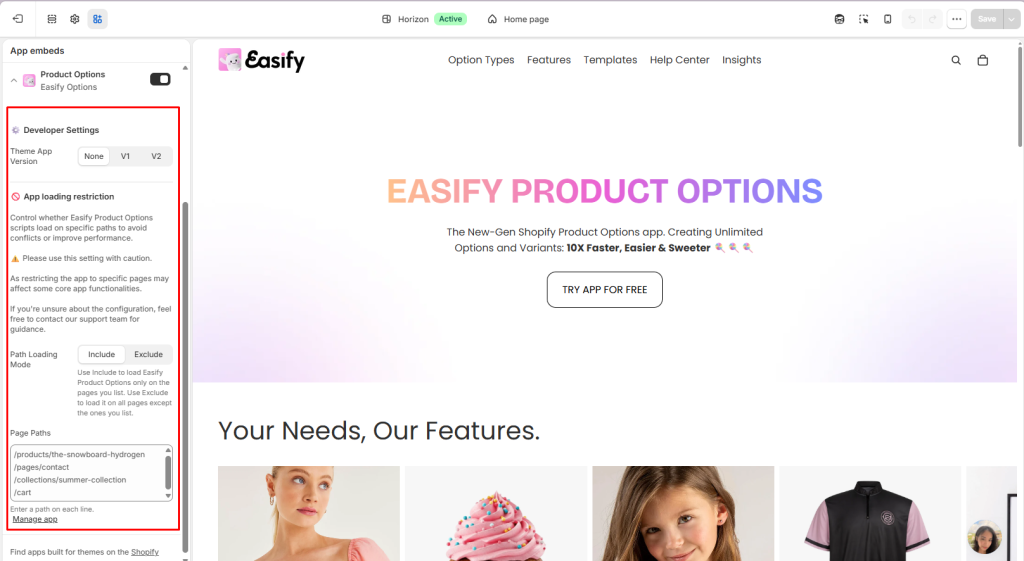
What Happens If You Uninstall the App #
If you uninstall Easify Product Options, we automatically removes the app block from your theme along with it. You don’t need to manually remove it beforehand.
📝 Note: If you reinstall the app later, the block won’t come back automatically. You’ll need to add it again through the theme editor.
Need Assistance #
If you encounter any difficulties during the app activation process, don’t hesitate to contact us for assistance. You can reach out via our in-app live chat, submit your request through our contact form, or simply email us at support@tigren.com. We’re here to help!
