Your customers will visit your box page from phones, tablets, laptops, desktops and different browsers. If your box looks broken on any of them, they’ll leave before placing that first order.
That’s why checking responsiveness isn’t optional — it’s essential.
🎯 Why this helps you get that first order
A box that looks great on every device builds trust. When a customer can easily browse and build on their phone or laptop without glitches, they’re far more likely to complete that first purchase.
How to Check Responsiveness of The Box #
Step 1: Use the device switcher #
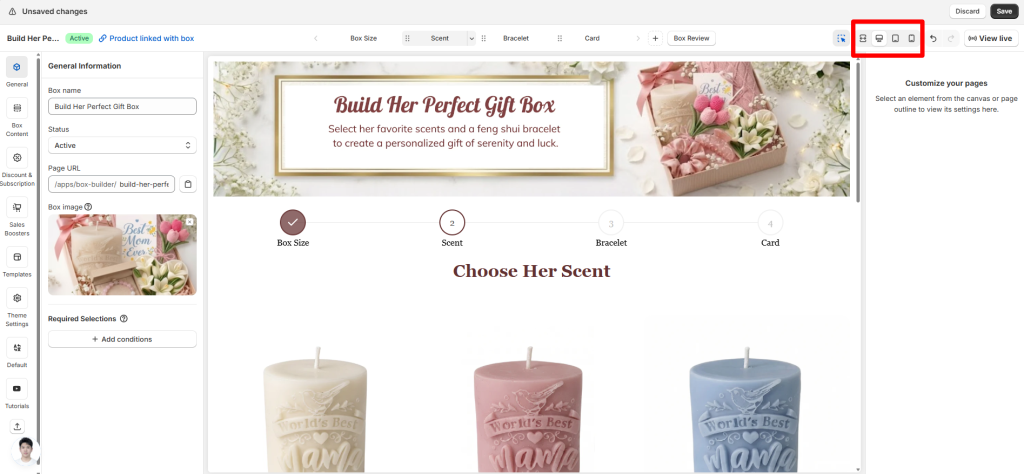
In the top-right corner of the Visual Editor, you’ll see the view mode switcher with icons for Fullscreen, Desktop, Tablet, and Mobile.
Click each one to see how your box page will look on different screen sizes.
Step 2: Test on real devices #
The preview is helpful, but it’s not perfect. Always open your live box page on an actual phone, tablet, and computer to see how it really behaves. Tap buttons, scroll through steps, and try building a box on each device
Device-Specific Settings You Should Know #
For some elements, you can adjust how they appear on mobile without even switching to mobile preview. Just look for device-specific settings right in the General or Styling tab.
For example:
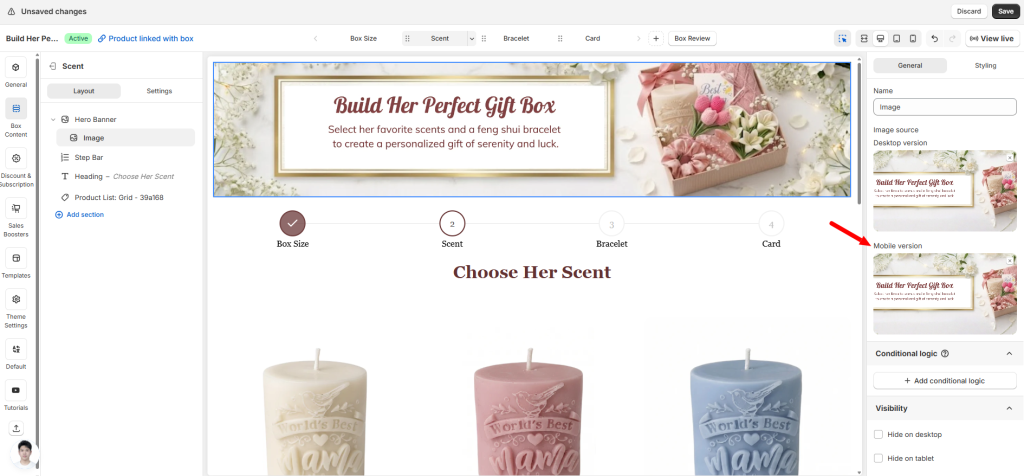
- Banner – There’s often a separate field for mobile banner image. Upload a different image for mobile without touching the desktop version.
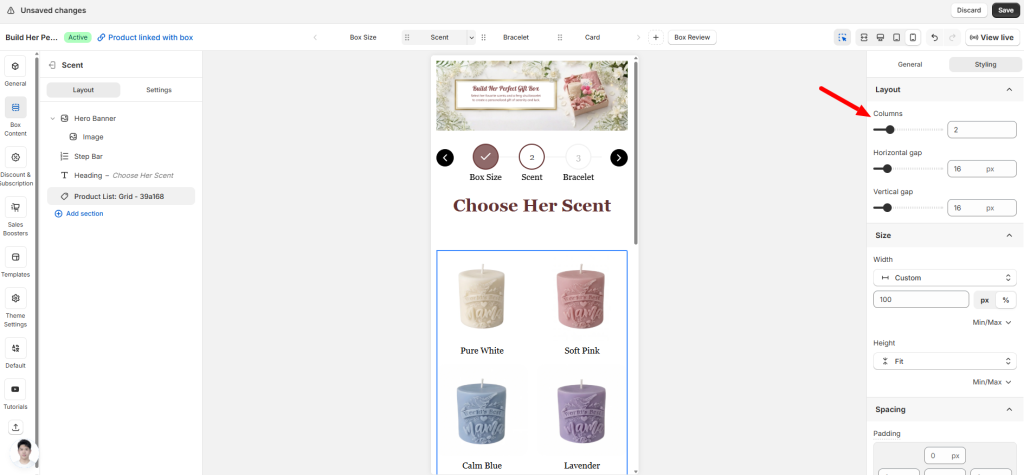
- Product – Preview on Mobile using the device switcher, then set the number of columns (e.g., 2 columns instead of 3). The change applies only to mobile.
Other elements like text blocks, buttons, or custom fields can also be shown or hidden.
Once you’ve confirmed your box looks great on every device, don’t stop there. The next step is making sure everything works correctly — prices, discounts, stock counts, and more. A beautiful box page means nothing if the numbers are wrong.
Next up: “Check Box Page Accuracy (Prices, Discounts, Stock)“
Need assistance? #
If you notice something looks off on a specific device and can’t fix it, just click the live chat in the bottom-left corner. We’re here to help.
