Your cart stock alerts won’t show on your storefront until the app is activated. Follow our detailed guide below for the full walkthrough.
Activate the App Embed from Shopify Admin #
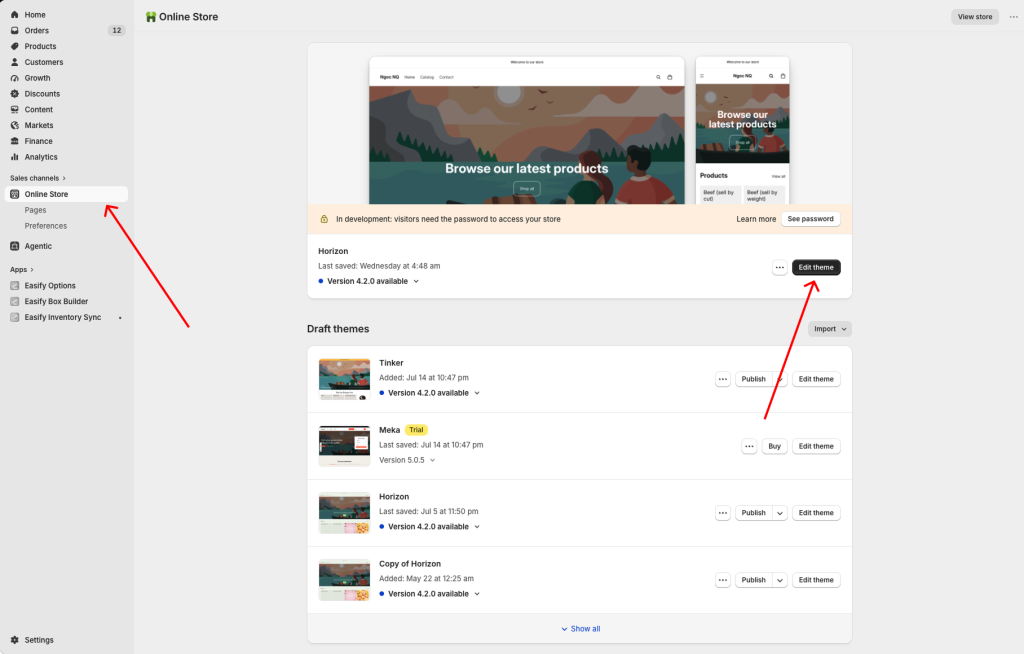
- Go to the Shopify Admin and select Sales Channels > Online Store
- Click on the Edit theme button to access your published theme.
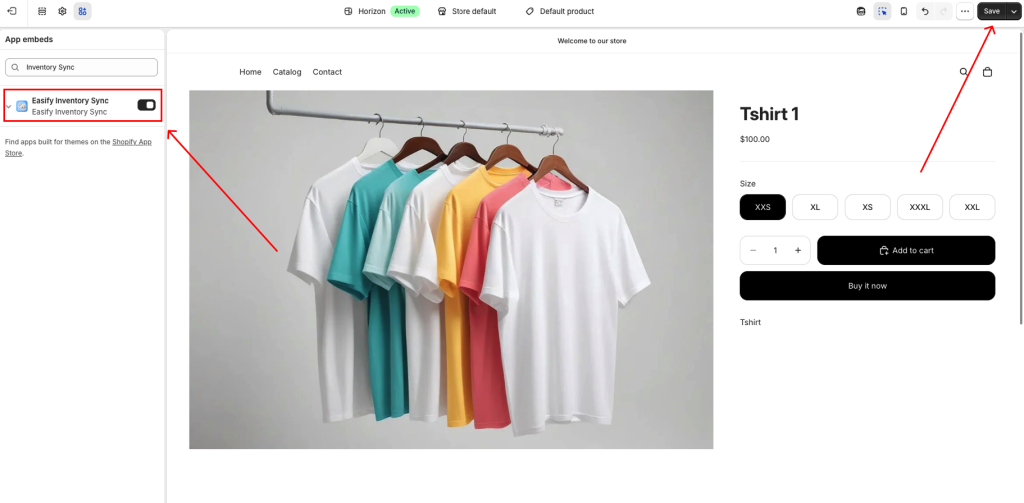
- Navigate to the App embeds tab in the left navigation menu.
- Ensure the Easify Inventory Sync app is enabled and click the Save button to finalize the activation process.
Notes:
In case you switch to a new theme in the future, remember to reactivate the app on the new theme using the same activation steps outlined above.
Deactivate the App Embed #
If you need to temporarily disable the cart stock alerts from the storefront, you can turn the app embed off.
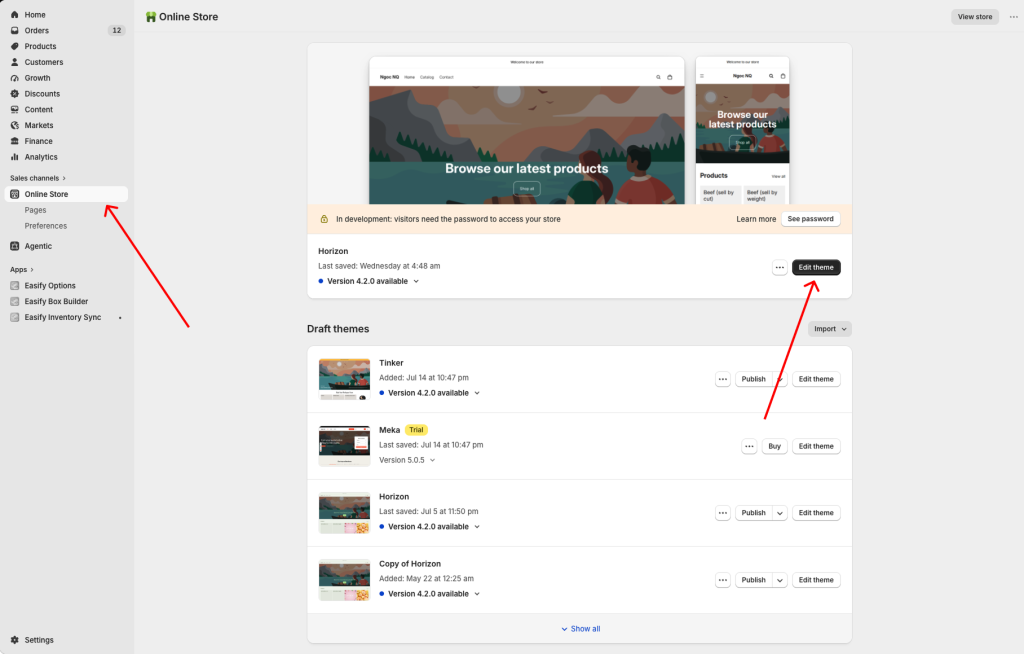
- First, open the Theme editor in your Shopify Admin
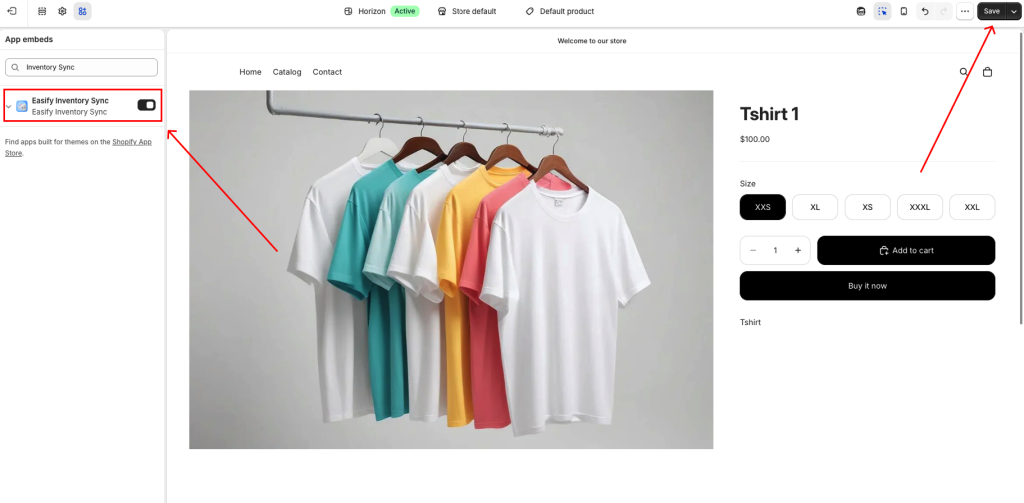
- Go to the App Embeds tab
- Find the Easify Inventory Sync app embed, and switch it off.
- Click Save
None of your other settings or configurations will be affected, so turning it back on later brings everything back exactly as it was.
Need Assistance #
If you encounter any difficulties during the app activation process, don’t hesitate to contact us for assistance. You can reach out via our in-app live chat, submit your request through our contact form, or simply email us at support@tigren.com. We’re here to help!
