Okay, we can’t keep this one quiet any longer.
For a while now, our team has been working hard to rebuild the Option Set Editor from scratch, and v3.5 is almost ready to show. It’s not live yet, but we couldn’t wait to give you an early look.
You’ve spent a lot of hours in the current editor, so the last thing we’d do is surprise you with a brand-new one with no warning. Here’s a closer look at what’s coming, and why we’re so excited about it.
⚡ Faster, with a whole new engine #
The biggest work in v3.5 happened in a place you can’t see: we rebuilt a large part of what runs behind the scenes, and gave it a new backend engine designed from the start to handle option sets at scale.
Why this matters for you
If you’ve ever opened a big option set and watched the spinner go round, or held your breath uploading a batch of images during a busy sale, you know exactly the moments we set out to fix. The editor should feel quick and steady no matter how heavy your setup is, and especially when it matters most, like the middle of BFCM.
What’s actually changing
- Up to 50% faster load times. The editor opens and responds noticeably quicker. The new engine is built to stay stable even during busy periods, so a sudden rush of traffic doesn’t drag your workspace down with it.
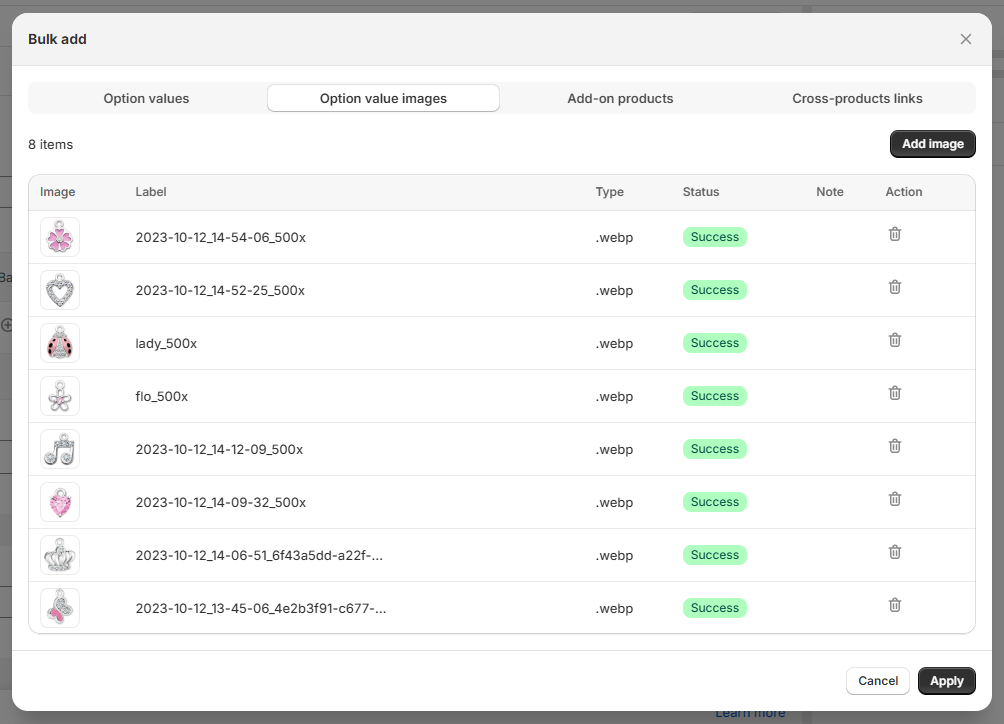
- Up to 40% faster image uploads. Built for bulk. Drop in dozens of images at once and only wait a short moment. If you run image-heavy option sets or product personalizer setups, this one’s for you.
- Smoother live previews. The live preview on your storefront now runs more smoothly on both mobile and desktop. Options load and respond more fluidly, so the experience feels polished for your shoppers.
🔥 The short version: v3.5 was built to handle and preview large setups without slowing down, so a big catalog feels just as light to work in as a small one.
✨ Our next chapter in app design #
Option Set v3.5 is the start of a whole new design direction for the app: more modern, cleaner, and built to get out of your way. We rethought how everything looks and feels, while keeping it familiar enough that you’ll feel right at home from the very first click.
A clear use flow
The biggest change you’ll feel right away is the structure. Instead of one busy screen, v3.5 walks you through building an option set in three clear tabs — Add options, Set view, and Select products.
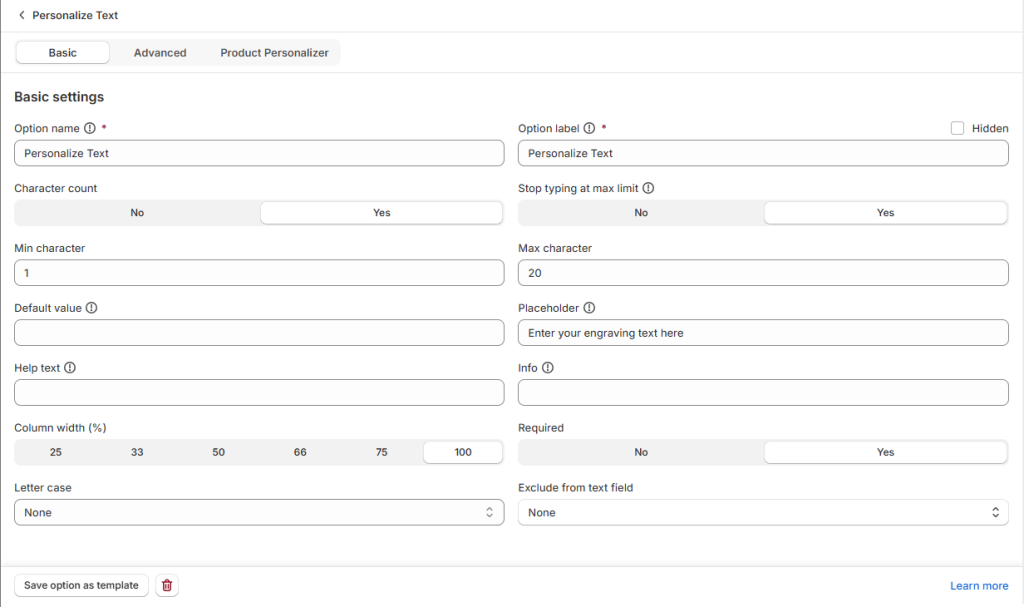
In each option, the simple stuff stays front and center, and the more powerful controls are right there when you need them, without cluttering the view.
🚀 Smarter templates, built for scale #
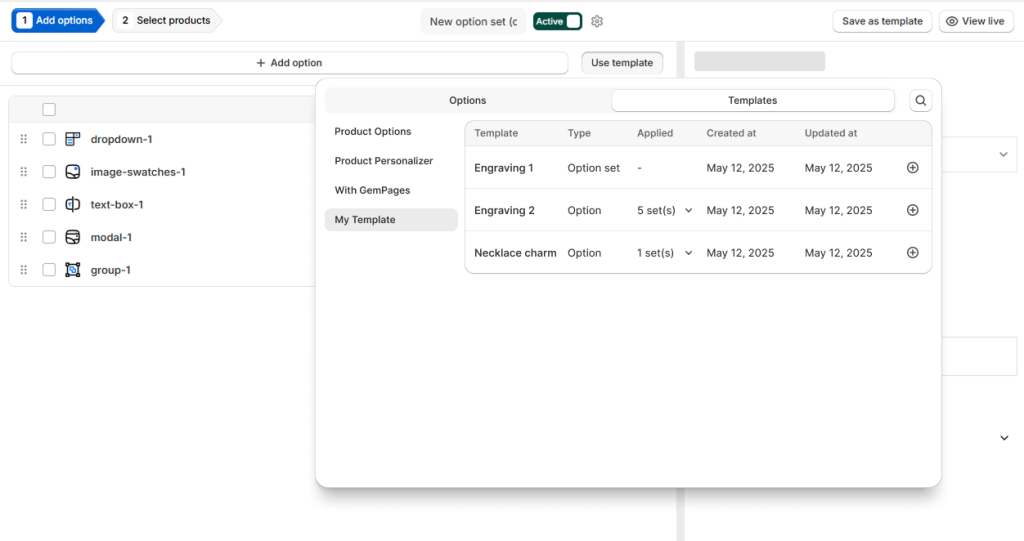
If you run a large catalog, you know the pain of setting up the same options over and over across many products. The new template flow is built exactly for that moment: set your options up once, then apply them widely instead of repeating yourself.
What’s actually changing
We’ve redesigned the flow so you can apply templates to many option sets at the same time. Build a template once, then roll it out across dozens — or even hundreds — of option sets in one go, instead of opening and editing each one by hand.
For big stores, this turns a long, repetitive afternoon into a single action. Big catalogs, meet your new shortcut!
📄 Import & export your option sets #
We’re opening up a whole new way to build and edit: directly in a spreadsheet.
Sometimes the fastest way to make a lot of changes isn’t clicking through screens: it’s working in rows and columns, the way you might already manage the rest of your store data. Option Set Editor v3.5 brings that comfort to option sets.
What’s actually changing
You’ll be able to export your option sets to a sheet file, make your changes there, and sync it back into the app. That works two ways:
- Add brand-new options straight from the spreadsheet.
- Edit existing options in bulk, then bring everything back in at once.
It’s great for large bulk edits, for reviewing your setup in one place, or simply for anyone who just works faster in a spreadsheet than in a form. 🔥
🙌 What you need to do next? Nothing! #
Here’s the best part: there’s nothing on your to-do list today.
🛡️ Your settings and live storefronts stay exactly as they are. Nothing changes for you or your shoppers: every option set you’ve already built keeps working just like before. V3.5 is simply a faster, nicer place to do the same work.
🔔 No setup, no migration, no action needed. When v3.5 is ready, it’ll arrive on its own. We’ll knock on your door the moment it officially drops — until then, just sit tight and carry on as usual.
See you on the other side. 👋
