Your box page looks great. Prices are correct. Discounts apply. Stock counts are accurate. But there’s one more place where things can go wrong: the cart and checkout.
A customer builds their perfect box, clicks “Add to cart,” and then… the price changes. Or the discount disappears. Or something just feels off. That’s a lost order.
🎯 Why this helps you get that first order
The cart and checkout are where customers make their final decision. If everything matches what they saw on the box page, they feel confident completing the purchase. If something breaks, they abandon the cart. It’s that simple.
How to test #
Step 1: Build a real box #
Go to your live box page and build a box from start to finish. Select products, add custom fields, apply any discounts.
Step 2: Go to checkout #
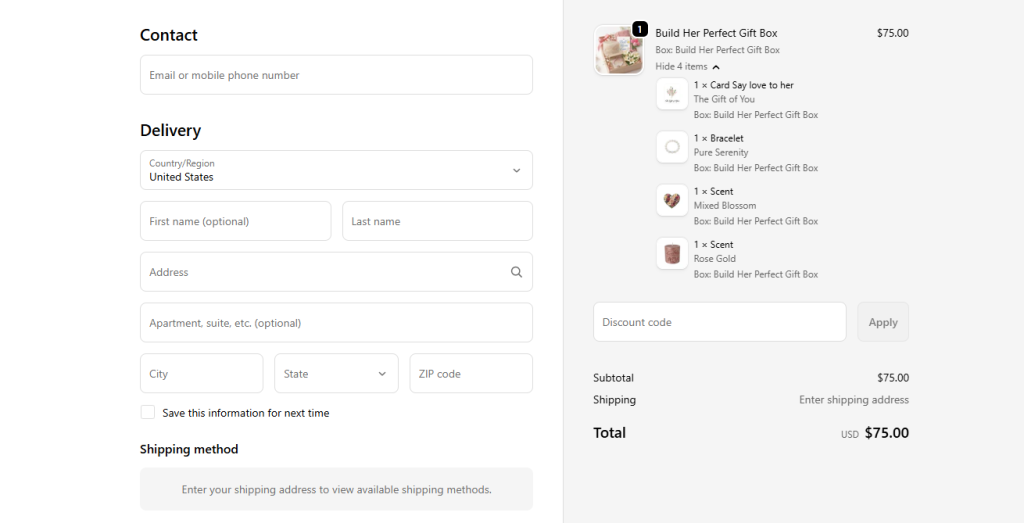
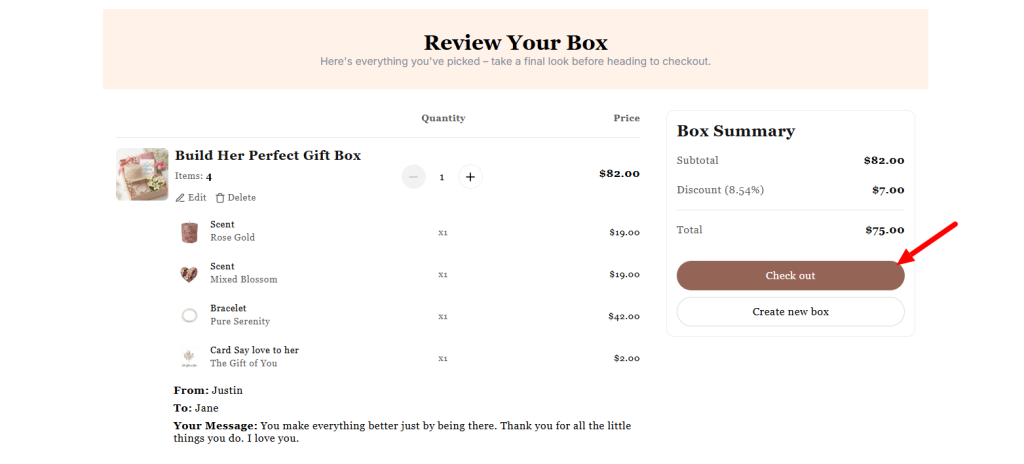
Click Checkout to see the checkout page.
Step 3: Compare everything #
Check that the total price matches what you saw on the box page. Confirm that any discounts still apply. Make sure all selected products and options are listed correctly.
Step 4: Test a second scenario #
Try a different combination – more products, fewer products, a different discount tier. See if the cart behaves the same way.
Once you’ve confirmed that prices and discounts survive the trip to checkout, there’s one final step before you’re truly done: checking the order detail page. This is where you and your customer see exactly what was purchased – box contents, customizations, prices, and all.
Next up: “Check Order Detail – Everything in the Right Place”.
Need assistance? #
If prices or discounts break somewhere between the box page and checkout, click the live chat in the bottom-left corner. We’ll help you track down the issue and get it fixed.
