Placing your best products in the first row of your collection page is a powerful way to capture customer interest immediately. By manually arranging your items, you can showcase top sellers, seasonal promotions, or your most visually appealing products right at the top.
For example, when a customer visits your “Necklaces” collection page, they should see that your engraving necklace right in the first row.
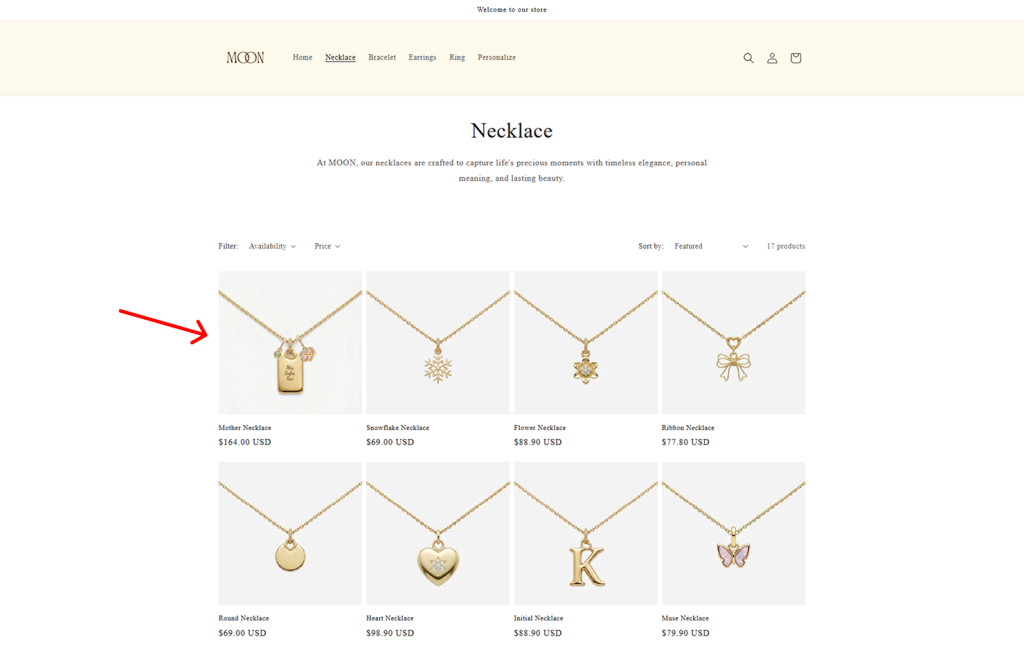
✨How this helps you get that first sale
Customers often browse collection pages first. If your key product is buried on page 2 or hidden at the bottom, chances are they’ll miss it completely. But when it’s in the first row, it grabs their attention immediately — increasing the likelihood that they’ll click, explore, and make that first purchase.
Step-by-Step Setup #
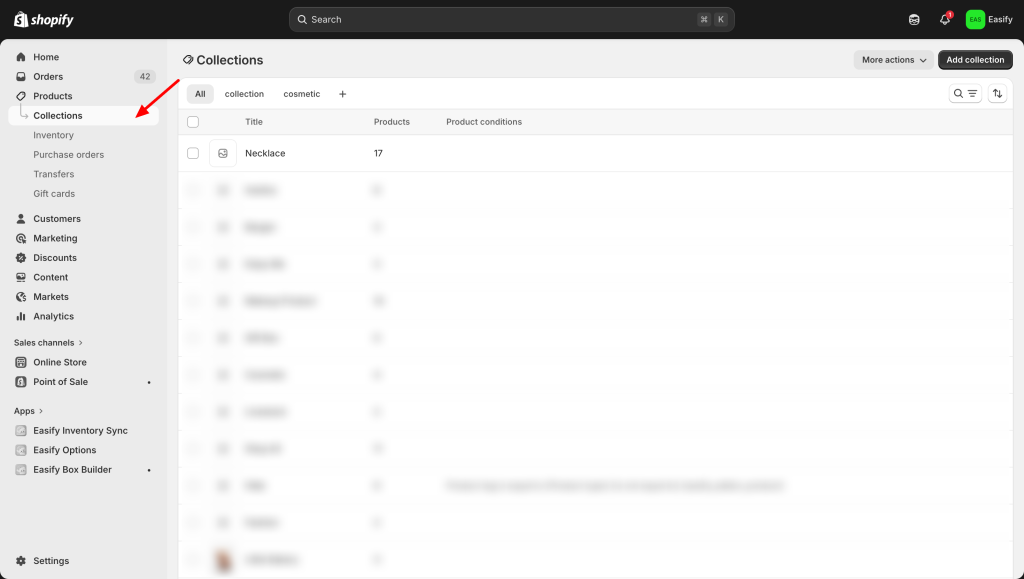
Step 1: Open Your Collection #
Log in to your Shopify admin and go to Products > Collections. Click on the name of the collection you want to organize.
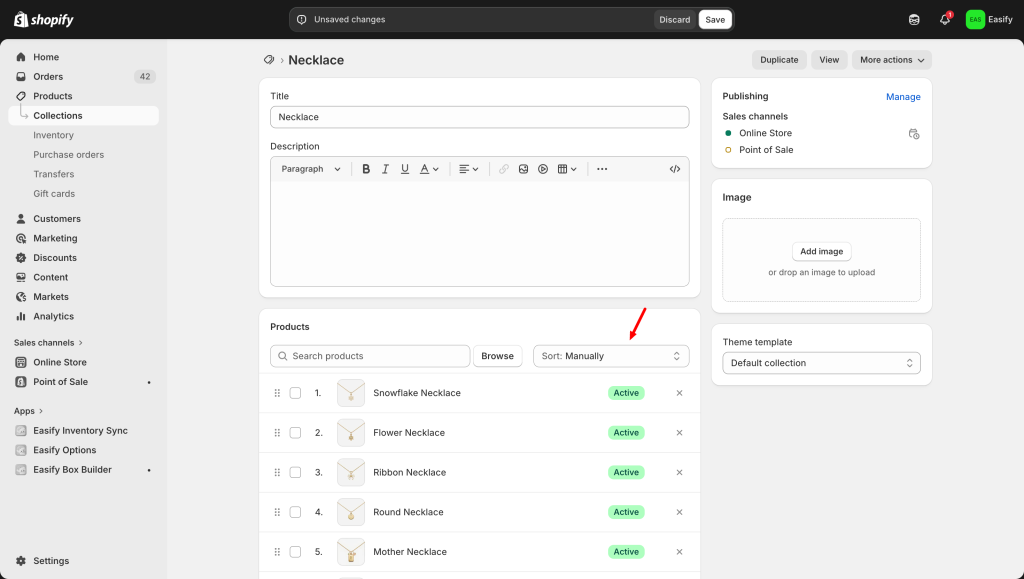
Step 2: Change the Sort Order #
Scroll down to the Products section within the collection page. Look for the Sort dropdown menu and select Manually. This gives you full control over where each product appears.
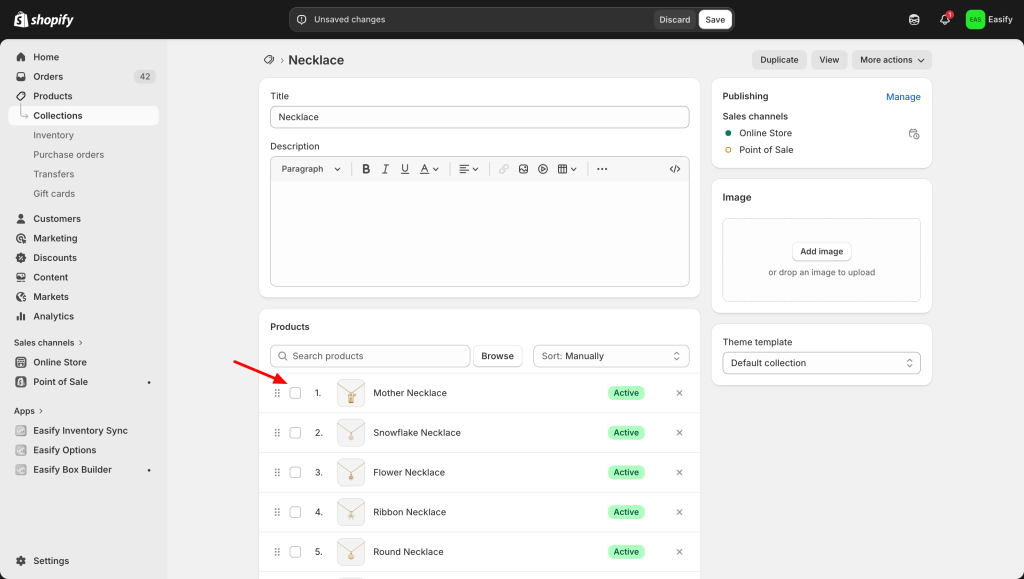
Step 3: Reorder for Maximum Impact #
Now that manual sorting is active, you can simply click and drag the product images.
Move your most eye-catching products to the very first positions in the list. The products at the top of this list will show up in the first row on your storefront.
Step 4: Save and Review #
Verify that your changes are saved. Visit your live store and refresh the collection page to see your new, high-impact layout in action!
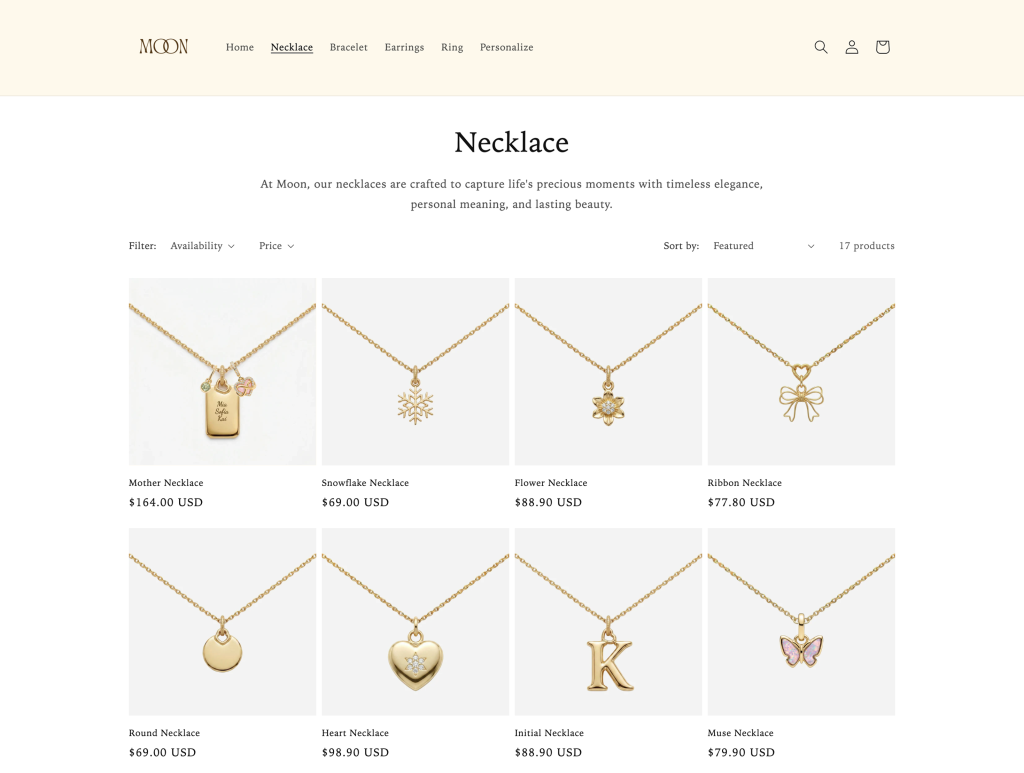
That covers the three key places to position your product: your navigation pane, your homepage, and your collection page.
Now, let’s move on to the detailed setup of standout features that help customers actually customize their product — starting with: Add Descriptions to Your Options / Option Values
Need assistance? #
If you have any questions or encounter issues while following this guide to set up option value images, don’t hesitate to reach out through our in-app live chat. We’re always here to help!
