Table of Contents
What Are Add‑on Price and Add‑on Products? #
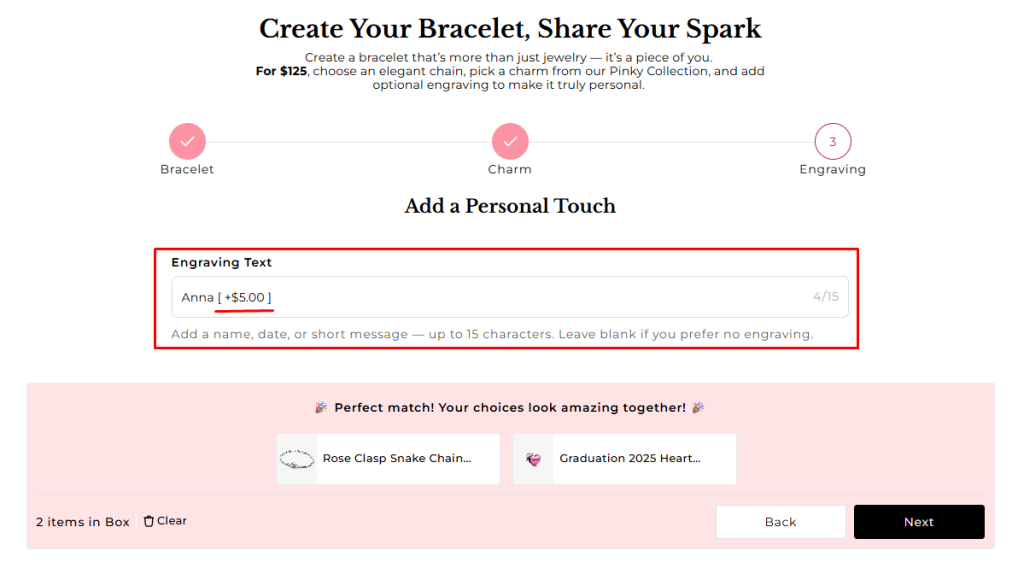
- Add‑on Price: An extra charge applied to the box when a customer selects a specific option. It doesn’t add a new product — just increases the box price. Example: Add “Engraving Text” adds $5 to the Bracelet Box total.
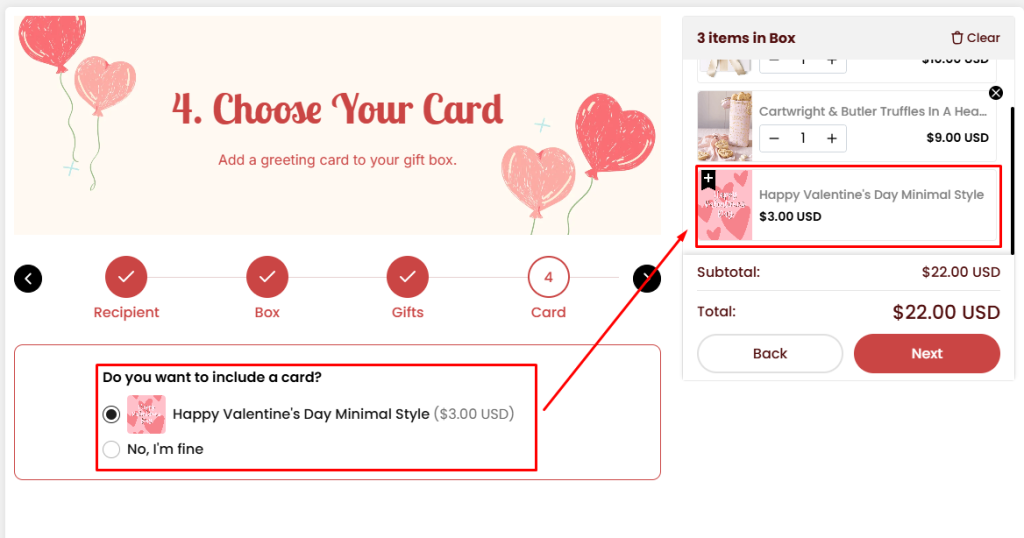
- Add‑on Products: A separate product automatically added to the box when a customer selects an option. It behaves like any other bundled product in the box. Example: Selecting “Add Greeting Card” adds a Greeting Card product variant to the box immediately
How to Enable Add‑on Price and Add‑on Products? #
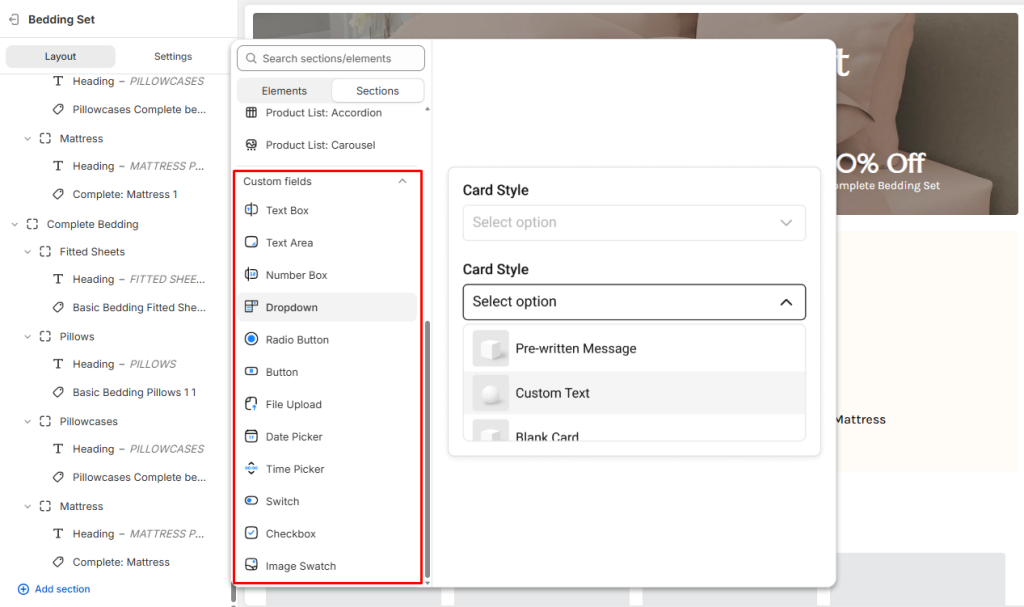
In Easify Box Builder Visual Editor, Go to Box Content → Add any Custom Fields.
- All custom field types (Dropdown, Radio, Button, etc.) support both Add‑on Price and Add‑on Products.
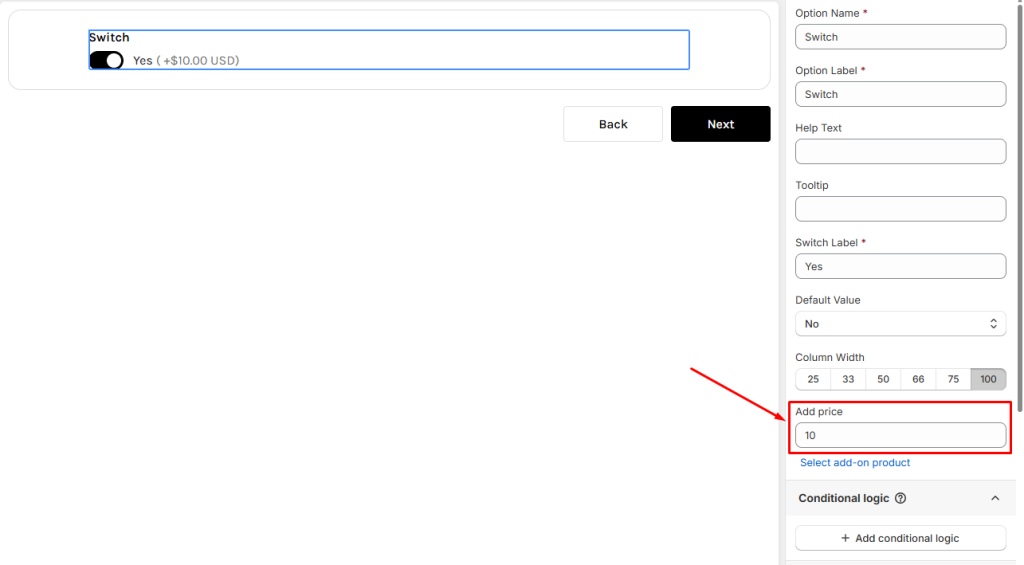
For Add‑on Price #
- Enter a specific number as the extra charge.
- If your field has multiple option values (e.g., Dropdown, Radio, Buttons, Checkbox, Image Swatch) click at Add Option Values button to open the modal.
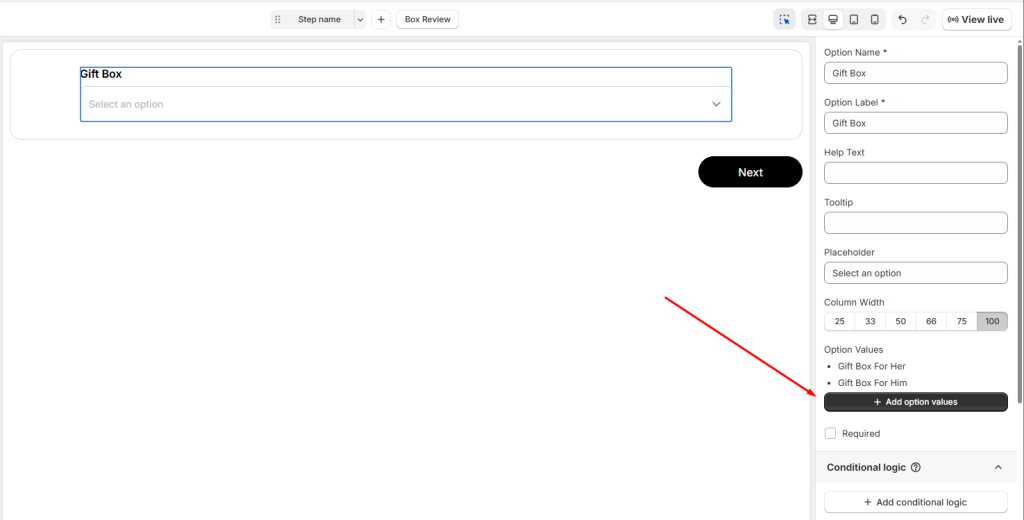
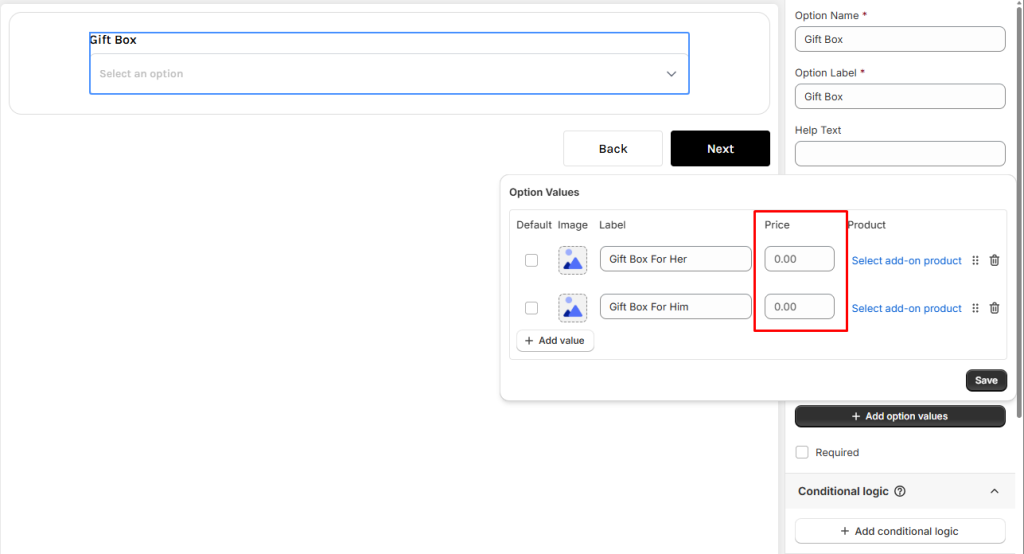
- Inside the modal, set the Add‑on Price for each option value.
For Add‑on Products #
Right next to the Add‑on Price input field, you’ll see the button “Select Add‑on Product.”
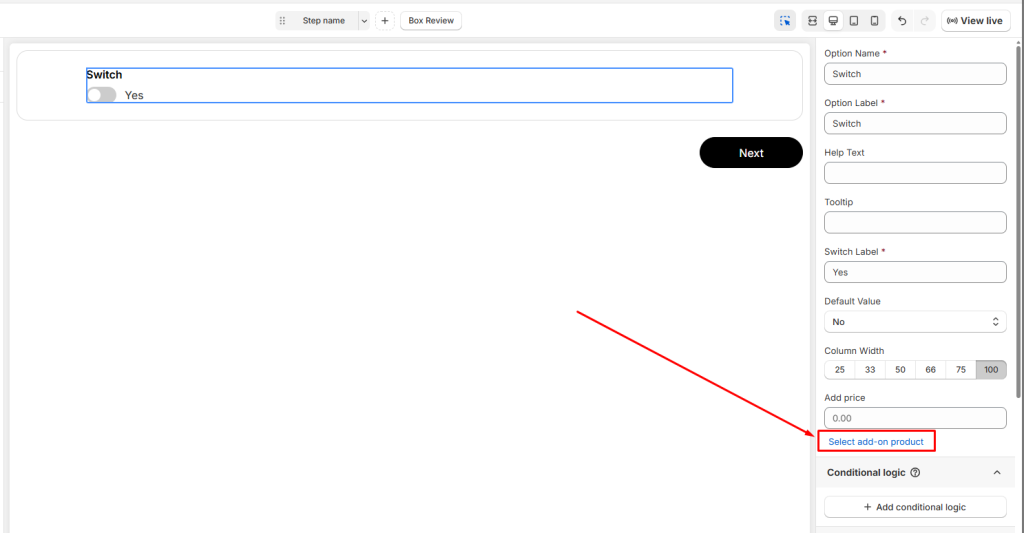
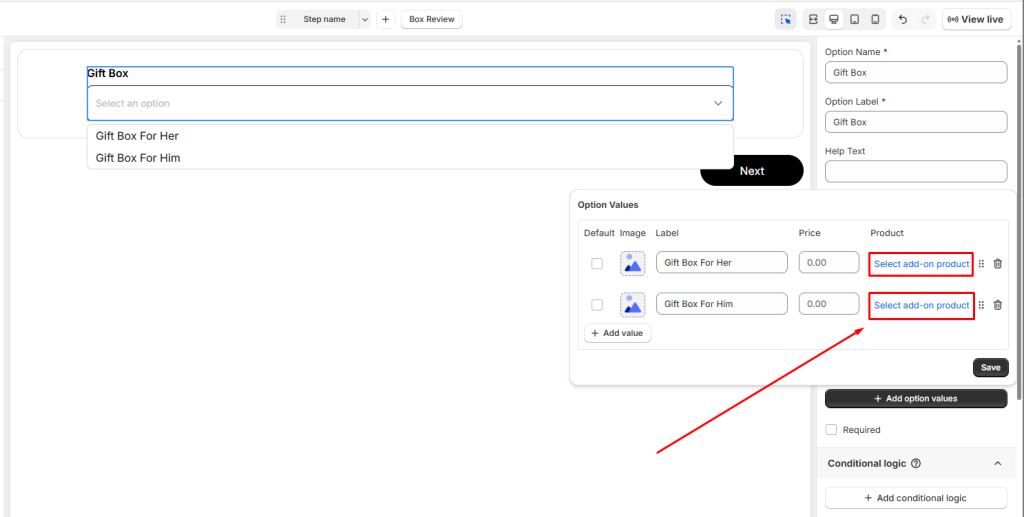
- Click Select Add‑on Product to open a popup window. The popup will display all products available in your store.
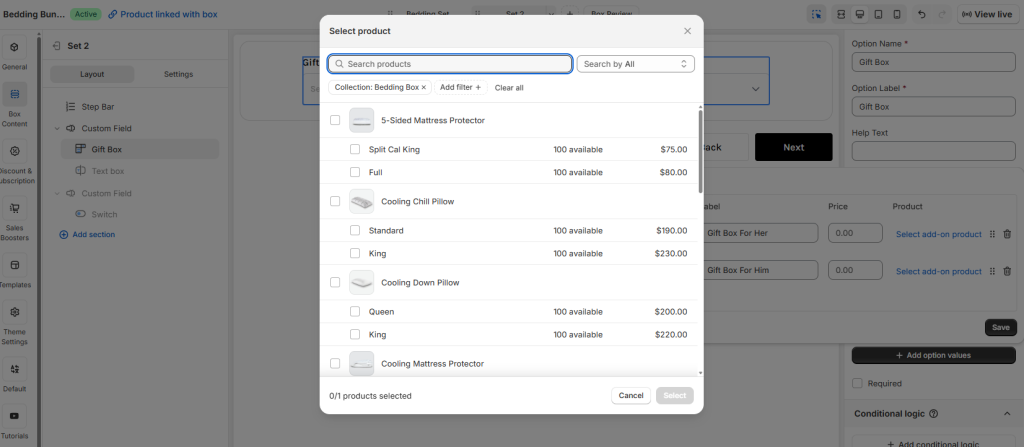
- Use the search and filter bar to quickly find the product you want as add-on products.
- Select the specific product variant you’d like to assign as the add‑on.
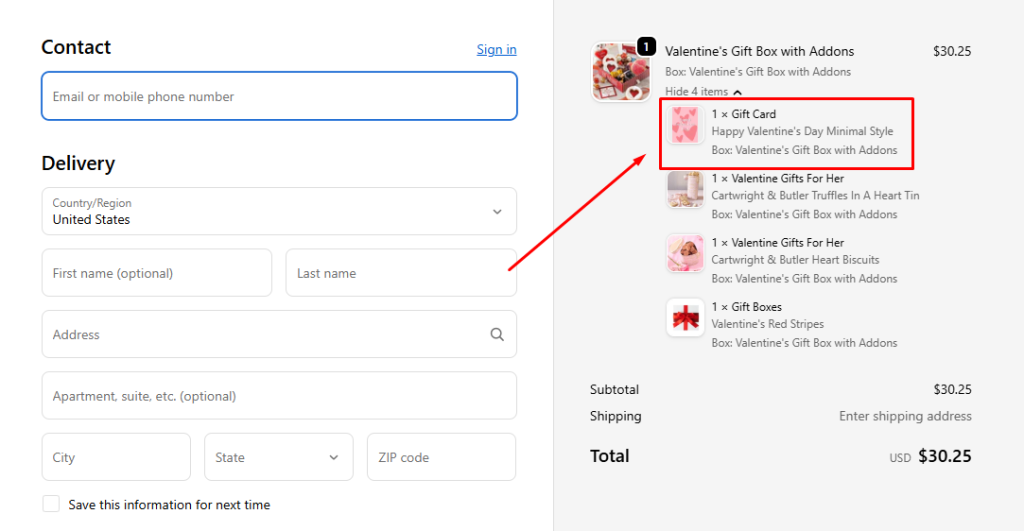
Once selected, that product variant will automatically be added to the customer’s box whenever they choose the corresponding option value. It behaves just like any other bundled product in the box — appearing in the cart and checkout as part of the order.
Behavior on the Storefront #
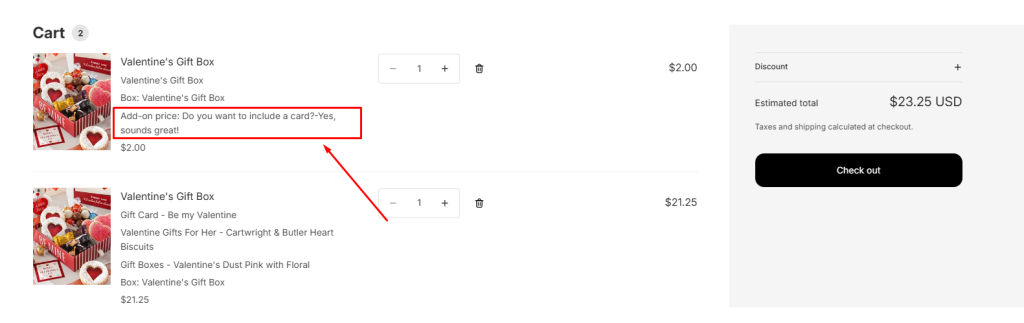
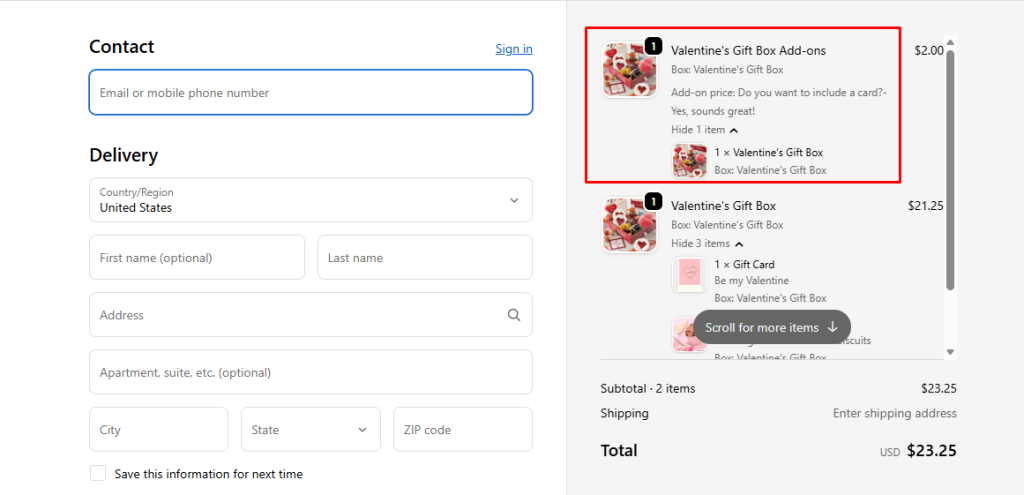
- Addon price
- A separate box product with the add‑on price will be added.
- Customers can see the extra charge clearly in their cart and checkout.
- Add‑on Products
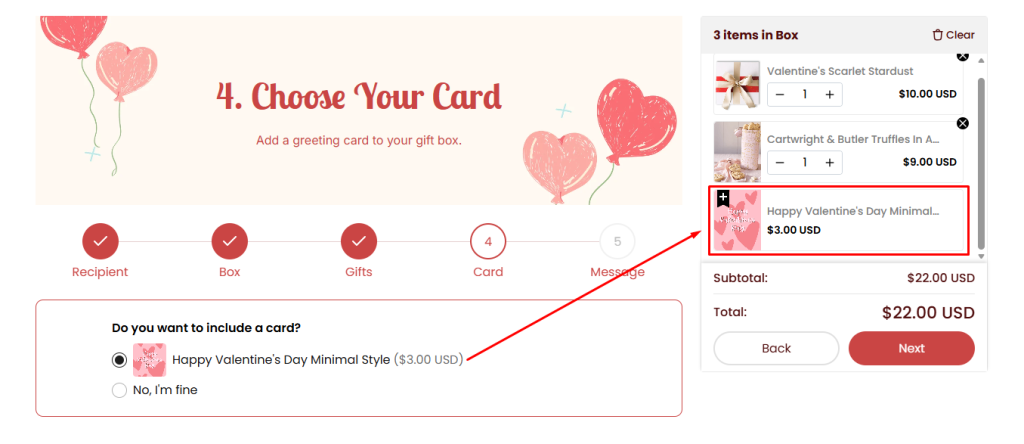
- The selected product is added to the box just like other bundled items.
- In the Box Quick Summary, add‑on products are displayed with a small plus (+) icon so customers can easily distinguish them from the main box items.
- It appears in the cart and checkout as part of the box items.
💬 Need Help? #
If you run into any issues or have questions, feel free to reach out via our in-app 24/7 live chat. We’re always here to help!
