Introducing Easify Box Builder’s one-of-a-kind feature: Conditional Logic! 🎉
This latest advanced feature changes the way customers interact with your box bundles. Instead of showing every possible option at once, Conditional Logic instantly adjusts the builder based on their choices.
Each choice a customer makes becomes the condition for what shows up next. Their selection controls the visibility of the next steps, section groups, or elements like product lists or custom fields.
💡 Conditional Logic is a premium feature unique to Easify Box Builder. It goes beyond basic customization, offering refined control and personalization you won’t find in other apps.
Common Use Cases #
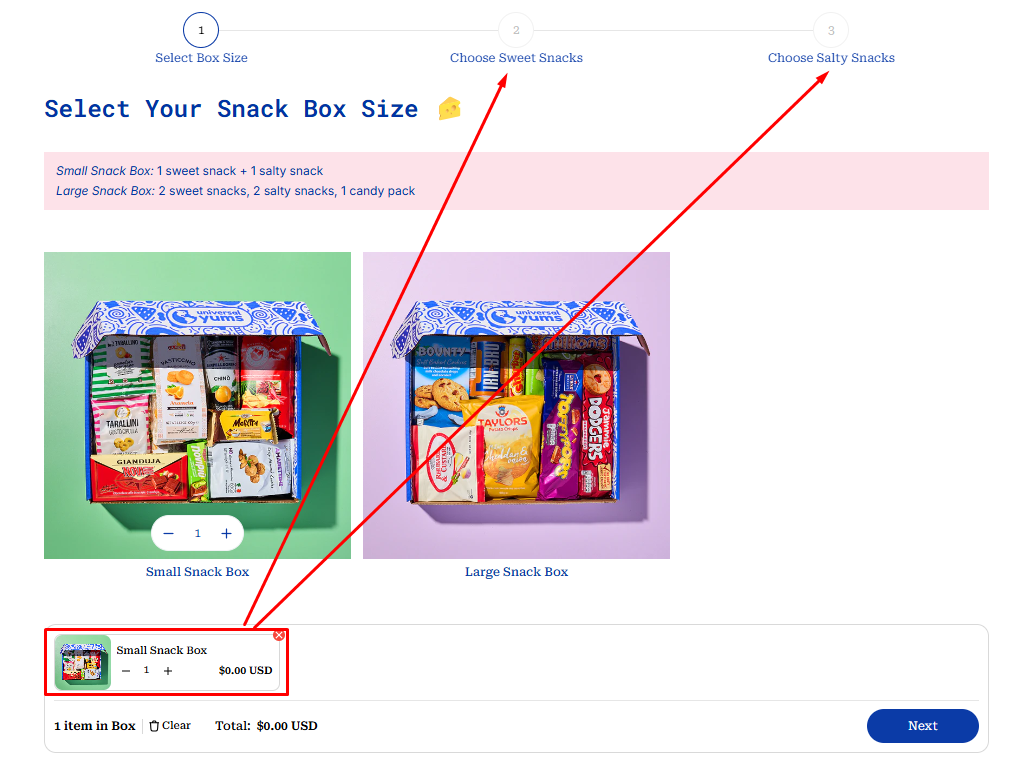
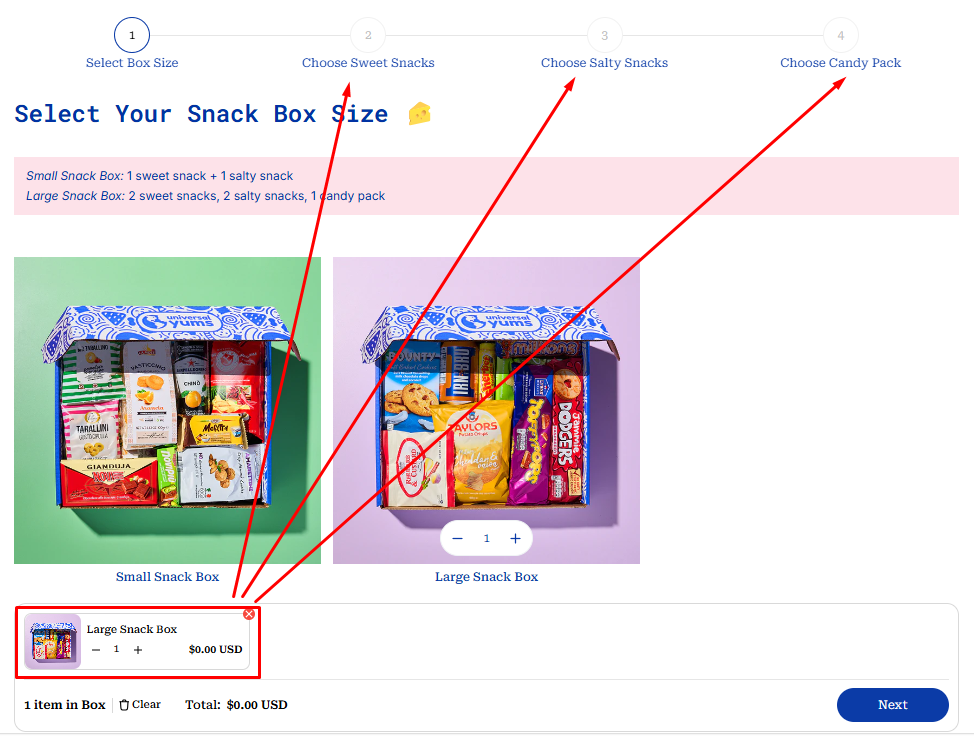
1. Build A Snack Box
- Condition: Selecting a box size (Small Snack Box & Large Snack Box).
- Result:
- Extra steps (Choose Candy Packs) display for Large size
- Product required selections adjust based on the chosen size.
Small Snack Box = 1 sweet snacks + 1 salty snacks
Large Snack Box = 2 sweet snacks + 2 salty snacks + 1 candy pack
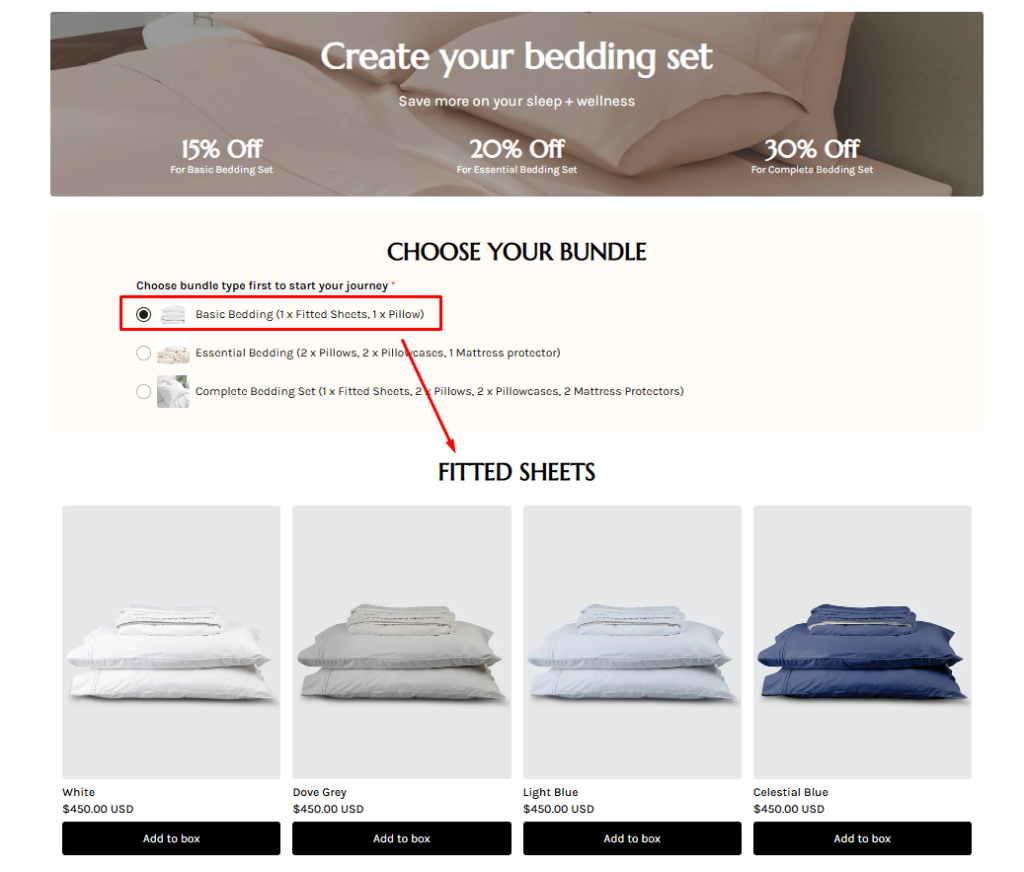
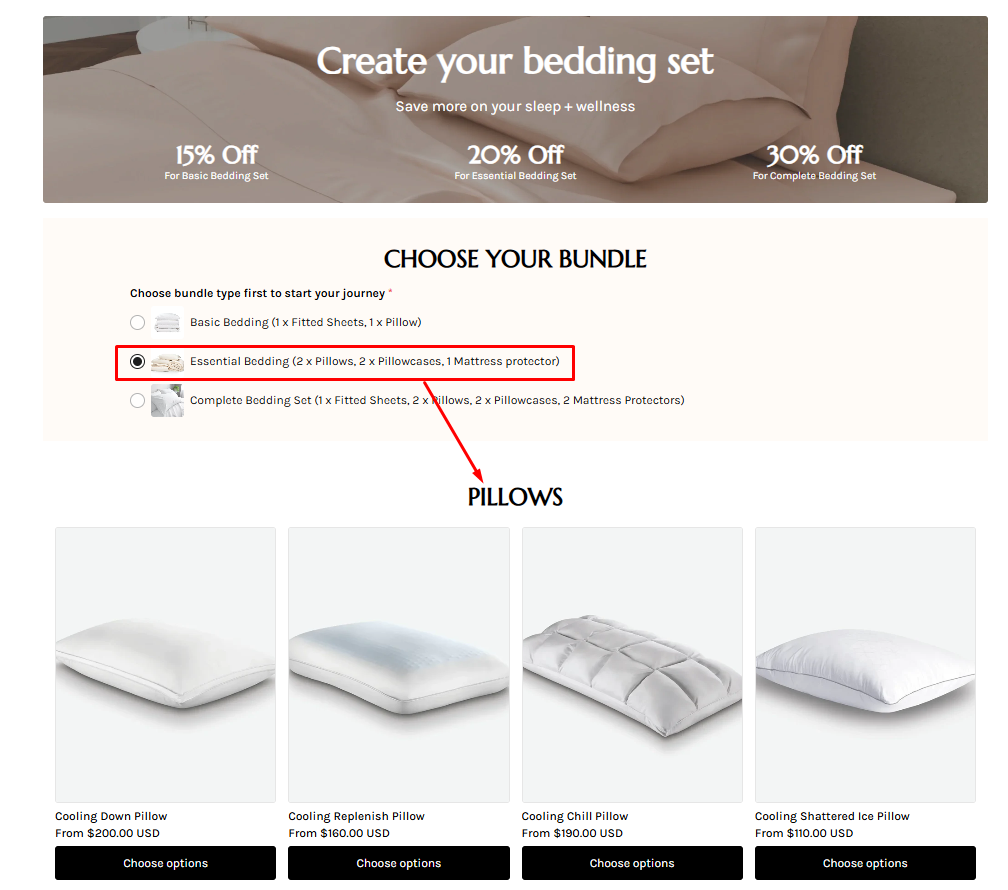
2. Build Your Bedding Bundle
- Condition: Choosing bundle size (Basic, Essential, Complete)
- Result:
- Product required selections adjust based on chosen size.
- Extra product lists appear, such as choosing more pillows or mattress protectors.
Basic Bedding = 1 x Fitted Sheets, 1 x Pillow
Essential Bedding = 2 x Pillows, 2 x Pillowcases, 1 Mattress protector
3. Build Your Valentine’s Gift Box
- Condition: The customer chooses the recipient of the gift box (for him or for her).
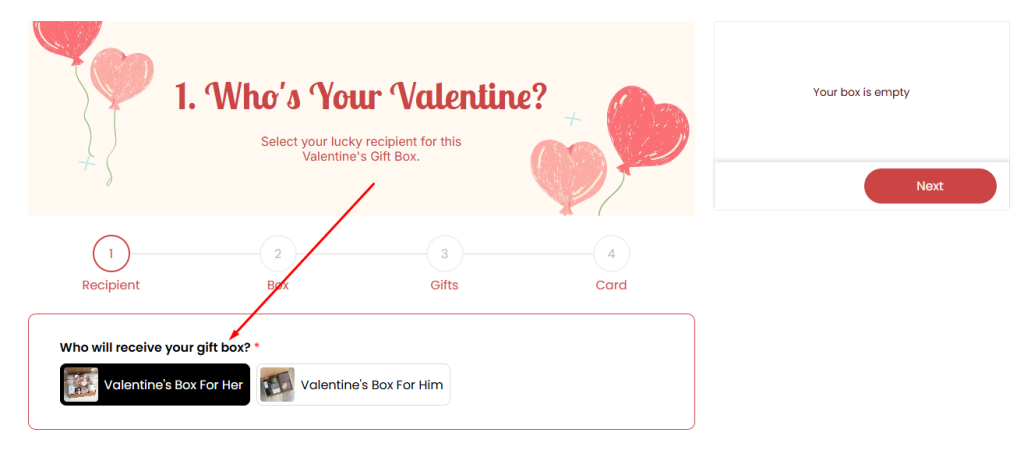
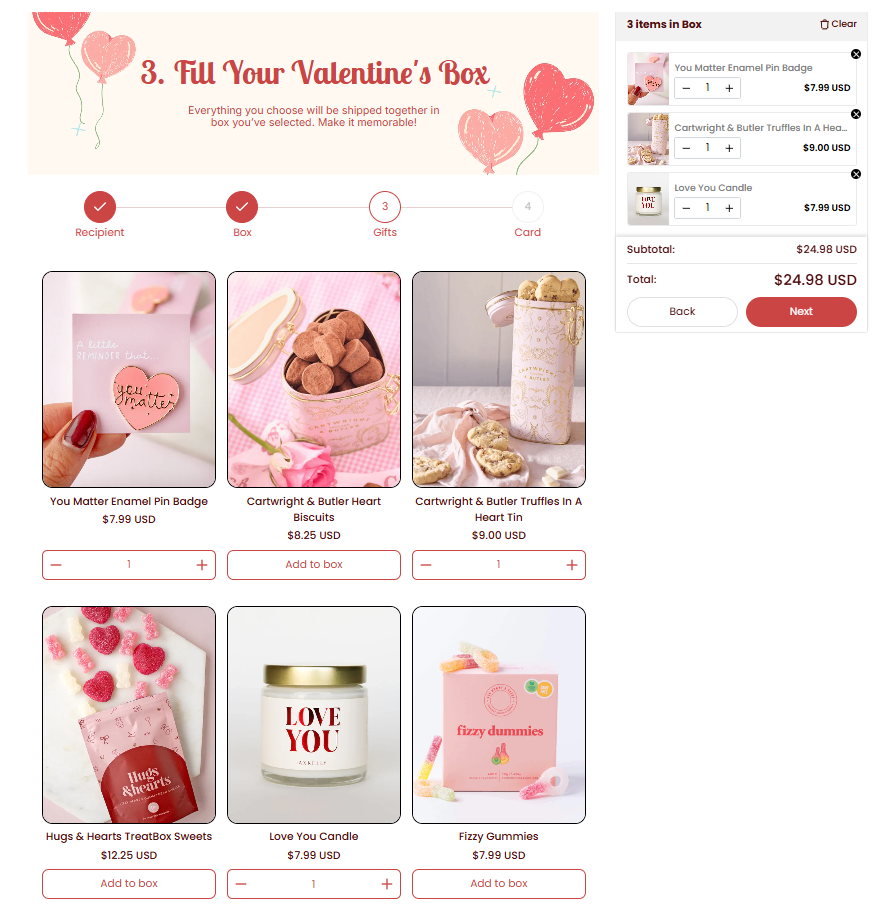
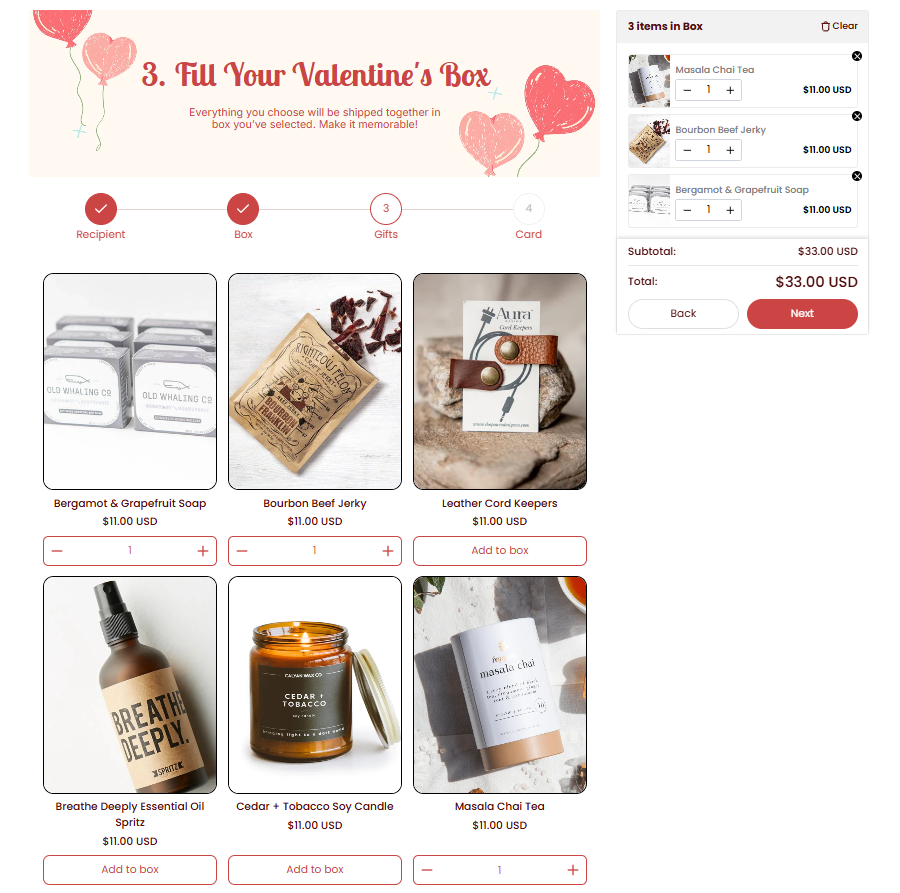
- Result: Based on the selection, the builder dynamically updates the product list to show items that best match the chosen recipient.
Valentine’s Box For Her
Valentine’s Box For Him
What’s Next? #
👉 Learn how to set up Conditional Logic in your bundle box with a clear, step‑by‑step walkthrough.
👉 Explore the best practices to optimize your Conditional Logic setup in the box.
💬 Need Help? #
If you run into any issues or have questions, feel free to reach out via our in-app 24/7 live chat. We’re always here to help!
