Imagine a shopper walking down a quiet street looking for a place to eat. They see 2 restaurants: one is completely empty with a lone waiter staring at the door; the other is bustling, with a warm glow and the hum of conversation. Almost every time, they choose the busy one.
In e-commerce, this is the “Empty Restaurant Syndrome.” Because online shopping is a solitary experience, customers often feel a subconscious hesitation – a “lonely” uncertainty about whether your store is reliable. Sales Notifications are the digital equivalent of a bustling dining room. They act as a real-time social validation system, proving that your brand is alive, active, and trusted by others right now.
What are Sales Notifications? #
Sales Notifications are small, non-intrusive “pop-ups” that appear strategically as a customer navigates your box builder.
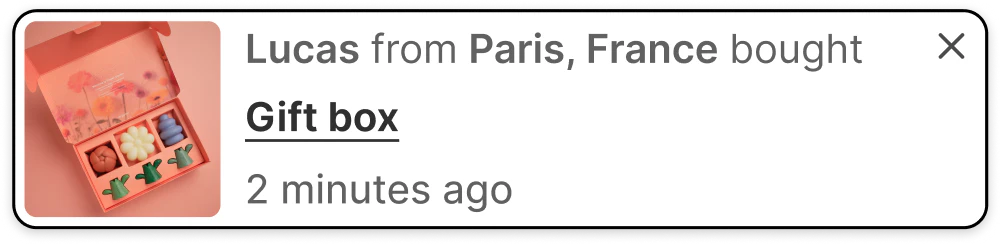
They provide verified proof of recent activity by displaying data from your actual orders.
Unlike generic marketing banners, these notifications offer a heartbeat for your store, signaling that your brand is alive, active, and trusted by others.
- The Social Proof Slide-In: A subtle notification that says, “Someone in New York just completed a Gourmet Gift Box!”.
- The Freshness Indicator: A timestamped nudge that reads, “A Custom Spa Bundle was purchased 15 minutes ago.”.
This tool isn’t about interrupting the customer’s journey; it’s about validating it. It tells the shopper, “You’re in the right place, and you’re making a choice that many others have made before you.”
The Psychology Behind Sales Notifications #
Sales Notifications do more than just show off your volume; they handle the deep-seated psychological barriers that lead to cart abandonment.
1. Eliminate the “Trust Gap” #
When a shopper sees a notification of a recent purchase, their brain checks off a major box: Credibility. It proves that your payment gateway works, your products are in demand, and real people are spending real money with you. This “herd mentality” reduces the perceived risk of the transaction, especially for first-time visitors.
2. Generate Positive “FOMO” (Fear Of Missing Out) #
Social proof creates a sense of “trending” momentum. When a customer sees that boxes are being completed every few minutes, they realize that your inventory is moving. This creates a natural and soft urgency, turning a static shopping page into a high-energy “Buy” zone.
How to Set It Up in Easify Box Builder #
You can transform your store from a quiet catalog into a busy marketplace in four logical steps:
Step 1: Activate the Booster #
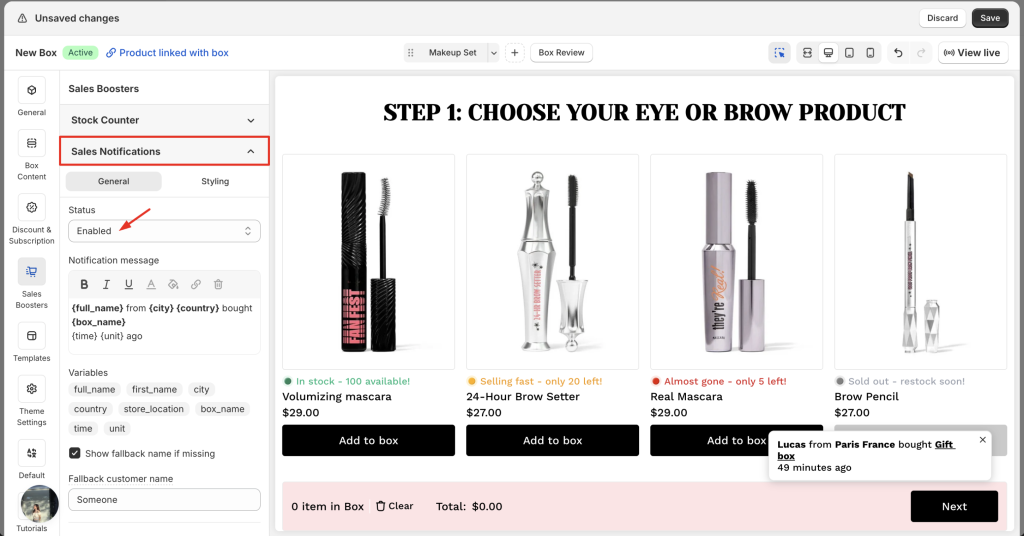
Navigate to the Sales Boosters tab in your left-hand menu, expand the Sales Notifications section, and change the status to “Enabled”.
Step 2: Configure the “Logic” (General tab) #
This is where you decide how your notifications will behave and where they pull their data from.
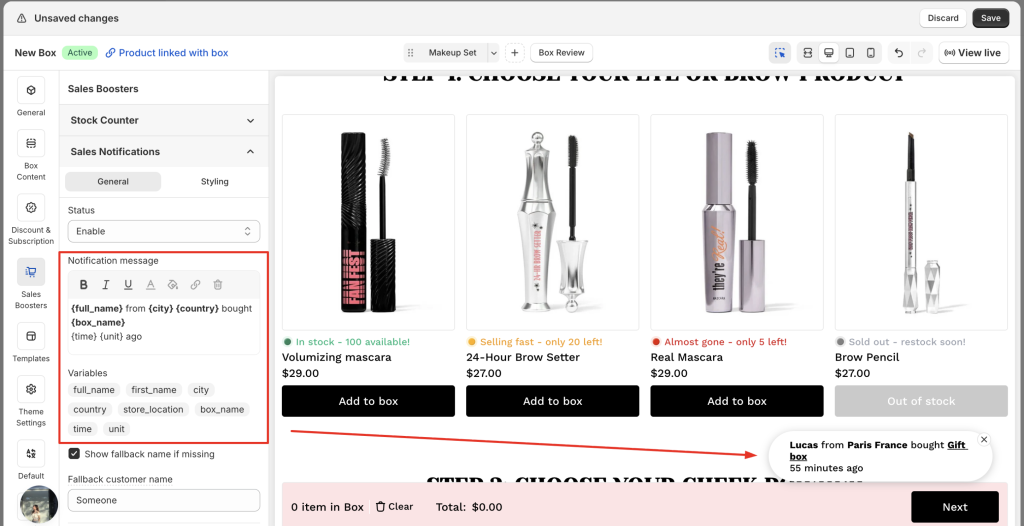
- Notification message: Craft your story using our dynamic tags. You can use the default:
"{full_name} from {city}, {country} bought {box_name} {time} {unit} ago", or click the available variables below the message field to add or remove details.
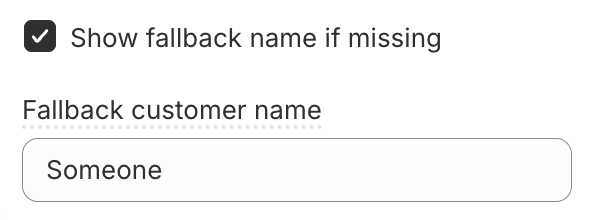
- Show fallback name if missing: If an order is missing a buyer name (e.g., a guest checkout), enable this to show a friendly alternative like “A fellow curator” or “A happy shopper” instead of a blank space.
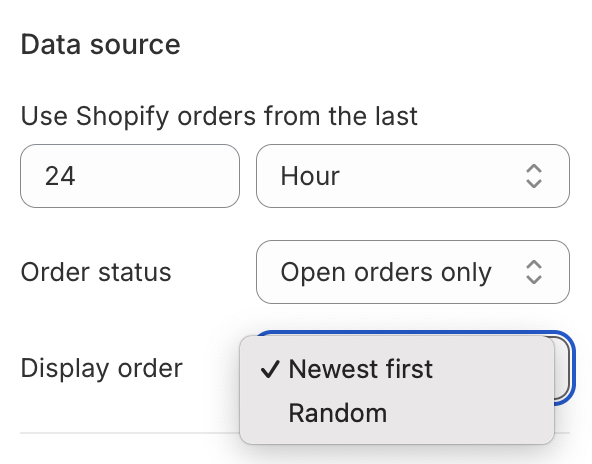
- Data source: Define your proof. Choose to pull Shopify orders from the last few hours, days, or even months. You can also filter by Order Status (All vs. Open only) and set the Display Order to show your newest sales first or shuffle them at random.
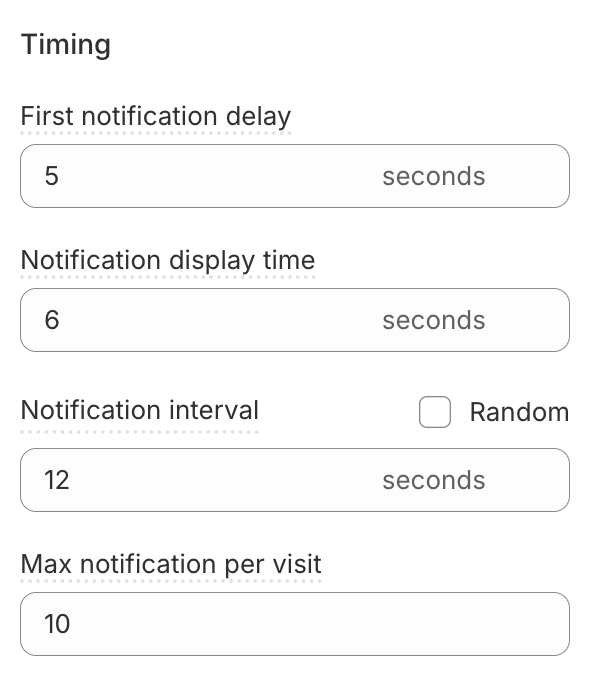
- Timing:
- First notification delay (second): How long to wait after a page loads before the first notification appears.
- Notification display time (second): How many seconds the popup stays visible.
- Notification interval (second): The gap between notifications. You can set a Specific time or a Random range to make the activity feel more natural.
- Max notification per visit: Limit the total number of popups to keep the experience helpful, not overwhelming.
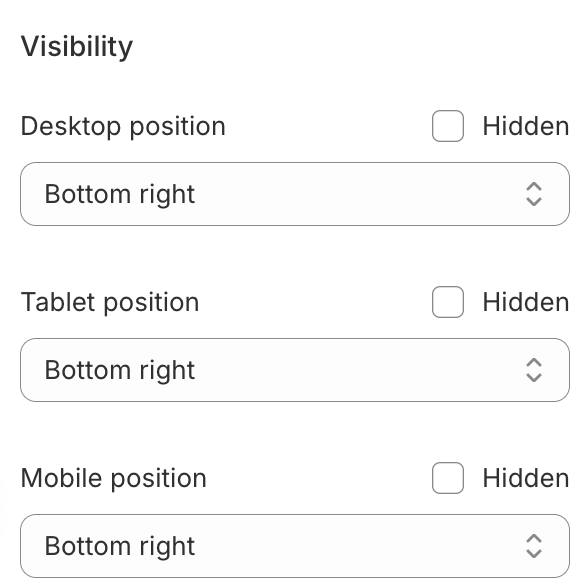
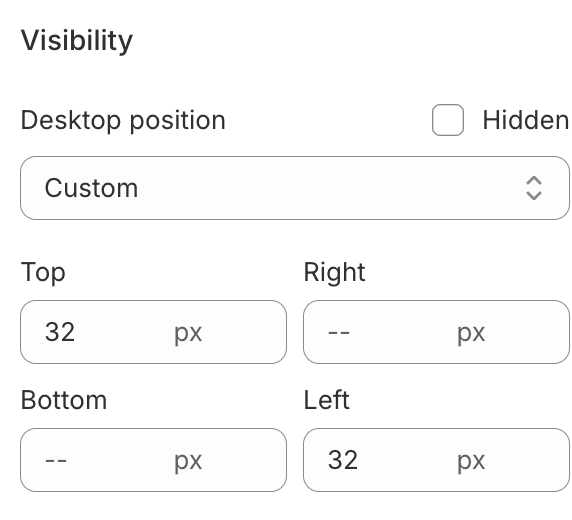
- Visibility: Choose exactly where the notifications appear on Desktop, Tablet, and Mobile, or hide them on specific devices to keep your mobile layout clean.
Step 3: Style the Notification Popup (Styling tab) #
Make sure your notifications feel like a native, premium part of your box design.
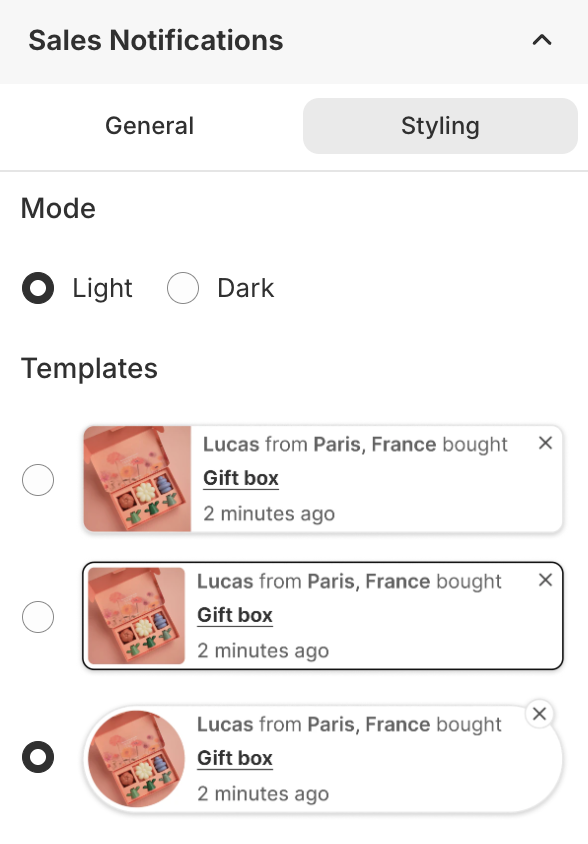
- Mode: Select between Light or Dark modes to instantly align with your site’s theme.
- Template: Select one of our 3 layouts and customize it further.
- Visual Details: Fine-tune the Background, Border, Size, and Padding to perfectly match your brand’s UI.
- More settings:
- Hide close button: Removes the “X” button from the corner of the popup.
- Hide box image: Removes the product thumbnail, focusing the notification entirely on the text and purchase data.
- Hide notifications on Box Review Page: Disables notifications when the customer is on the final review step of their box-building process.
Step 4: Save & Launch #
Once you have aligned the logic and the look with your brand identity, click Save. Your box-building page will immediately begin broadcasting live social proof.
Pro-Tips: How to Build Authentic Trust #
To ensure your Sales Notifications drive sales instead of annoyance, follow these strategic guidelines:
- The “Local Hero” Strategy: If you have a strong regional following, use city-level data. Seeing that someone “just down the road” bought a box is 5x more powerful than a generic global notification.
- The Sweet Spot of Frequency: Less is often more. If notifications are popping up every 2 seconds, they feel fake. Set your “Time Between Notifications” to a natural pace (e.g., every 30–60 seconds) to simulate a real, busy store.
- Match Your Brand Persona: If you are a high-end luxury brand, use elegant, minimal text like “A Bespoke Collection was recently curated.” If you are a fun, energetic brand, use “Boom! Another box headed to Seattle!”.
- Be Transparent and Real: Sophisticated shoppers can tell when a notification is “simulated”. Only use real order data. If you are just starting out and don’t have many orders yet, it is better to set a longer delay between popups rather than making up fake ones. Trust is easy to lose and hard to gain.
Ready to bring your store to life? Turn on your Sales Notifications today and let your happy customers help you sell more boxes.
What’s Next? You’ve sparked interest with stock levels and built trust with social proof. Now, learn how to drive the final checkout. Explore our guide on Countdown Timers →
