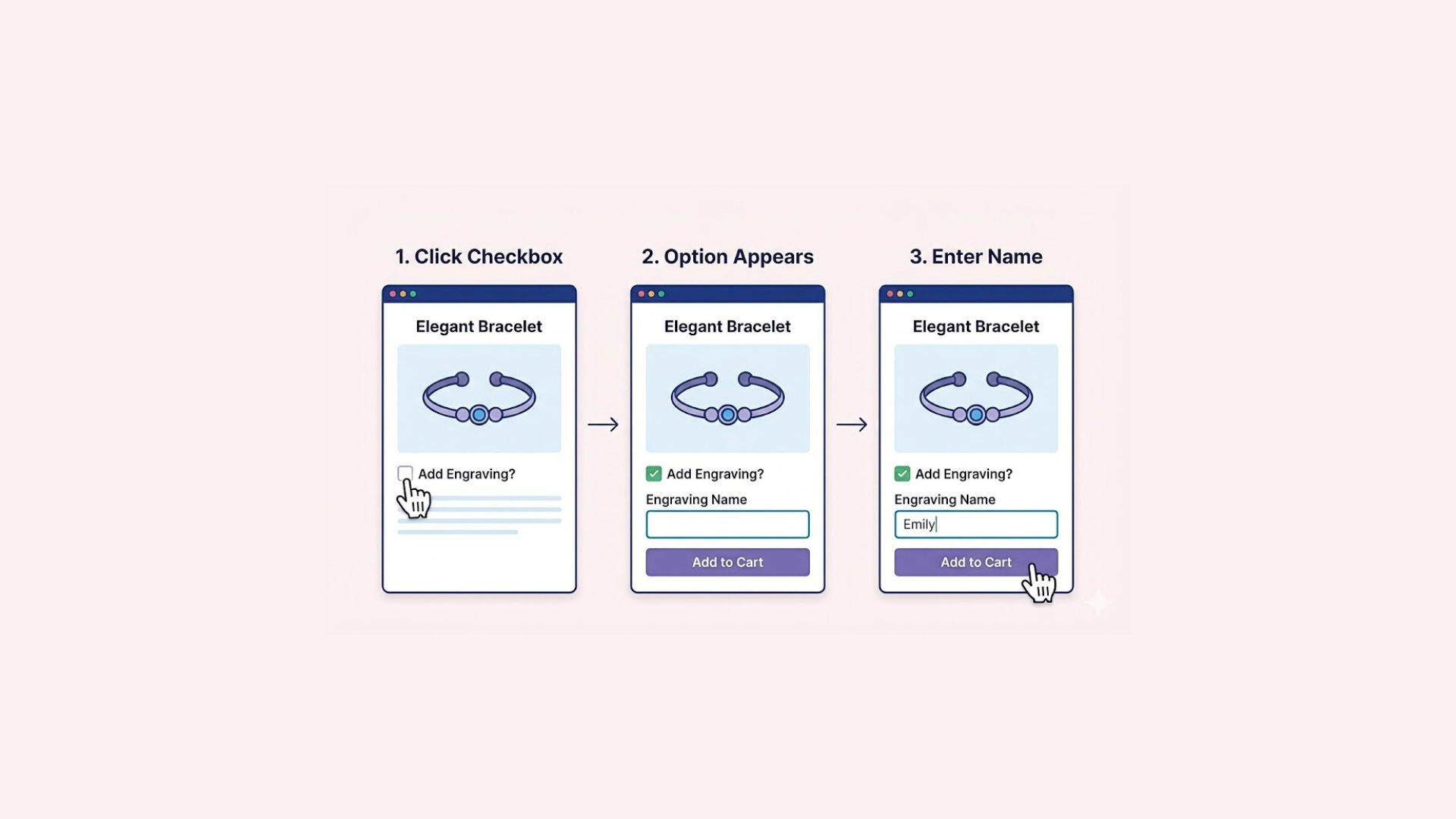

Your Shopify product page is more than just a place to list an item — it’s where browsing turns into buying. In many cases, it’s the single most important page in your entire store. A well-designed product page doesn’t just display information; it builds trust, answers questions, and guides customers toward the “Add to Cart” button with confidence.
While Shopify offers clean, professional product page templates out of the box, the default layout isn’t always enough to stand out in a crowded market. Every brand is different. Every customer journey is unique. That’s why customizing your Shopify product pages is essential if you want to improve conversions, reduce abandoned carts, and create a memorable shopping experience.
In this guide, you’ll learn exactly how to customize Shopify product pages using three powerful approaches:
- Shopify’s built-in Theme Editor (no coding needed)
- Advanced customization with Liquid, CSS, and JavaScript
- A specialized solution for product options and personalization — including the Easify Custom Product Options app
Whether you’re a beginner creating your first store or a seasoned merchant looking to upgrade your product experience, this guide will give you the tools and strategies you need to turn your product pages into high-performing sales assets.
Understanding Shopify Product Page Structure
Before you start customizing a Shopify product page, it’s essential to understand what makes up its structure. Every Shopify product page is built from a combination of content elements, theme settings, and templates that determine what your customers see and how they interact with your products.
Understanding the structure of a Shopify product page helps you make smarter customization decisions. Instead of randomly adding apps or changing elements, you’ll be able to:
- Identify what needs to be modified
- Choose the right method (theme editor, metafields, or code)
- Maintain design consistency and performance
Once you understand how Shopify builds product pages, customization becomes more strategic and far more effective.
Key Elements of a Shopify Product Page
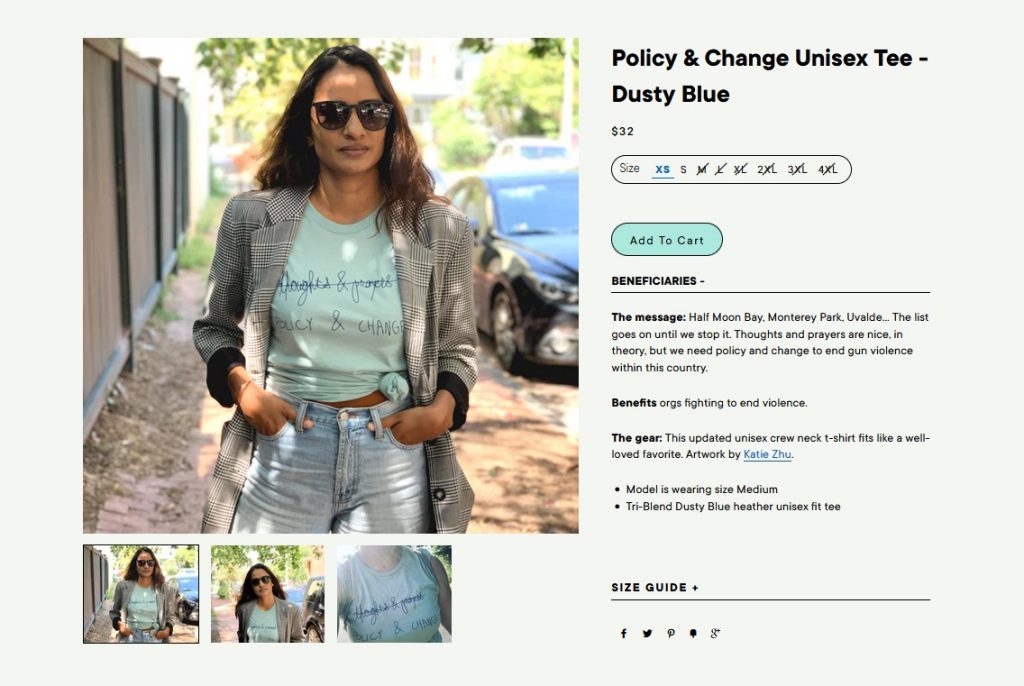
A standard Shopify product page typically includes the following core components:
- Product Title – The name of your product, usually displayed at the top of the page. This is one of the first things customers see and plays an important role in both usability and SEO.
- Product Images & Gallery – This includes the main product image and additional images or thumbnails. Many themes also support zoom features, sliders, image carousels, and video snippets.
- Price & Variants – Displays the product price, sale price (if applicable), and different variants such as size, color, or material.
- Product Description – Where you explain your product’s features, benefits, specifications, and usage details. A good description is essential for conversions.
- Add to Cart / Buy Now Buttons – These call-to-action buttons allow customers to add the product to their cart or proceed directly to checkout.
- Additional Information – This can include FAQ sections, shipping details, return policies, size guides, and related products.
These elements work together to provide customers with all the information they need to make a purchasing decision.
How Themes and Templates Control Layout
In Shopify, the theme controls the overall design and layout of your product pages. Each theme includes predefined sections and blocks that determine where certain elements appear (for example, images on the left and text on the right).
The product template is a layout file that specifically controls your product pages. Depending on your theme version, this may be a product.liquid, main-product.liquid, or product.json file. This template defines:
- The arrangement of product elements
- Which sections are displayed
- How data like images, prices, and descriptions are pulled into the page
When you customize a product page through the Theme Editor, you are actually modifying these templates and sections visually.
Customizing Product Pages Using Shopify Theme Editor (No Code)
One of the best things about Shopify is that you don’t need to know how to code to customize your product pages. With the built-in Theme Editor, you can visually adjust the layout, add new sections, and improve the overall design of your product pages in just a few clicks.
This method is ideal for beginners and store owners who want fast, simple, and safe customization options.
How to Access the Shopify Theme Editor
To begin customizing your product page:
- Log in to your Shopify admin panel.
- Go to Online Store → Themes.
- Find your current theme and click Edit theme.
- At the top of the editor, use the page selector dropdown to choose Products and then select a specific product to edit.
You’ll now see a live preview of your product page on the right and customization options on the left.
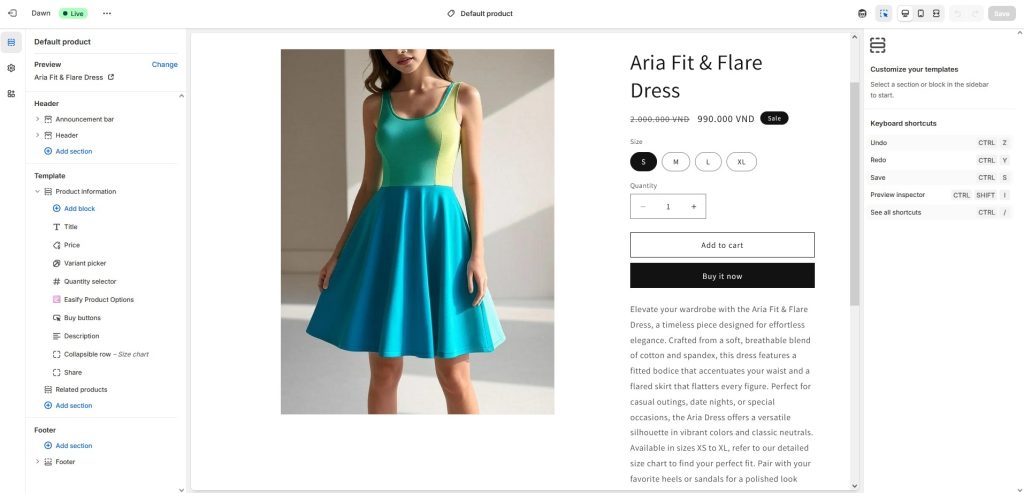
Adding and Reordering Sections
In Shopify Online Store 2.0 themes, you can add and rearrange sections directly on product pages. Common sections you can use include:
- Image gallery / Media
- Product information (title, price, variants)
- Product description
- Collapsible tabs / Accordions
- Customer reviews
- Related products
- Custom text or image sections
- Video blocks
To add a section:
- Click “Add section” in the left sidebar.
- Choose the section type you want.
- Drag and drop it to change its position on the page.
You can also click on individual blocks (like the title, price, or description) to hide, duplicate, or move them around.
This gives you full control over the layout without needing a developer.
Customizing Design Elements
Within each section and block, you can adjust the design to match your brand. Common options include:
- Font style and size
- Text and background colors
- Button style and shape
- Image size and alignment
- Padding and spacing
These options vary depending on your theme, but most modern Shopify themes provide plenty of flexibility.
For example, you can:
- Make the product title bolder
- Change the color of the “Add to cart” button
- Adjust image gallery sizes
- Align text to center or left
All of this is handled through simple dropdowns, sliders, and color pickers.
Customizing Product Pages with Code (Advanced)
For store owners and developers who need more control over design and functionality, Shopify allows deep customization through code. This method opens the door to highly tailored layouts, advanced logic, and unique user experiences that aren’t always possible with the Theme Editor alone.
While powerful, code-based customization should be handled carefully. Always duplicate your theme before making changes so you can easily revert if needed.
Adding Custom Sections & Features
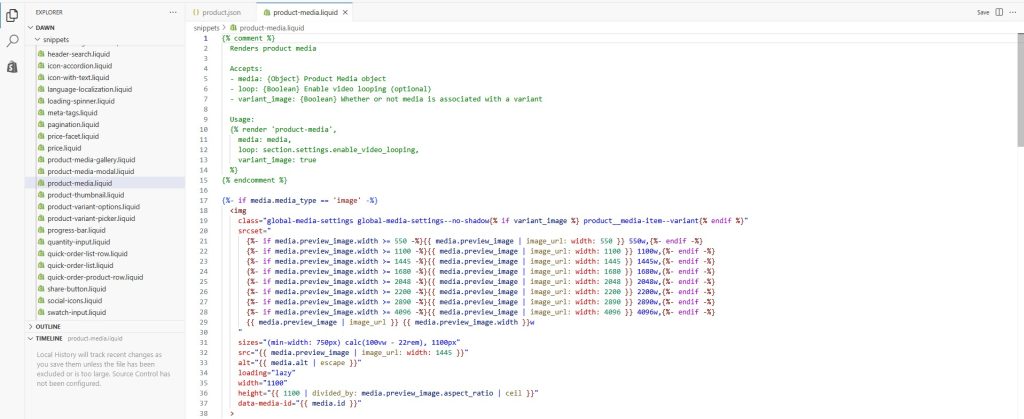
When you use code, you can build completely custom sections, such as:
- A custom product highlight section
- Advanced size charts
- Product comparison tables
- Ingredient breakdowns
- Custom video galleries
- Unique trust badge layouts
This involves creating a new section file (e.g., custom-product-info.liquid) and defining its structure using HTML, Liquid, and JSON schema. After that, your new section becomes available in the Theme Editor for product pages.
This hybrid approach combines the power of code with the flexibility of drag-and-drop editing.
One of the biggest advantages of coding your product pages is the ability to use conditional logic. For example, you can:
- Show different banners for specific product collections
- Add warnings for low stock
- Display special notes for digital or downloadable products
- Change layouts for luxury vs basic items
This makes your product pages more intelligent and targeted.
When to Use Code (And When Not To)
Coding is best if you:
✅ Need advanced design freedom
✅ Want custom functionality
✅ Have developer knowledge (or access to one)
✅ Are building a highly unique shopping experience
Avoid coding if you:
❌ Only need simple layout changes
❌ Are not comfortable editing theme files
❌ Want quick changes without risk
In many cases, the Theme Editor + apps will be more than enough for your needs. But if you want total creative and technical freedom, code customization is the way to go.
Easify Custom Product Options – A Powerful Solution for Product Page Customization
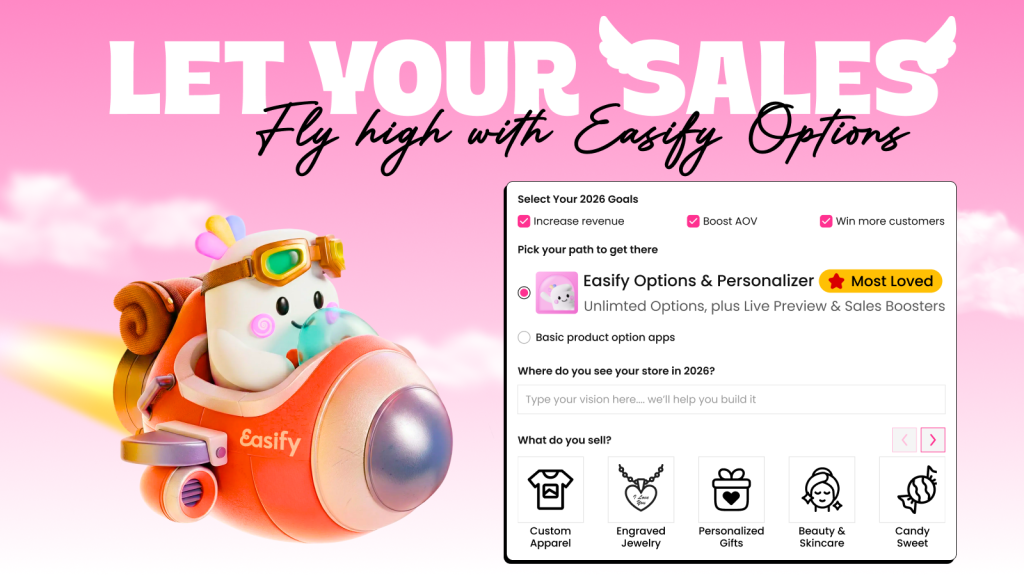
If you want to take your Shopify product pages beyond basic layouts and standard variants, Easify Custom Product Options is a powerful all-in-one solution. While Shopify’s built-in tools allow for visual and structural changes, Easify focuses on what truly drives conversions: flexible product options, personalization, and upsells — directly on the product page.
Unlike many apps that simply add options, Easify is designed to help your product options sell better. It allows you to add unlimited, highly customizable fields that transform a standard product page into a fully interactive product configurator.
Add Unlimited Custom Product Options
With Easify, you can easily add extra fields to any product, including:
- Text boxes and custom fields (for names, messages, engraving text, etc.)
- Image and color swatches
- Dropdown menus
- Custom dimensions (size fields)
- Date/time pickers
This is perfect for businesses selling personalized products such as custom jewelry, printed items, handmade goods, digital artwork, or gifts.
Enable Live Product Personalization (Product Customizer)
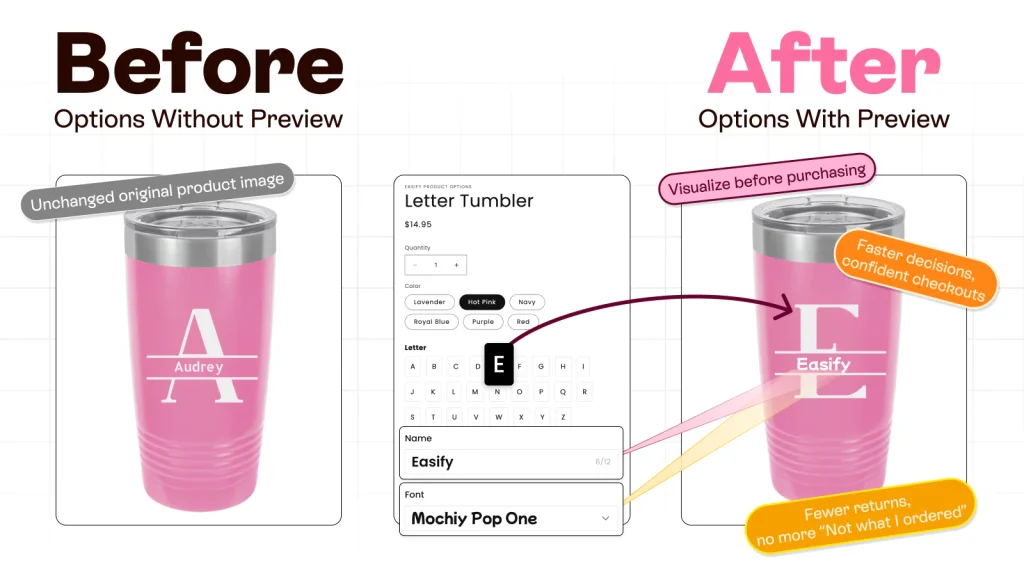
One of Easify’s most powerful features is its Product Personalizer with live preview. Customers can see their customization in real time as they type text, upload an image, or choose options. This interactive experience:
- Builds confidence in the final product
- Reduces order errors
- Increases conversion rates
- Improves customer satisfaction
Whether it’s a custom t-shirt, a photo frame, a mug, or an engraved necklace, Easify turns your product page into an engaging design tool.
Boost Revenue with Add-Ons and Upsells
Easify also makes it easy to increase your average order value by adding:
- Price-based add-ons (e.g., +$5 for gift wrapping, +$10 for premium engraving)
- Product add-ons (e.g., “Add a matching item” or “Include a protective case”)
These add-ons appear directly on the product page, encouraging customers to enhance their order without interrupting their buying flow.
Smart Conditional Logic
With Easify’s conditional logic, you can control which options appear based on what the customer selects. For example:
- Show engraving options only when a certain material is selected
- Display size inputs only for specific product variants
- Hide irrelevant options to keep the page clean and user-friendly
This creates a streamlined shopping experience while still offering deep customization.
Ideal For Many Types of Stores
Easify is especially useful for:
- Print-on-demand stores
- Custom jewelry and accessories
- Gift shops and seasonal products
- Custom furniture or home décor
- Personalized digital and physical products
Whether you need simple add-ons or a full product customizer, Easify adapts to different industries and product types with ease.
Final Thoughts
Customizing your Shopify product pages is one of the most effective ways to improve user experience, increase engagement, and boost conversions. From simple visual adjustments in the Theme Editor to advanced code-based customizations, Shopify gives you a wide range of tools to tailor your product pages to your brand and your customers’ expectations.
The key is choosing the right approach for your needs. If you want quick layout and design changes, the Theme Editor is more than enough. If you need advanced control and functionality, then custom coding opens endless possibilities. And if your goal is to offer product personalization, add-ons, and dynamic options without technical complexity, an app like Easify Custom Product Options becomes an incredibly smart solution.
As a next step, review your current product pages and identify where customers might need more information, more flexibility, or more personalization. Then start with small improvements, test the impact, and build from there. Even minor changes—like improved layouts, better options, or a clearer call-to-action—can lead to significant growth in your store’s performance.
In the end, the best Shopify product pages are not only beautiful, but also functional, fast, and designed with the customer in mind.