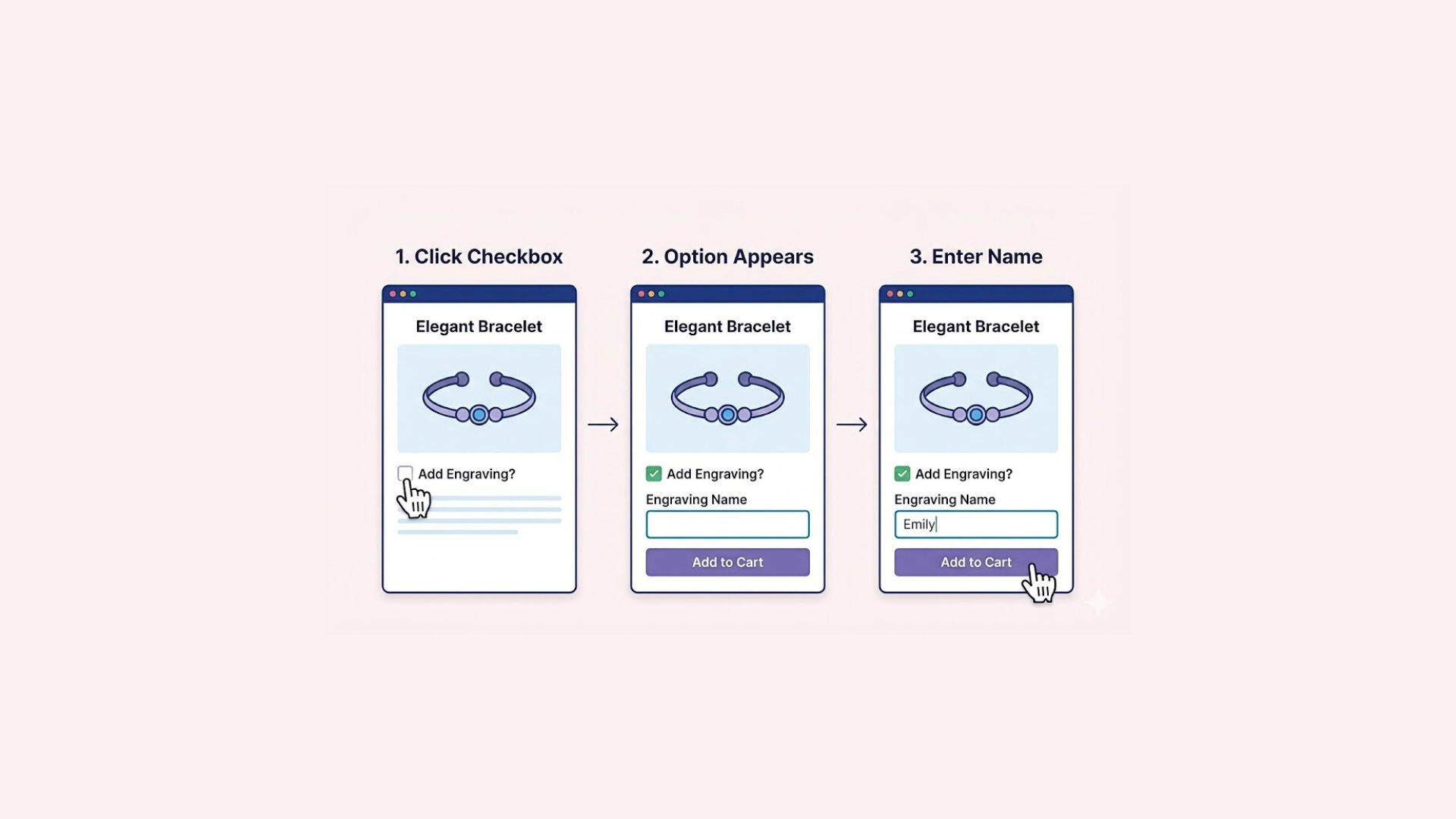

When selling personalized items, the difference between a good product and a great one often lies in the details. A standard text box forces every customer to use the same generic style, which can make the final result feel impersonal.
A Shopify Font Picker removes this barrier, giving buyers the flexibility to select a typeface that truly suits their taste. Let’s dive into how you can add this functionality to your shop.
What is the Font Picker in Shopify?
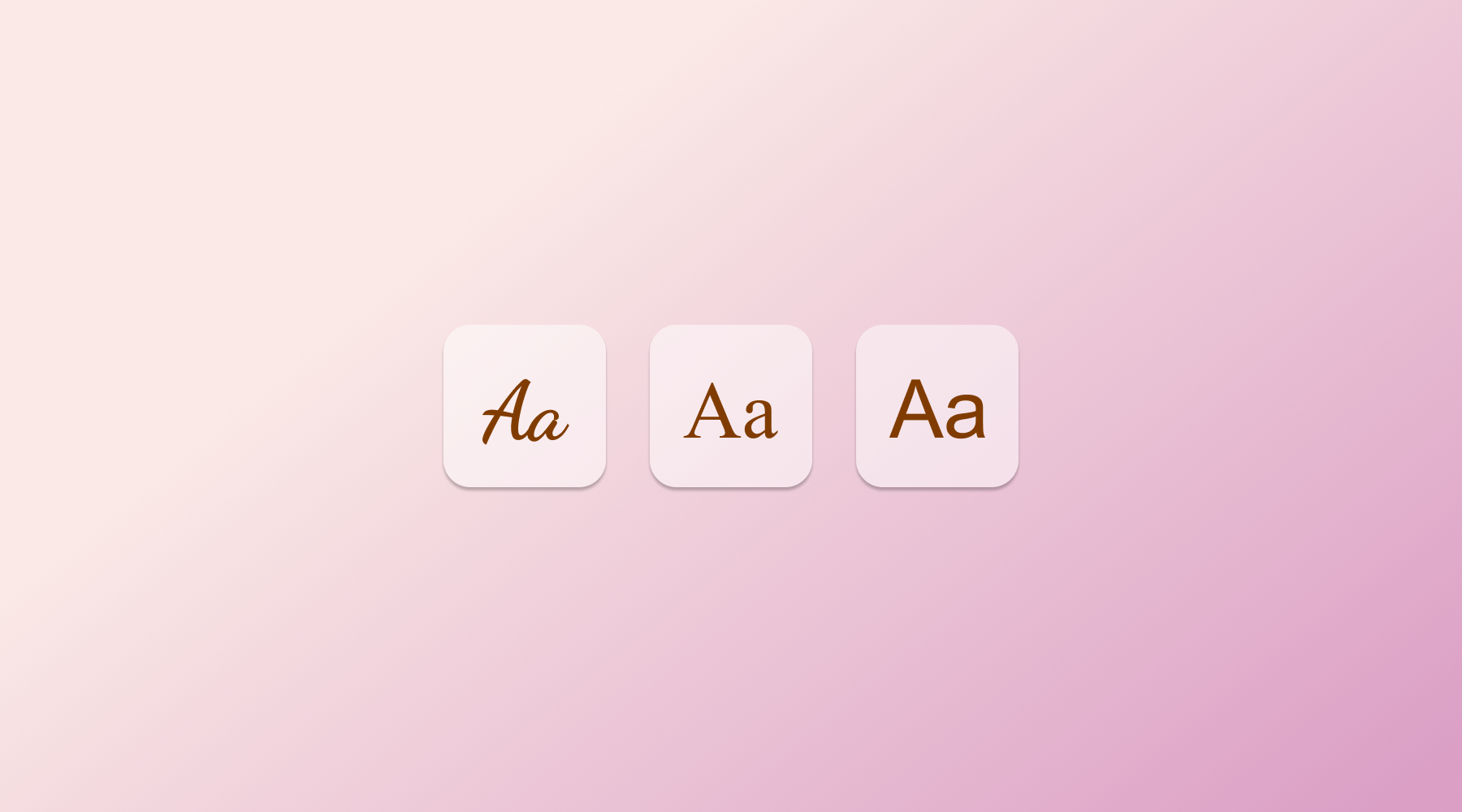
A Shopify Font Picker is a customization tool that lets customers select the exact typeface for their personalized text. Instead of relying on a single default style, users can pick from a library of specific font families, like Arial, Comic Sans, or Dancing Script, to match their personal taste.
This feature is especially popular for everyday custom products like printed T-shirts, mugs, or engraved necklaces. By allowing buyers to swap fonts, you transform a basic item into a unique statement piece that reflects their individual personality.
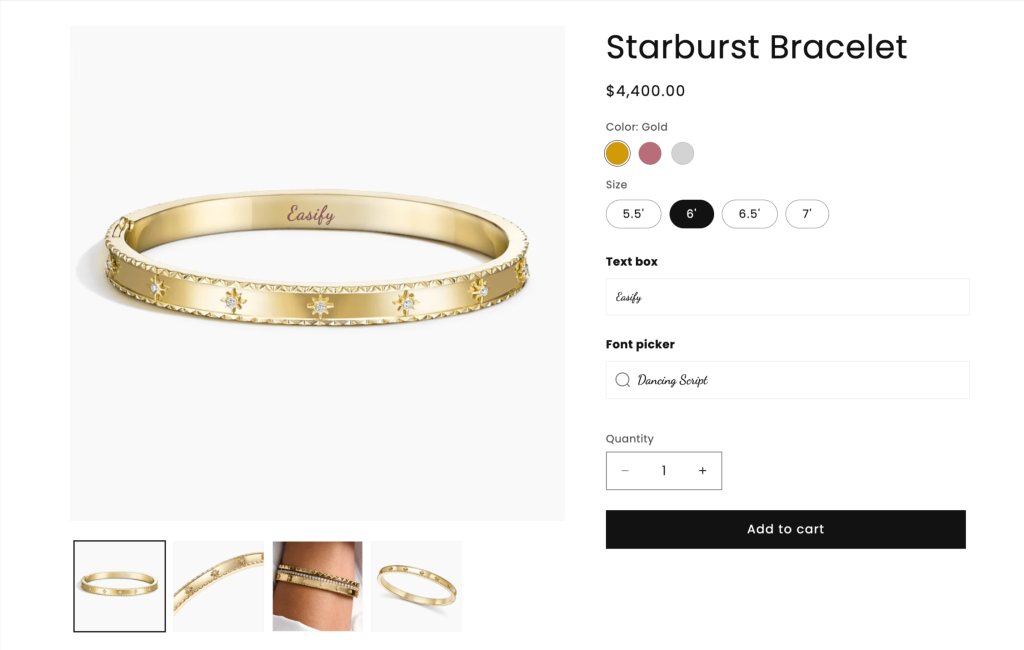
The experience is even more powerful when paired with live preview. This feature updates the product image instantly as the customer selects a font, showing them exactly how the final print will look on the item and eliminating any guesswork before they buy.
How to Add Font Picker to Shopify Product Page
By default, Shopify does not provide a native “Font Picker” option. The platform is designed to handle standard variants like Size or Color, but it lacks a built-in tool for selecting typography. This means you cannot simply toggle a setting to turn it on; you have to build it from scratch.
Creating a custom font picker manually requires advanced coding skills. You would need to modify your theme’s Liquid files, upload custom font assets, and write complex JavaScript to ensure the customer’s choice is captured correctly. For most merchants, this process is overly technical and prone to errors.
To avoid these complications, Easify Custom Product Options offers the ideal solution. This app solves the technical gap by providing a ready-made Font Picker element. It allows for easy font uploads and live previews in just a few clicks, handling all the complex logic without the need to touch a single line of code.
Here is the step-by-step guide to setting it up:
Step 1: Find and Install the App
Go to the Shopify App Store, search for Easify Custom Product Options, and click Install. Once added to your store, open the app and follow the quick setup guide to get started.
Step 2: Create a New Option Set
From your Easify dashboard, click the Add New Option Set button. Next, select Text Box and Font Picker options
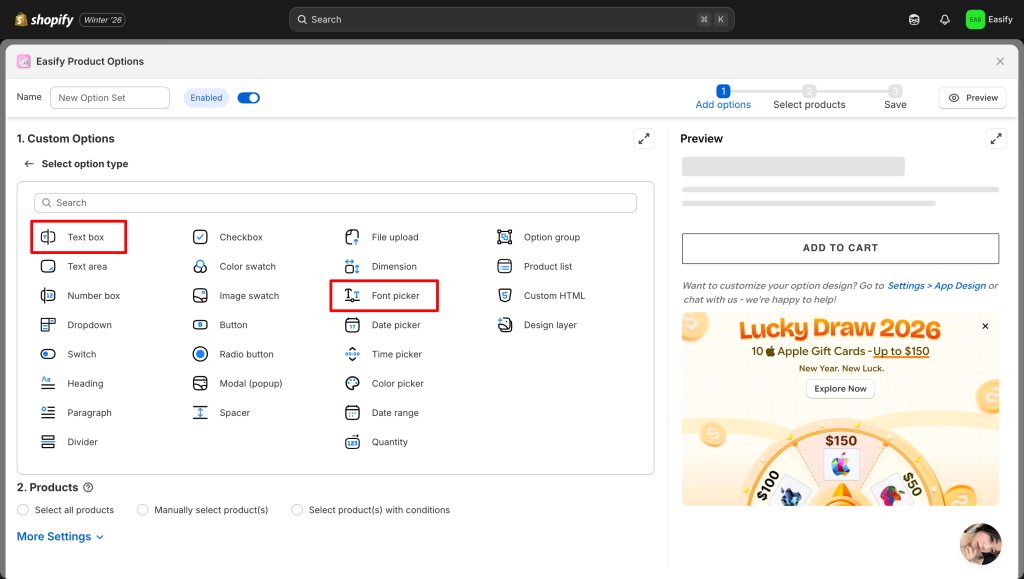
Step 3: Edit the Options
For the Text Box: You can set minimum and maximum character limits to control the input length.
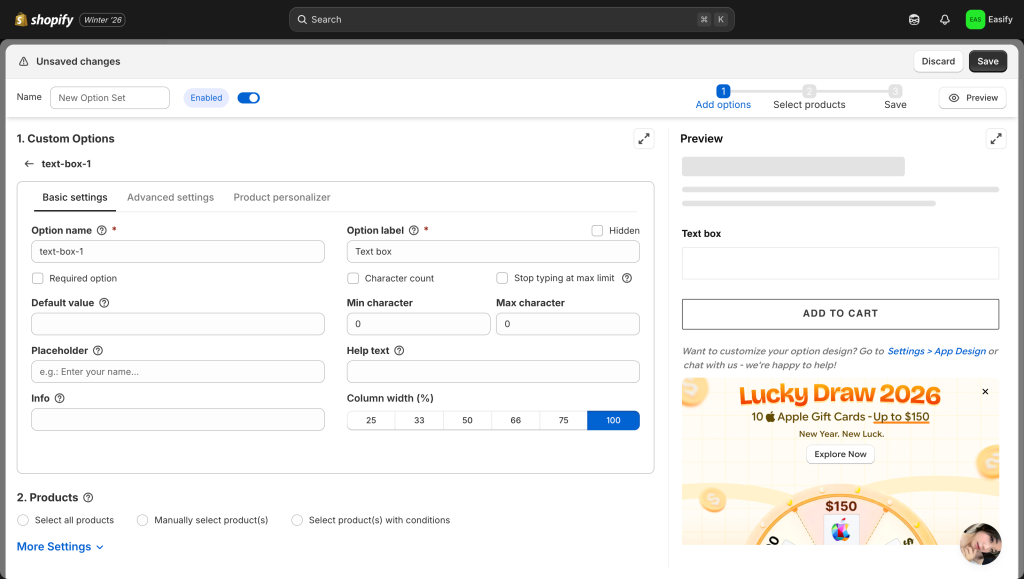
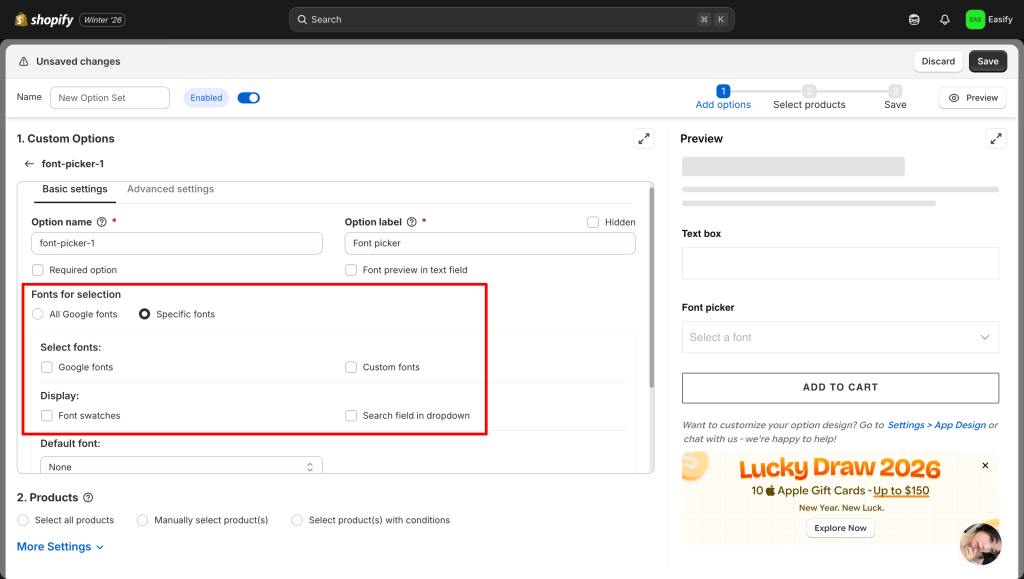
For the Font Picker:
- Library Source: You have full flexibility over your font library. You can hand-pick specific Google Fonts, enable the entire Google Fonts collection, or upload your own custom font files to match your brand.
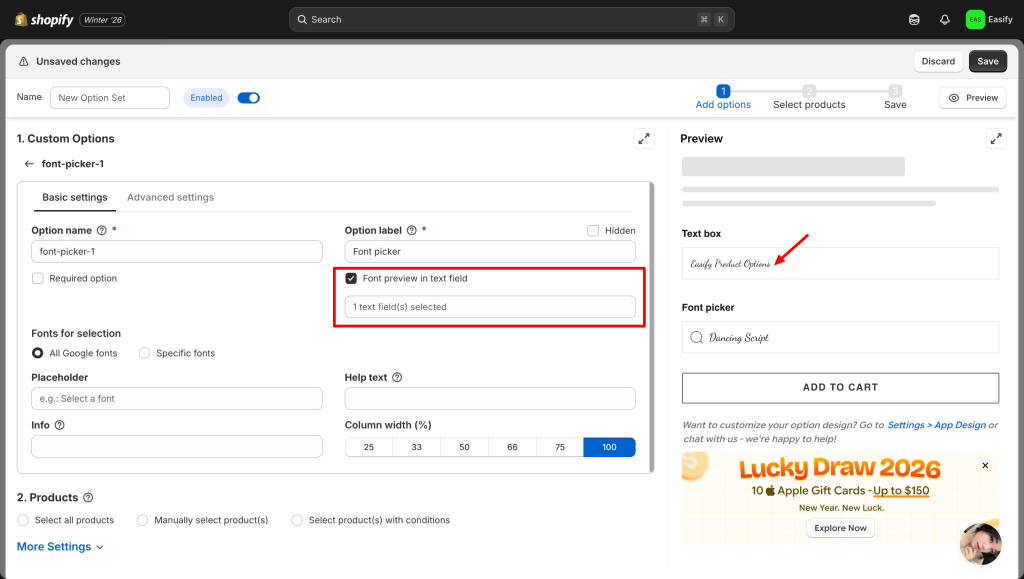
- Live Connection: You can then select the target Text Box to apply these fonts to. This links the two options, so the font chosen in the picker will immediately change the style of the text inside the input field.
Want to go further? Easify handles everything else, including add-on pricing for text box, conditional logic, and a fully immersive live preview on the product image.
Step 4: Apply to Products
Choose the product(s) where you want the Font Picker to appear. You can apply the option set to a single item or multiple products at once.
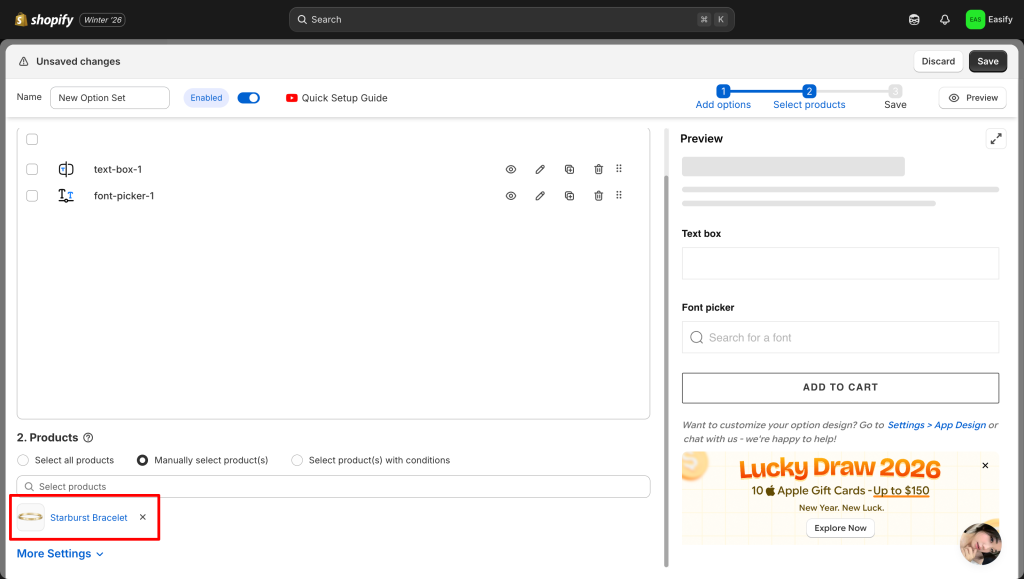
Step 5: Save Changes
Click Save to finish. Your Font Picker will now appear on the product page – allowing customers to visualize and compare different typography styles instantly.
Final Thoughts
In the world of personalized gifts, the details make all the difference. A standard text box might get the job done, but an interactive Font Picker creates an experience. It turns a passive shopper into a creator.
Whether you sell engraved jewelry or custom apparel, empowering your customers to style their own text adds immense value to your brand. With tools like Easify Custom Product Options making the setup process effortless, there is no reason to stick to boring default inputs. Upgrade your product page today and let your customers design with confidence.
Looking to further customize your product page? Check out these related guides: