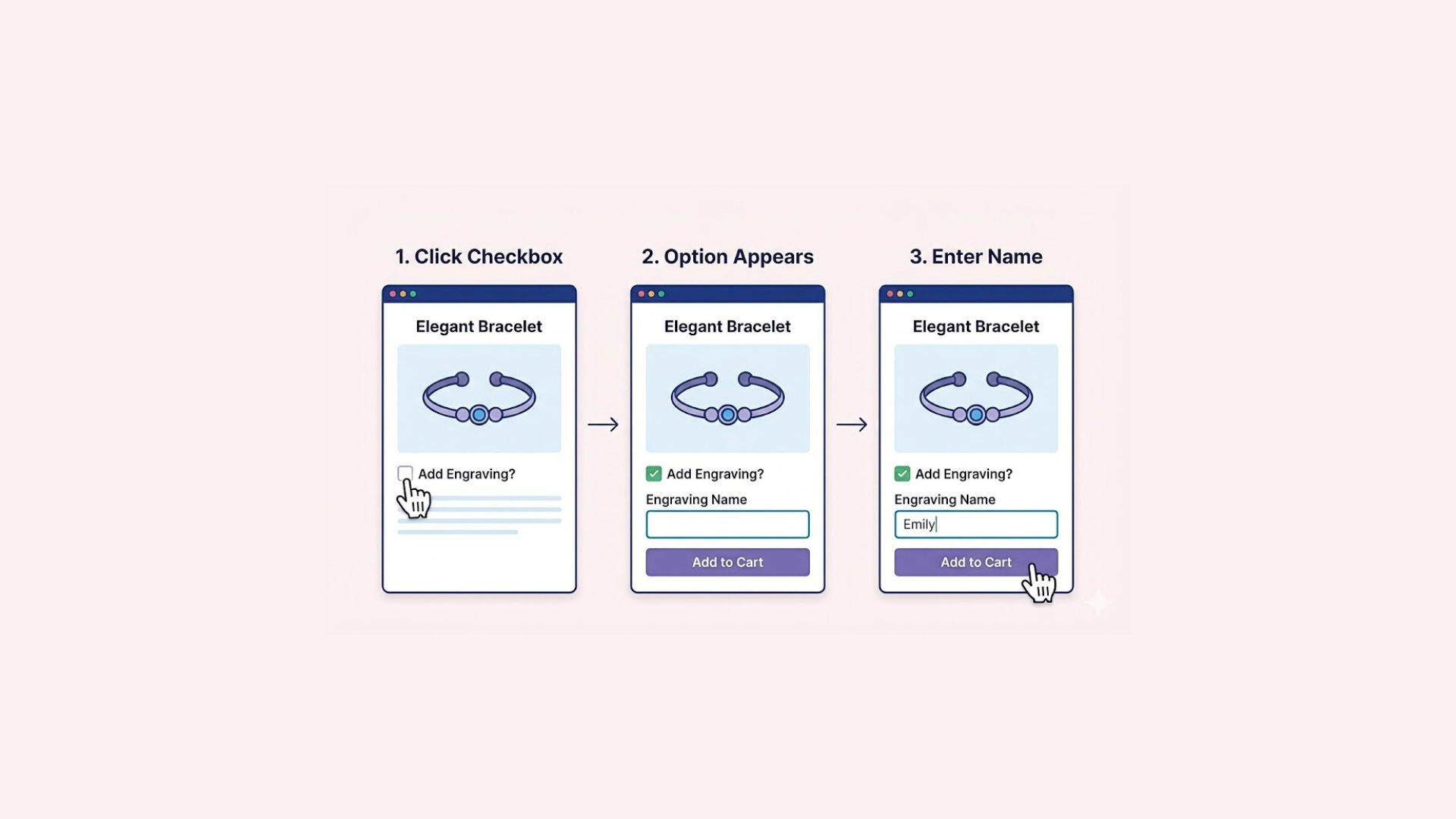

If you’ve ever tried to add more than three product options in Shopify, you’ve probably run into a hard stop. Shopify only allows three built-in options per product — which is fine for simple items, but can quickly become frustrating when you’re selling customizable, configurable, or complex products.
Whether you’re offering different sizes, colors, materials, engravings, add-ons, or special features, three options often aren’t enough to cover everything your customer needs to choose from.
The good news? You’re not actually limited to just three.
In this guide, we’ll break down exactly how to add more than 3 options on Shopify, explain how Shopify’s limits work, and walk you through the best methods so you can create flexible, high-converting product pages without overcomplicating your store.
Understanding Shopify’s Product Option Limit
Shopify is designed to keep product setup simple, which is great for most store owners — but it does come with a built-in limitation that can quickly become a challenge for more complex products.
By default, Shopify allows you to create up to three product options per product. These are the main attributes customers can choose from when selecting a product, such as:
- Size
- Color
- Material
- Style
Each combination of these options creates a variant. For example, if a t-shirt comes in:
- 3 sizes (Small, Medium, Large)
- 4 colors (Red, Blue, Black, White)
- 2 materials (Cotton, Polyester)
That’s already 24 variants (3 × 4 × 2 = 24) created from just three options.
Along with the three-option limit, Shopify also places a variant limit of 2048 per product.
This means that even if you stay within the three-option limit, the number of combinations can add up very quickly. If you try to add a fourth option directly to Shopify (such as “Length” or “Finish”), you’ll discover that Shopify simply does not allow it — there is no “Add another option” button beyond the third one.
While this limit works fine for simple products, it becomes restrictive for businesses that sell:
- Custom or personalized products
- Items with technical specifications
- Products with add-ons
- Configurable items like furniture, apparel, or electronics
Understanding this limitation is the first step in finding the right workaround.
How to Add More Than 3 Options on Shopify
While Shopify’s built-in system only allows up to three product options, that doesn’t mean you’re stuck with just three.
In this section, we’ll walk through the most practical and popular methods to go beyond Shopify’s default limitation, so you can create more flexible, customizable, and user-friendly product pages without breaking your store’s performance.
Method 1: Split Product Into Multiple Products
One of the simplest ways to get around Shopify’s three-option limit is to break one complex product into multiple individual products. Instead of trying to fit every variation into a single setup, you create separate product listings for each main version of the item.
For example, if you sell a jacket in five different colors, you can create five separate product pages — one for each color (Red, Blue, Green, etc.). Inside each of those products, you can then use Shopify’s standard three options for other variations such as Size, Material, and Fit.

While simple, this method can become difficult to manage as your store grows. Creating dozens of nearly identical products can lead to:
- A cluttered admin dashboard
- More time spent on product updates
- Potential SEO issues caused by duplicate or very similar content
- Fragmented reviews, since each product page has its own review section
For larger catalogs or products with many interdependent options, this approach will get messy quickly — and you’ll likely need a more scalable solution.
Method 2 (Recommended): Use Easify Custom Product Options
If you want a powerful, scalable way to add more than three options on Shopify, using a dedicated app is the best solution — and Easify Custom Product Options is one of the most complete tools available for this purpose.
While Shopify limits you to just three native options, Easify lets you add unlimited options to your product pages. This means you can go far beyond basic Size, Color, and Style and offer detailed personalization, add-ons, and custom configurations.
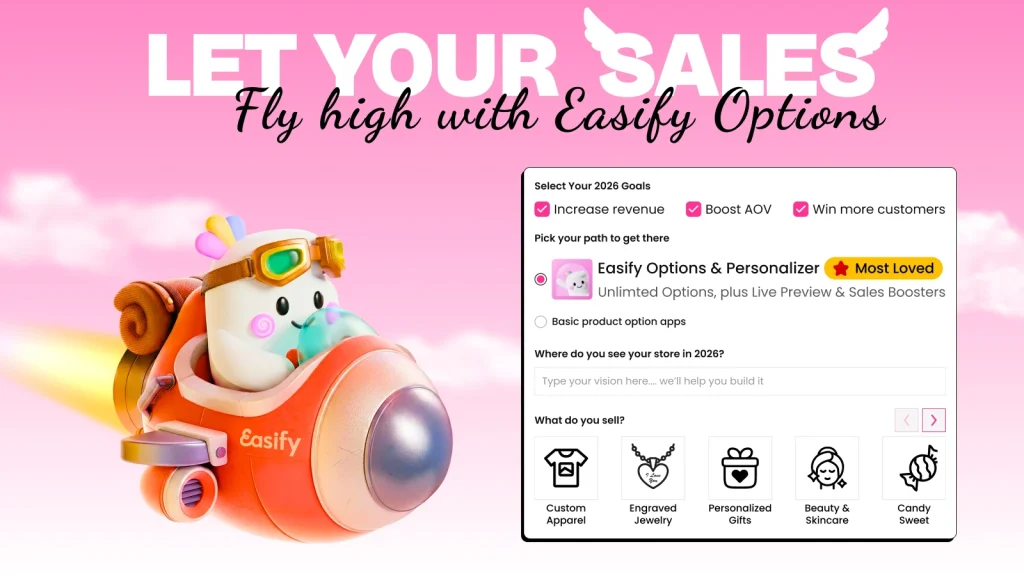
What Easify Custom Product Options lets you do
Easify gives you a wide range of flexible option types, including:
- Text box / Custom field (for names, engraving, special instructions)
- Image & color swatches (perfect for visual selection)
- Checkboxes, radio buttons, and dropdowns
- File upload & image upload (for logos, photos, artwork)
- Custom dimensions (width, height, length, etc.)
- Date, time, color, and font pickers
On top of that, it unlocks advanced product configuration features such as:
- Price & product add-ons – Attach optional upgrades or extras and automatically increase the product price
- Product customization with live preview – Let customers see their text, image, or design changes in real time
- Conditional logic – Show or hide specific options based on previous selections (for example: only show “Gift Wrap Message” if “Add Gift Wrap” is selected)
If you charge customers specifically for a customization, such as engraving or a special finish, you can also learn how to charge an extra fee for a customization on Shopify.
These features make Easify especially useful for businesses that sell personalized products, custom-made items, jewelry, gifts, print-on-demand items, furniture, and made-to-measure products.
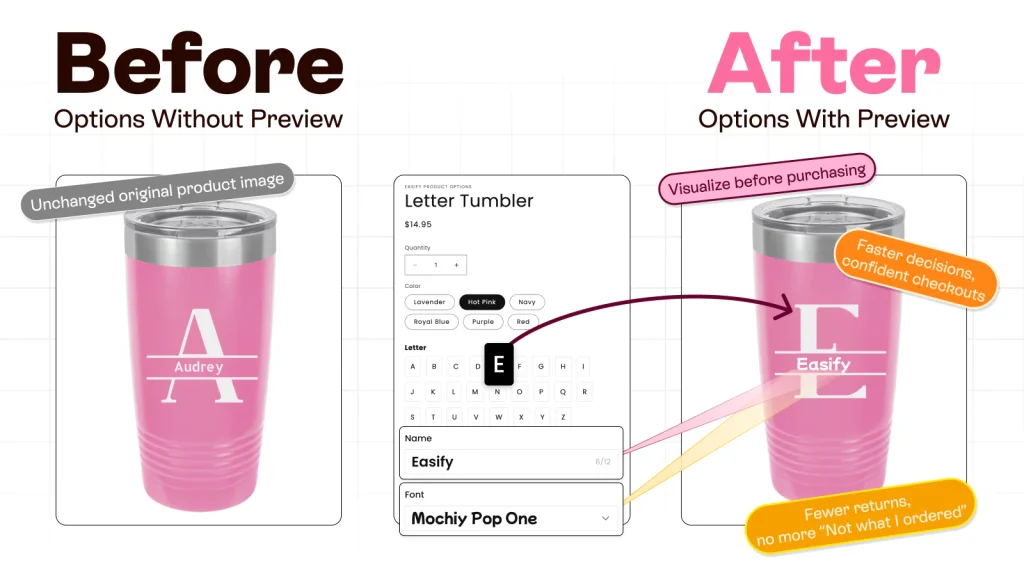
Why this is the best solution for most Shopify stores
Unlike splitting products into multiple pages, an options app like Easify:
- Keeps your store organized
- Improves the customer experience
- Reduces admin headaches
- Makes complex products easy to buy
- Helps increase average order value with add-ons
Best of all, Easify comes with a free forever plan, so you can start adding extra product options without any upfront cost — ideal for new or small Shopify stores testing custom products.
If you’re serious about growing your Shopify store with advanced product customization, Easify is hands-down the most efficient and beginner-friendly option.
Final Thoughts
Shopify’s three-option limit can feel like a major roadblock when you’re trying to sell complex or personalized products — but the good news is, it’s far from the end of the road.
Whether you choose to split products into separate listings for a simple workaround or use a powerful app like Easify Custom Product Options to unlock unlimited fields, upsells, and live product customization, there are practical solutions available for every type of store.
The key is to think beyond Shopify’s default settings and build a product experience that makes buying easy, clear, and flexible for your customers. When shoppers can personalize and configure products to fit their exact needs, they’re more likely to convert — and more likely to come back.
Start simple. Scale smart. And don’t let a technical limit slow your store’s growth.