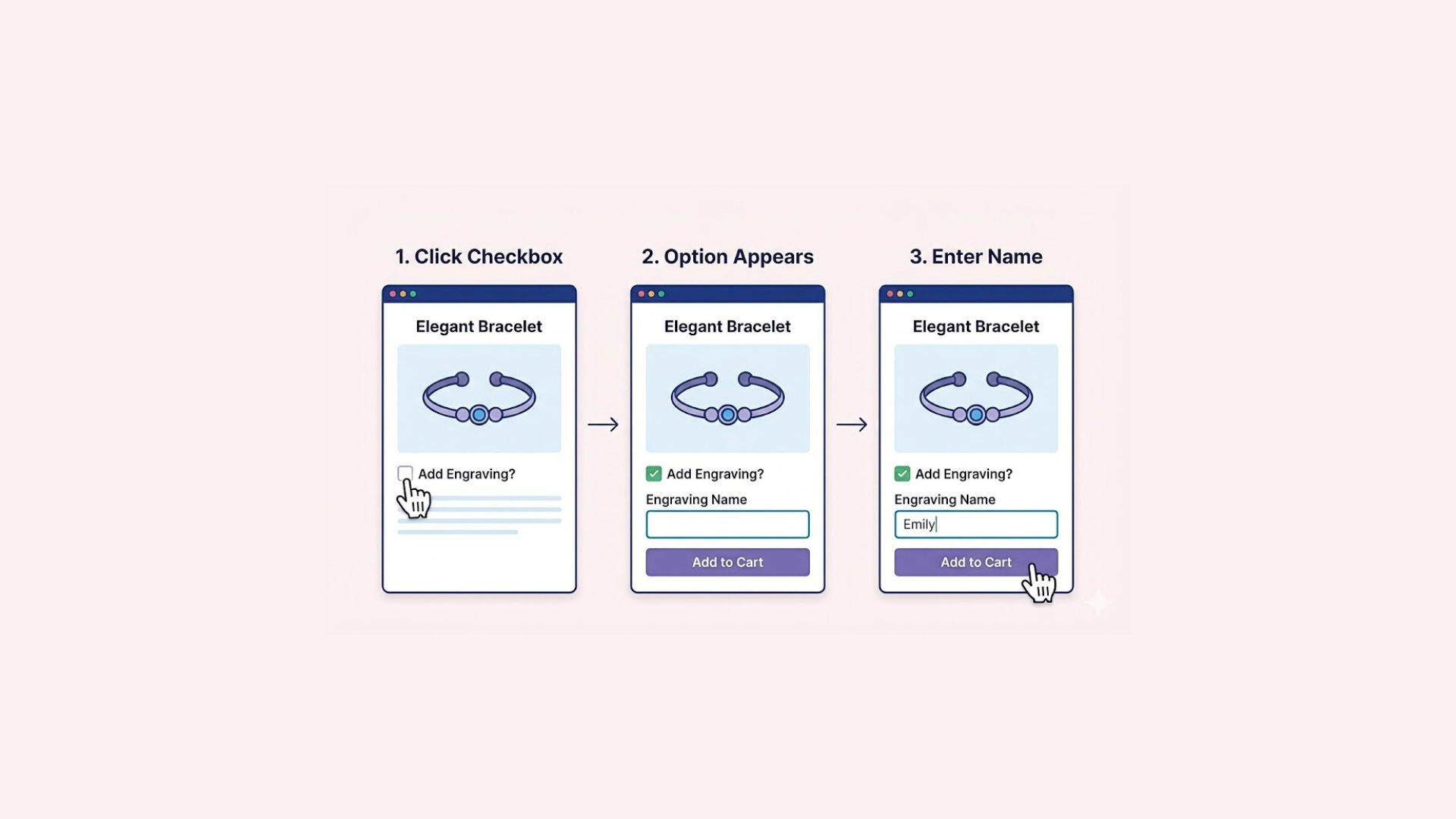
Many Shopify merchants want to answer a simple question: which product options are actually selling?
Whether it’s color, size, engraving, gift wrap, or paid add-ons, understanding sales by product option is essential for making better pricing, merchandising, and upsell decisions. However, when merchants search for “Shopify reports sales product option,” they often discover that Shopify’s analytics don’t always provide a clear answer.
That’s because Shopify is built to track sales primarily at the product and variant level, not at the individual product option level—especially when those options are custom or added through apps.
In this guide, we’ll walk through two practical ways to report sales by product option in Shopify:
- Using Shopify’s built-in reports for product variants
- Using Easify Custom Product Options, which provides dedicated analytics for custom options and add-ons
By the end of this article, you’ll understand what insights Shopify can provide natively, where its reporting limitations begin, and how to gain full visibility into product option performance when selling customizable products.
Understanding Product Options vs Variants in Shopify
To understand how Shopify reports sales by product option, it’s important to first clarify the difference between product options, variants, and custom options in Shopify. These terms are often used interchangeably, but Shopify treats them very differently when it comes to reporting.
What Are Product Options and Variants in Shopify?
In Shopify, product options are attributes like Size, Color, or Material that define a product. Each unique combination of these options creates a product variant.
For example:
- Product options: Size, Color
- Option values: Small / Medium / Large and Red / Blue
- Variants:
- Small / Red
- Medium / Red
- Large / Blue
Shopify tracks sales at the variant level, not at the individual option level. This means Shopify knows how many times a specific variant was sold, but it does not automatically summarize sales for “Red” or “Large” across all variants.
Further reading: Shopify Product Options vs Variants: What’s the Difference?
How Shopify Tracks Sales Data
Shopify’s built-in analytics are designed around:
- Products
- Variants
- SKUs
When a customer places an order, Shopify records:
- The product
- The variant ID
- The SKU (if available)
As a result, Shopify reports such as Sales by product or Sales by product variant work well for standard variant-based products. However, they don’t provide a native way to report sales by individual option values (for example, total sales of “Color: Red”).
What Are Custom Product Options?
Custom product options are options that are not created as Shopify variants. These are often added using apps or line item properties and are commonly used for:
- Personalized text (name, message, engraving)
- Product add-ons (gift wrap, warranty, extras)
- Upload fields (images, files)
- Conditional options or complex configurations
Because these options are stored as line item properties, Shopify does not include them in its standard sales reports. This means you cannot easily see:
- How many orders included a specific add-on
- Revenue generated by a particular customization
- The most popular option values
In the next section, we’ll explore how far you can go using Shopify’s built-in reports, and where those reports start to fall short.
Approach 1: Using Shopify Built-In Reports
Shopify provides several built-in reports that allow merchants to analyze sales at the product variant level. While these reports don’t show sales by individual product option values (such as “Color: Red” across all products), they are still useful if your store relies primarily on variants.
How to Access Product Variant Reports in Shopify
To view variant-level sales reports in Shopify:
- Go to your Shopify Admin
- Navigate to Analytics → Reports
- Use the search bar and enter the keyword “variant”
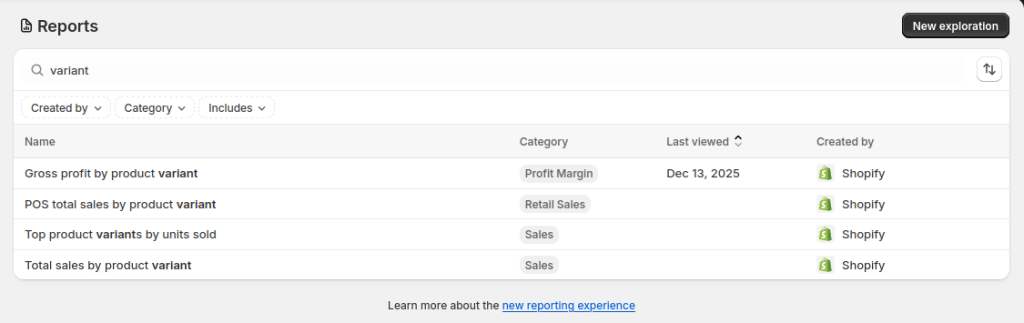
Once you search for “variant,” you’ll see the following built-in reports:
- Total sales by product variant: shows total revenue generated by each variant within a selected date range.
- Top product variants by units sold: highlights which variants sell the most units, useful for identifying best-sellers.
- Gross profit by product variant: breaks down profitability by variant, based on cost of goods settings.
- POS total sales by product variant: displays variant sales made through Shopify POS channels.
Using these built-in reports, merchants can:
- Identify high-performing product variants
- Compare revenue and profit across variants
- Analyze in-store vs online variant sales
- Make inventory and pricing decisions based on variant performance
For stores where product options are fully represented as variants (such as Size and Color combinations), these reports may be sufficient.
Limitations of Shopify Built-In Reports for Product Options
Despite their usefulness, Shopify’s variant reports have important limitations when it comes to product option sales analysis:
- Sales data is tied to variants, not individual option values
(You can’t see total sales for “Red” or “Large” across multiple variants.) - No visibility into custom product options stored as line item properties
- No reporting on:
- Add-ons
- Personalization fields
- Paid extras or conditional options
As a result, merchants who sell customizable products or rely on add-ons often find that Shopify’s built-in reports don’t provide the level of insight they need.
Approach 2: Reporting Product Option Sales with Easify Custom Product Options
For merchants who sell customizable products or rely on add-ons, Shopify’s built-in reports often fall short. This is where Easify Custom Product Options provides a more complete solution by offering dedicated analytics for product option sales.
Instead of reporting only at the variant level, Easify tracks how customers interact with and purchase custom product options, giving merchants clear visibility into the revenue generated by personalization and add-ons.
Product Option Sales Analytics in Easify
Easify includes a built-in analytics dashboard designed specifically for tracking product option performance. These insights are available in real time and can be customized by date range, making it easy to analyze trends over time or evaluate the impact of promotions.
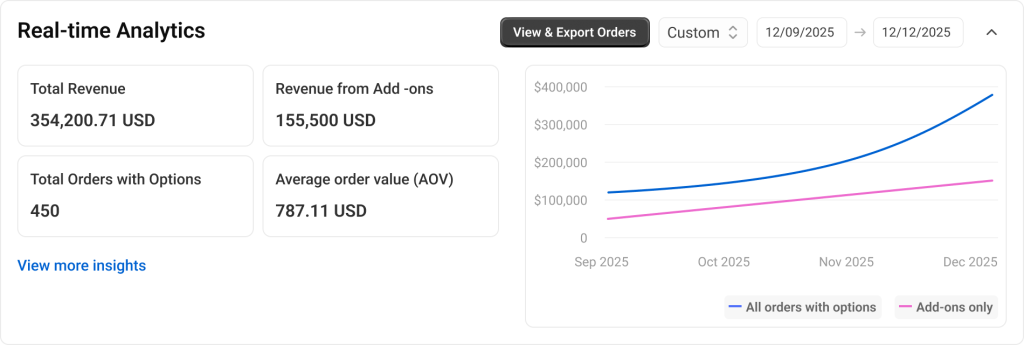
Key analytics available in Easify include:
- Total revenue by app: see the total sales revenue generated through Easify product options.
- Total orders with options: understand how many orders included at least one custom option or add-on.
- Revenue from add-ons: measure how much extra revenue is coming specifically from paid add-ons.
- Average order value (AOV): track how product options affect overall order value.
- Revenue chart for Easify options: a visual chart that shows revenue generated through Easify options over the selected time period.
Insights by Option Set and Option Value
Beyond high-level revenue metrics, Easify also breaks down performance at a more granular level:
- Most valued option set: identify which group of options (for example, “Personalization” or “Add-ons”) generates the highest revenue.
- Most valued option value: see which specific option values perform best, even when they belong to the same option set (for example, “Gold engraving” vs “Silver engraving”).
This level of detail makes it easy to understand not just that product options are selling, but which options customers are willing to pay for.
Why Easify Works Better for Product Option Sales Reporting
Compared to Shopify’s built-in reports, Easify’s analytics are purpose-built for stores using custom product options. Merchants don’t need to export orders, analyze line item properties, or manually calculate revenue from add-ons.
With Easify, you can:
- Track sales beyond variants
- Measure the true impact of product personalization
- Optimize pricing and option placement based on real data
- Make data-driven decisions to increase upsell revenue
For stores offering customizations, add-ons, or personalized products, Easify provides the missing layer of analytics needed to accurately report sales by product option.
Final Thoughts
Reporting sales by product option in Shopify depends largely on how your products are set up.
If your store uses standard Shopify variants for options like size and color, Shopify’s built-in reports can give you reliable insights at the variant level. These reports are easy to access and work well for straightforward product catalogs.
However, when your store offers custom product options, personalization, or paid add-ons, Shopify’s native analytics quickly reach their limits. Sales data for these options isn’t included in standard reports, making it difficult to understand which customizations actually drive revenue.
This is where tools like Easify Custom Product Options make a meaningful difference. By providing real-time analytics for product options, add-ons, and option values, Easify gives merchants the clarity they need to evaluate performance, optimize pricing, and increase average order value.