Same products.
Smarter boxes.
3× Conversions
Your product isn’t the problem.
Your presentation is.
You already have products. You might even have a bundle box. But it’s probably not selling the way you expected.
On normal days, customers take their time. They explore, compare, and optimize for price.
Think about the last time you bought a gift for your mom or dad. You weren’t looking for something perfect — just something personalized and meaningful.
Your customers feel exactly the same way.
Most boxes underperform during MFD not because they’re bad, but because they’re too hard to choose. Your box might be good. But it’s not easy to say yes to.
This guide shows you how to turn the same box into a high-converting gift experience — without changing a single product.
The 4-Level Formula.
Level up without changing your products.
Not all bundles sell. The ones that do follow a clear structure. Here’s how to level up yours, without adding complexity.
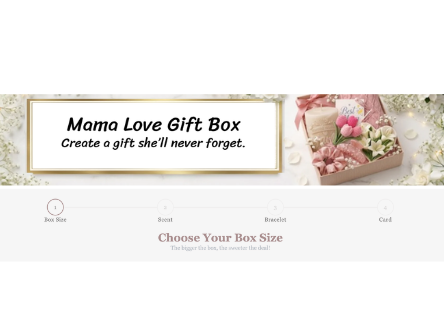
Make your title & subtitle instantly giftable
Describe the gift purpose, not the products. Talking about the moment — not the box — changes buying intent entirely.
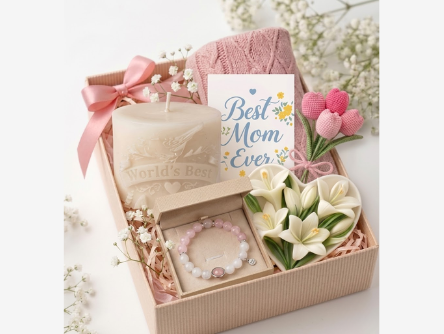
Bundle your products in a way that makes sense
Don’t just group similar items. Bundle them with a clear purpose — walk buyers through giving a gift, not building one.
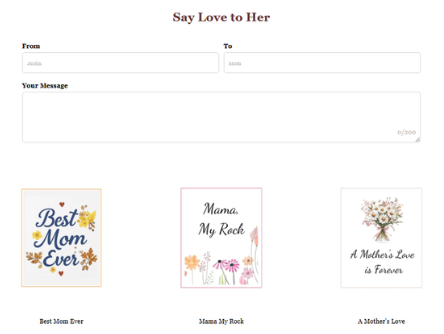
Add small extras that increase perceived value
Simple additions make a big difference. A card, a message, a wrap — tiny additions that turn checkout into a gift-wrapping moment.
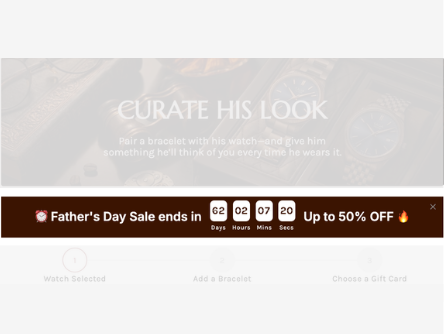
Create urgency that converts
It’s not about the product — it’s about timing. A countdown + limited-time offer on your banner turns “I’ll buy later” into “I need this now.”
Now, let’s find your niche, get inspired, and apply it.
Below are box structures that consistently convert during Mother’s Day and Father’s Day. You don’t need to copy them exactly — adapt what fits your store.
01Gift & Special Events
Reframe the prompt around the recipient and the same box turns into a thoughtful gesture. Hesitation drops, and conversion follows.
Mother’s Day
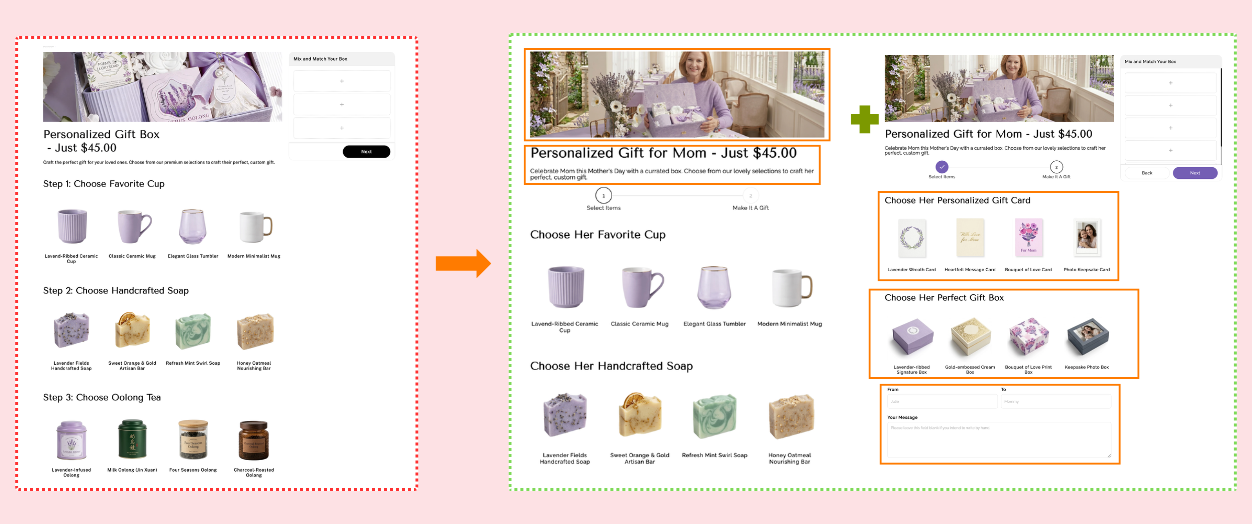
What changed
- Reframe the title around the recipient, not the box.
- Break selection into clear steps: item → card → message.
- Add From/To fields and a handwritten message box.
Father’s Day
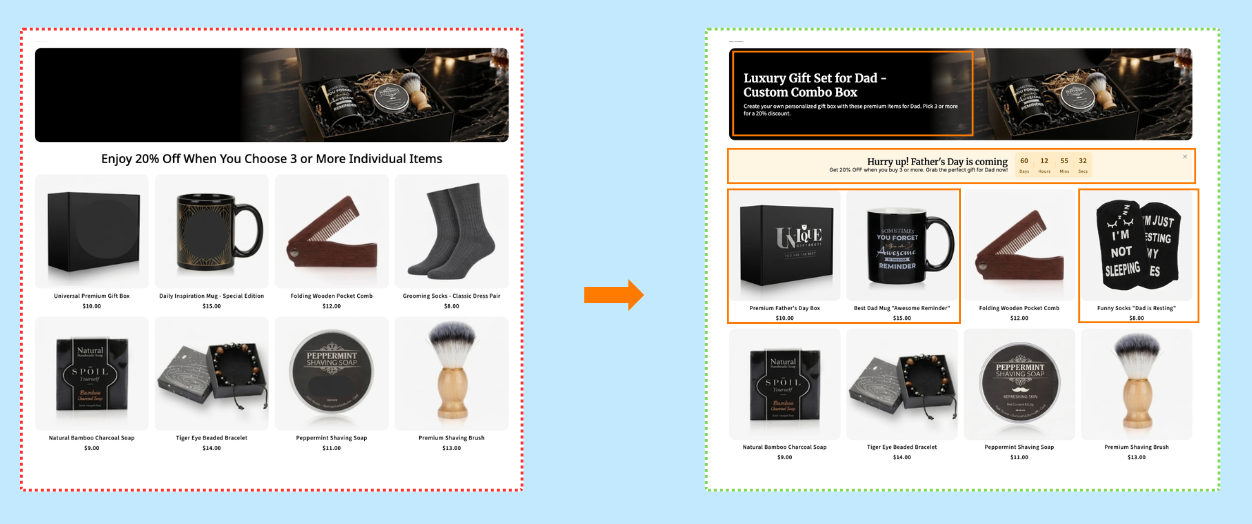
What changed
- Add a Father’s Day countdown to create real urgency.
- Lead with a bold, recipient-focused headline.
- Unlock a discount at 3+ items to increase AOV.
02Food & Drink
Food gifts are the lowest-risk choice a buyer can make. Reframe the prompt around the recipient and the same box turns into a thoughtful gesture. Hesitation drops, and conversion follows.
Mother’s Day
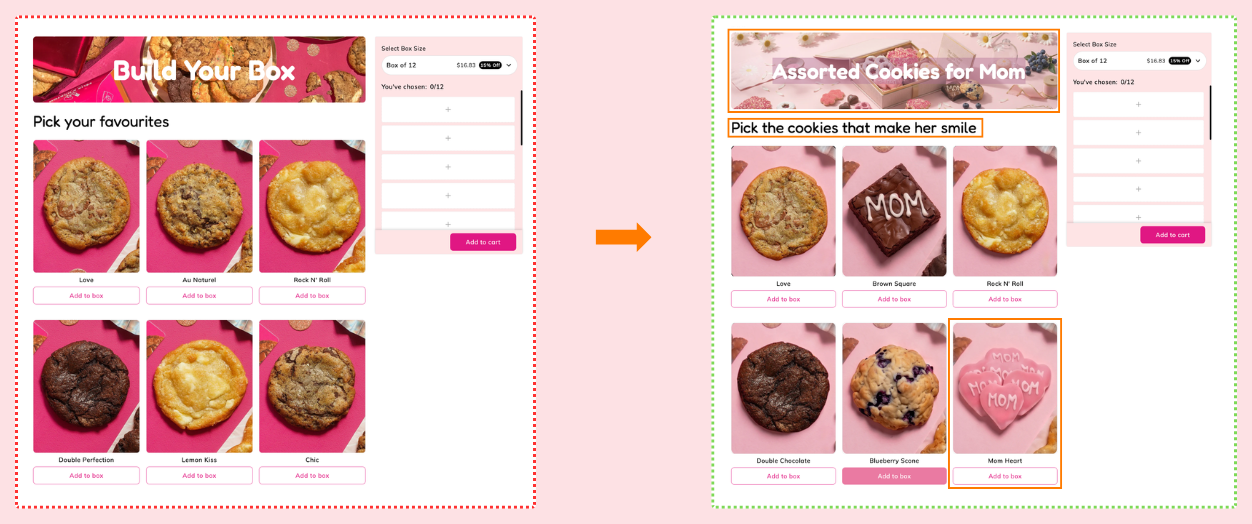
What changed
- Rename the box hero to “Assorted Cookies for Mom”.
- Change selection prompt to “Pick the cookies that make her smile”.
- Apply pink visual theme to match the occasion.
Father’s Day
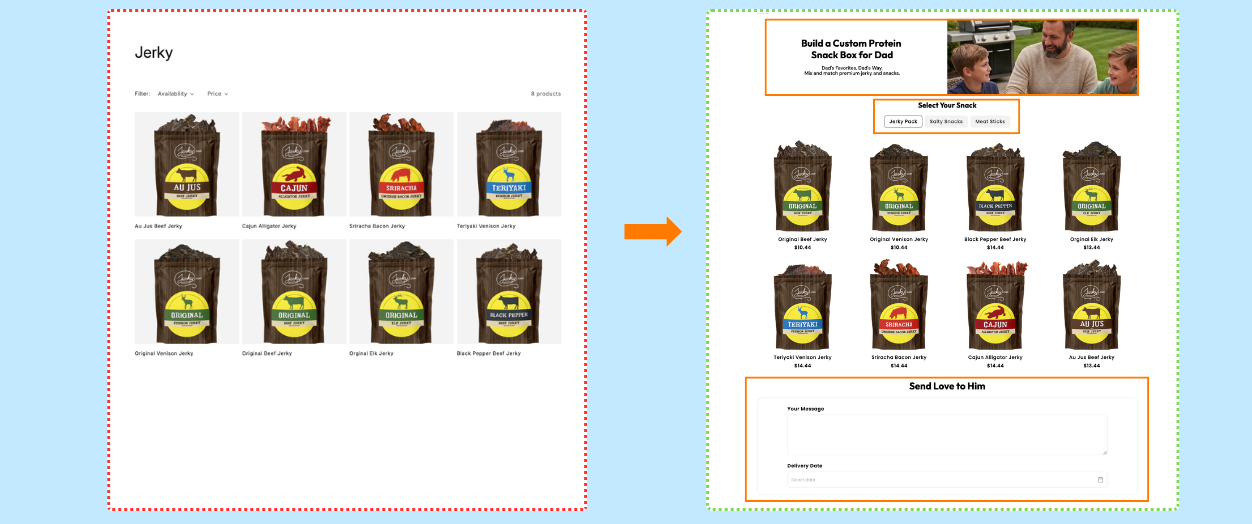
What changed
- Lead with “Build a Custom Protein Snack Box for Dad”.
- Group snacks into intuitive tabs (Jerky, Salty, Sticks).
- Add a message field and delivery date for gifting confidence.
03Beauty & Fitness
Beauty and grooming products convert faster when the box is framed as a ritual the recipient will enjoy, supported by a gentle unlock and a card that carries the message.
Mother’s Day
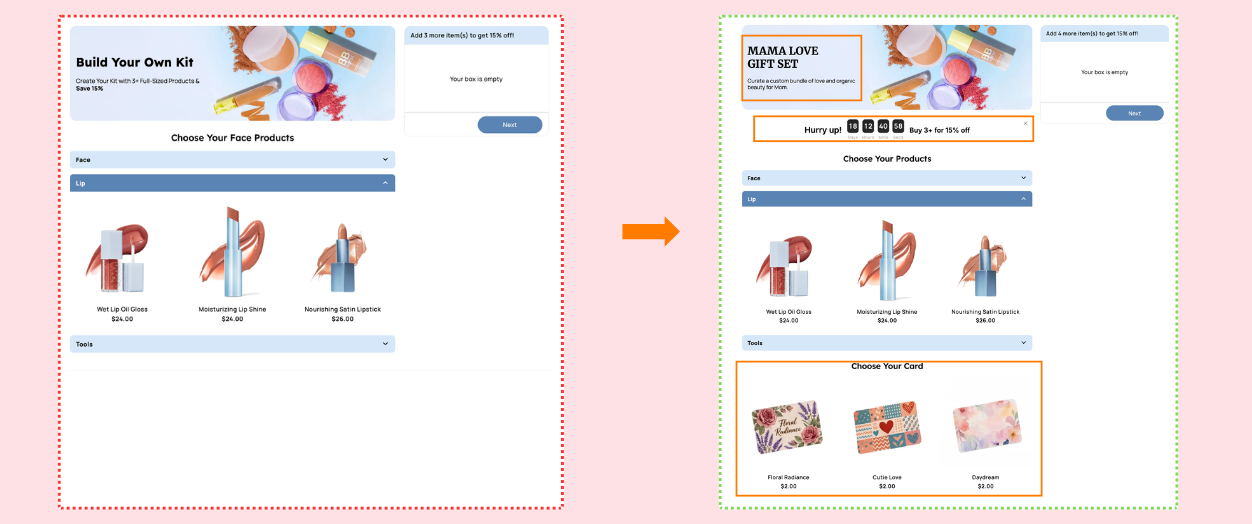
What changed
- Rename to “MAMA LOVE GIFT SET” — it’s a gift, not a kit.
- Add a countdown timer to create seasonal urgency.
- Add a gift card selection step to lift perceived value.
Father’s Day
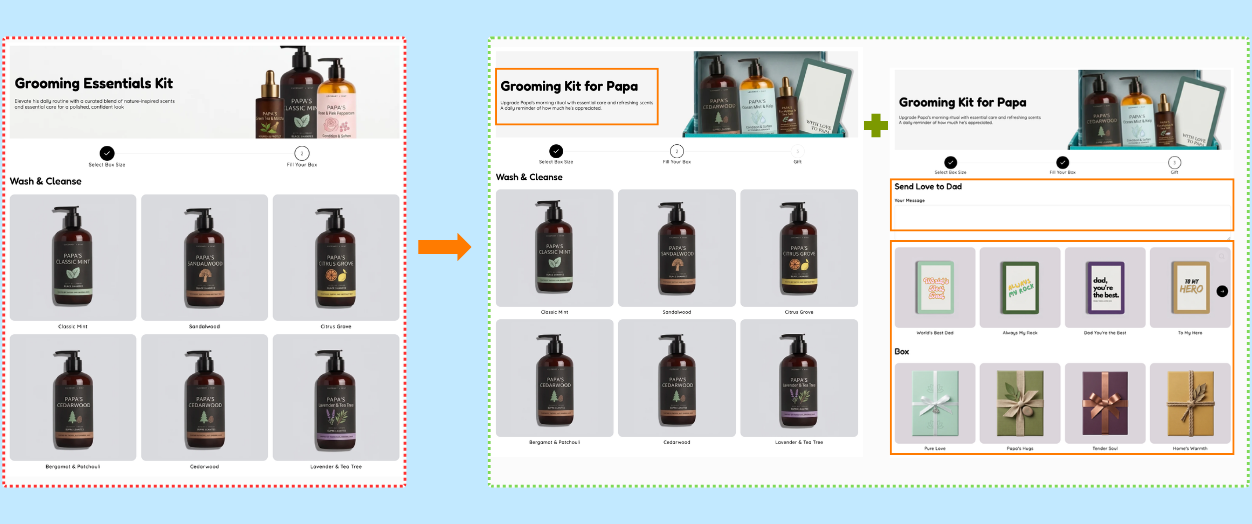
What changed
- Add a dedicated “Gift” step with message and card selection.
- Reframe copy around Papa’s daily ritual, not features.
- Keep same scents — only the framing changes.
04Health (Vitamins & Supplements)
Wellness products convert when buyers can see them as an act of care, not a subscription refill. Seasonal copy, a discount timer, and a gift card flip the perception entirely.
Mother’s Day
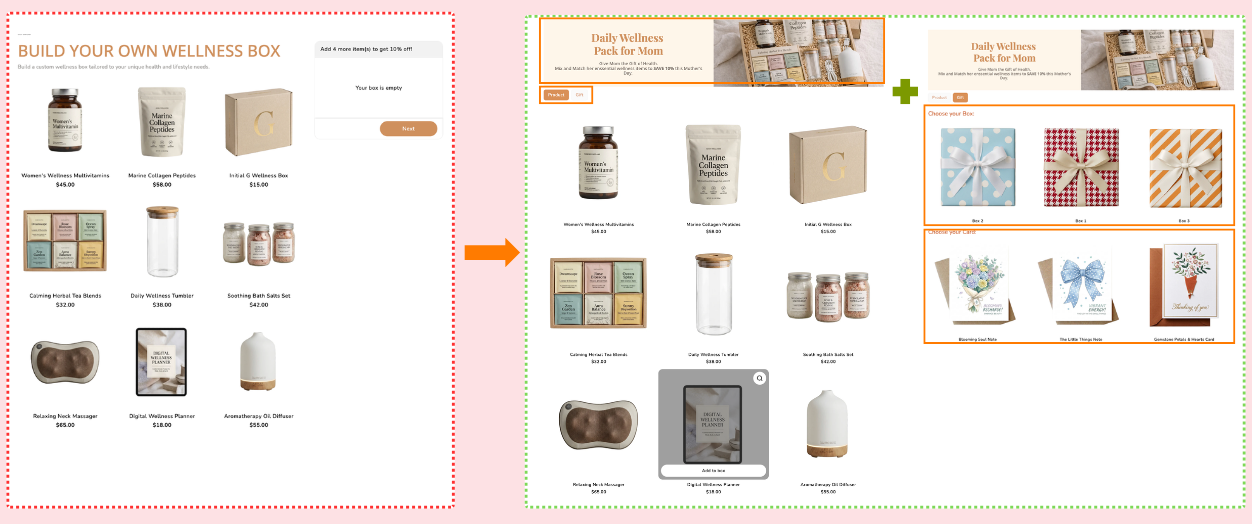
What changed
- Change title to “Daily Wellness Pack for Mom”.
- Add a Gift tab with box and card selection to lift AOV.
- Increase discount visibility and tie it to Mother’s Day.
Father’s Day
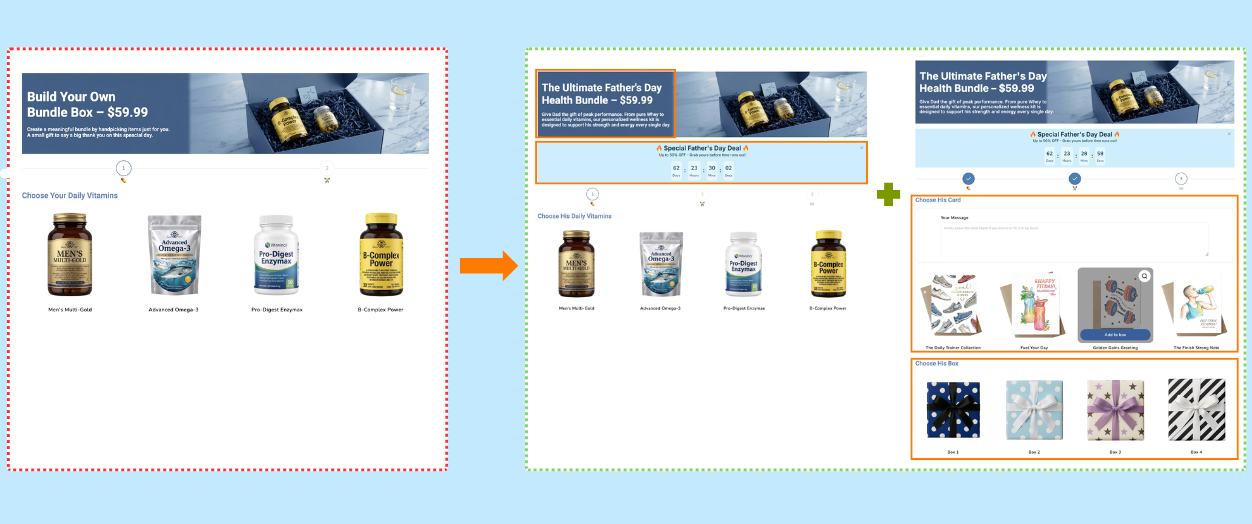
What changed
- Rename to “The Ultimate Father’s Day Health Bundle”.
- Add a high-urgency countdown with up to 50% off.
- Introduce “Choose His Card” and “Choose His Box” gift steps.
05Jewelry & Accessories
Jewelry is personal. When you guide buyers to “pick the one that feels just right for her,” you reduce anxiety and lift confidence — which directly converts.
Mother’s Day
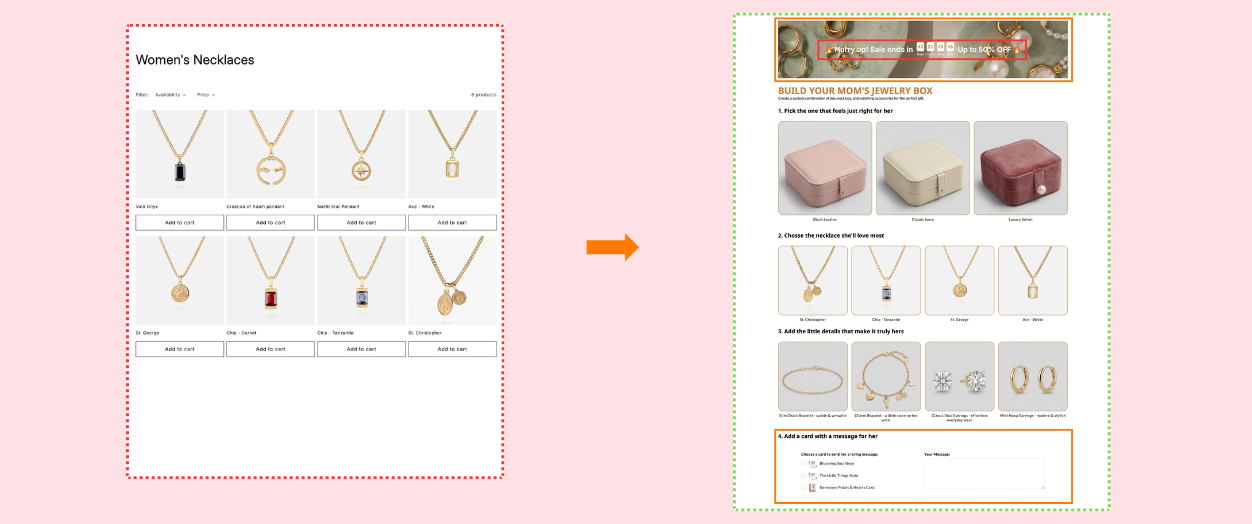
What changed
- Replace category page with a guided 4-step gift builder.
- Use recipient-centric language: “the one that feels just right for her”.
- Add a message card selection step to seal the gift feeling.
Father’s Day
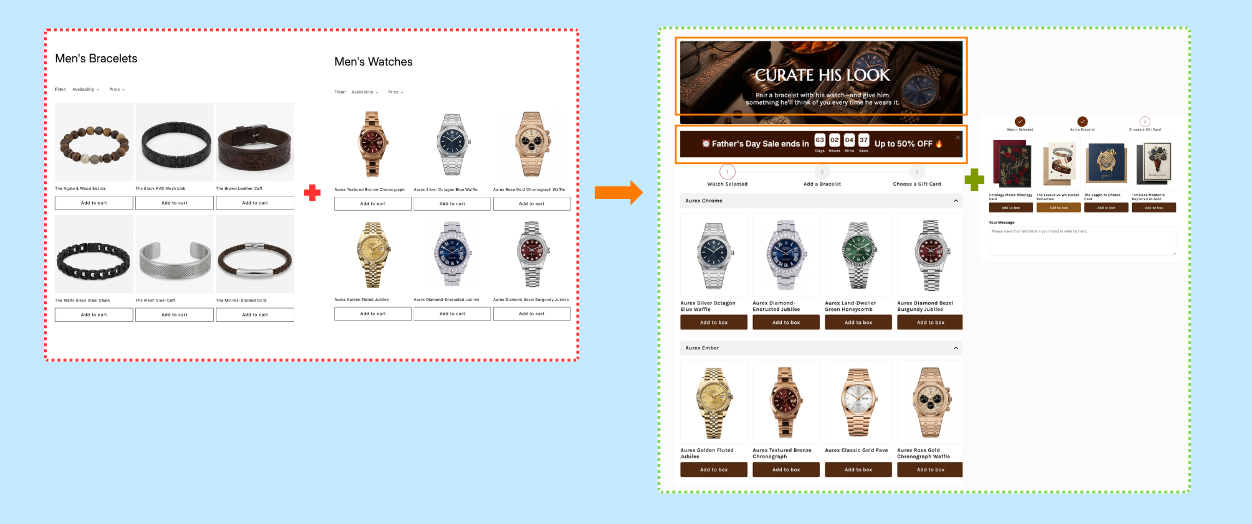
What changed
- Guide him step-by-step: watch → bracelet → gift card.
- Use a progress bar so the flow feels intentional, not long.
- Keep the same SKUs, reframed as a curated set.
Turn your box into a sales machine
— with AI.
You’ve optimized your box. You’ve made it easier to say yes. But if customers can’t see it, feel it, imagine owning it — they won’t buy.
- ✓A simple AI video feels more real, more dynamic, and shows your product from multiple angles — so your message actually connects.
- ✓It turns your box into a scroll-stopping story that works across product pages, emails, and ads.
- ✓It shows products in action, which removes hesitation instantly.
Open your box and
apply formula now.
Start turn your products into a gift-ready experience in minutes with Easify Box Bundle Builder.
Level Up My Box Now →Great boxes aren’t lucky.
They’re built with the right formula.
